HTTP 413 on a website upload: find the size limit before changing it
A poster uploads at 2 MB but a 12 MB version fails. The browser may say “413,” “request entity too large,” or simply show a failed upload. The useful question is which part of the delivery path rejected the whole request, and whether the larger file is actually permitted by your content policy. This worksheet helps an editor and a technical owner answer that question together.
Boletolibre editorial team
Published
What 413 means—and what it does not
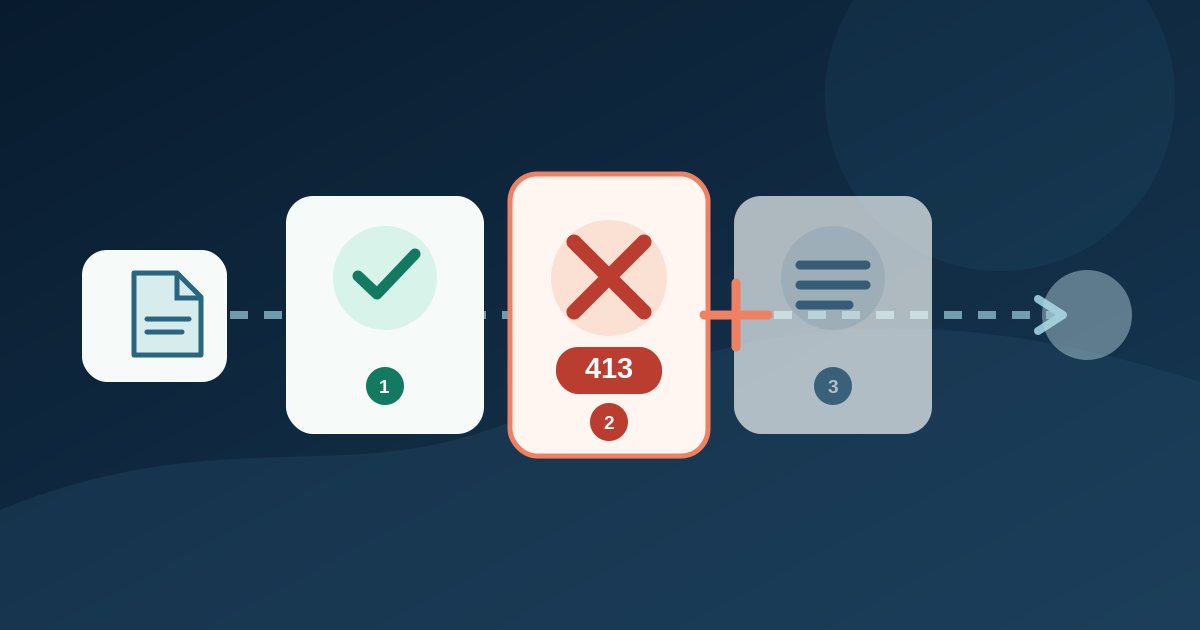
HTTP 413 Content Too Large means a server refuses to process the request because its content is larger than that server is willing or able to handle. Older interfaces may call it “Payload Too Large” or “Request Entity Too Large.” A 413 identifies a request-size rejection; it does not by itself prove that the hosting account has run out of disk space, that the file format is invalid, or that the application received the file. If the server marks the limit as temporary, a Retry-After header can indicate when to try again.[1]
For a multipart form, the request body includes the file plus form fields and framing. A file whose displayed size equals the configured ceiling can therefore still exceed a total-request limit. Use the browser network panel or server logs to record the request size where available; do not infer a precise threshold from a single failed filename.
Capture a safe failing example
Reproduce with approved, non-sensitive test media through the same upload screen and route. Note the exact time and timezone, URL path, HTTP method, status, file type, individual file size, number of files, and—if visible—the request body size. Try one clearly smaller allowed file and one just above the suspected boundary. Stop repeated attempts if they burden a live service or create duplicate records.
Check the Network response rather than relying only on the page message. Preserve a request ID and relevant response headers if present, but omit cookies, tokens and file contents from a support ticket. If the status is not 413, investigate the actual response instead of changing size limits. If the upload succeeds but the file later fails to process, that is a different stage.
Locate the first limit on the real route
Trace the request from edge service to web server or reverse proxy, then to the application or runtime. A platform may have more than one cap; raising only one does not raise the effective ceiling. Compare timestamp and request ID across logs. An edge rejection may leave no application log entry, but missing logs alone are not proof of which layer refused it.
| Checkpoint | What the owner should inspect | Primary reference |
|---|---|---|
| CDN or edge | Plan and zone upload/body limit for the actual hostname | Cloudflare documentation, if Cloudflare is in the path |
| Web server or proxy | Route-level request-body limit, such as NGINX client_max_body_size or Apache LimitRequestBody | NGINX / Apache documentation |
| IIS request filtering | maxAllowedContentLength and the exact logged status/substatus | Microsoft IIS documentation |
| Application/runtime | Form and framework limits; for PHP, compare upload_max_filesize with post_max_size | PHP documentation |
| Storage/processing | Separate free-space, temporary storage and downstream processing checks | These are not established by a 413 alone |
NGINX documents a 413 when a request exceeds client_max_body_size; Apache documents LimitRequestBody as a body-size cap. Cloudflare also documents plan-dependent upload limits. In IIS, request filtering has maxAllowedContentLength; inspect the logged status and substatus. In PHP, post_max_size must exceed upload_max_filesize, but exceeding it can leave $_POST and $_FILES empty rather than automatically return 413. Use only the controls that exist in your stack, and confirm the effective configuration for this route.[2][3][4][5][6]
Choose a bounded remedy
First decide whether the larger asset belongs on the site. If a compressed image or a smaller PDF remains readable and suitable, prepare that version and keep the existing limit. If legitimate files must be larger, the technical owner can set an explicit maximum for the upload route, with room for form overhead, and align every upstream limit that applies. A provider-controlled maximum may require a different approved upload architecture rather than a local configuration change.
Keep file-type checks, authorization, processing limits and storage safeguards in place. Removing all size checks to make one file pass can expose upload storage and image/PDF processing to resource exhaustion. OWASP recommends explicit upload-size limits as one of several controls.[7]
Verify both acceptance and rejection
After a change, repeat the same allowed-file test through the public hostname and upload screen. Confirm that a file within the approved limit finishes, appears in the intended private or public destination, and can be used as expected. Then try a safe test file above the approved limit: it should fail clearly and leave no published partial asset. Check the logs at the checkpoint you changed and record the effective ceiling and owner.
Test multi-file forms as a whole request, not only each file separately. If a 413 remains, compare the new response and logs to the original; the next lower limit may now be visible. A successful HTTP response is not enough if a later media processor rejects the file.
Copy this 413 handoff worksheet
Fill one row per failing route and share it with the person who controls that layer. Record policy and evidence before asking for a larger limit.
| Field | Example entry to replace |
|---|---|
| Upload purpose and approved maximum | Sponsor logo; 10 MB per file; 12 MB whole request |
| Route and environment | POST /media/upload on public hostname; production |
| Observed comparison | 2 MB PNG succeeds; 12 MB PNG returns 413 at 14:20 UTC |
| Evidence | Request ID, response status, matching edge/proxy/app log line |
| Owning checkpoint and decision | Proxy owner: confirm route cap; retain or raise to approved ceiling |
| Acceptance check | Allowed file succeeds; oversize file rejects cleanly; no partial publication |
The example numbers describe a hypothetical workflow, not a recommended global limit. Size the boundary to the content type, expected traffic and processing capacity.
Download the editable HTTP 413 diagnosis worksheet (Markdown, English)
Sources and further reading
- RFC 9110, §15.5.14: 413 Content Too LargeIETF / RFC Editor · Accessed
- NGINX: client_max_body_sizeNGINX · Accessed
- Apache HTTP Server: LimitRequestBodyApache Software Foundation · Accessed
- IIS request filtering: requestLimitsMicrosoft Learn · Accessed
- Cloudflare: Error 413Cloudflare · Accessed
- PHP: core upload directivesPHP Documentation · Accessed
- OWASP File Upload Cheat SheetOWASP · Accessed