HTTP 431: Find the Oversized Request Header Without Guessing
A page that works in a private window but fails in your usual browser can point to an oversized request header. HTTP 431 gives you a narrower clue than a generic error: the server rejected the headers sent with the request. Use this guide to restore access safely and find the field that keeps growing.
Boletolibre editorial team
Published
What a 431 response actually means
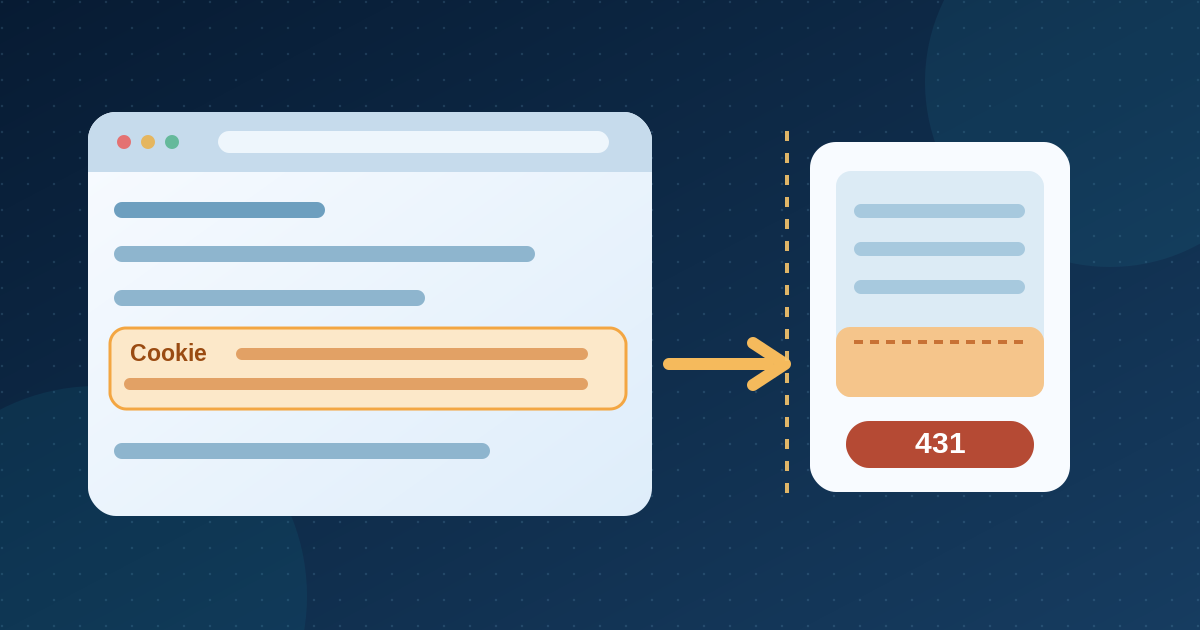
HTTP 431 means the recipient is unwilling to process a request because its header fields are too large. Either one field or their combined size can trigger it. The standard permits a retry after the headers are reduced; when one field is responsible, the response should identify it when practical. It does not prescribe one universal byte limit, and a gateway or application may enforce its own boundary.[1][2]
Request headers include Cookie, Authorization, Referer and other metadata sent before the response. A large upload body is a different problem (often 413). An overlong request target has its own status (414). Do not treat 431 as evidence that page HTML, CSS or image files need compression. Some servers use a less precise 4xx response for a header limit, so the exact emitting layer still matters.[1][2]
If you are visiting the site: make one safe comparison
Copy the affected URL and try it once in a fresh private window or browser profile. If it works there, site-specific browser state is a useful lead, not proof that the site is healthy for signed-in visitors. If the ordinary window still fails, remove cookies for only that site using your browser’s site-data controls, then sign in again. This may sign you out or reset saved preferences; avoid clearing data for every site. Browser menu names vary, so follow the current instructions for your browser.[5][3]
If both profiles fail, or the problem returns as soon as you sign in, tell the site owner the URL, time and time zone, browser, whether it happens before or after login, and the visible status. Never send a screenshot of the full Cookie or Authorization value. A private window is a diagnostic comparison, not a permanent fix.
For site owners: locate the rejected request and the rejecting layer
In browser developer tools, open Network, reproduce once, and inspect the failing request’s status, method, host and request headers. Compare a working profile or pre-login request with the failing one. Look at header names and approximate lengths, especially Cookie, Authorization and Referer. If the browser view lacks enough detail about the rejection, correlate the timestamp with CDN, load balancer, reverse proxy and application logs or metrics. Check where the 431 was generated before changing a setting.[4][1]
Record only sanitized evidence. Cookies and authorization fields can carry session secrets; URLs and Referer may contain tokens or personal data. In a support ticket, use header names, approximate sizes, cookie names without values, a redacted URL, timestamp, request ID if present, and the layer that logged the rejection. Do not attach a raw HAR or full request headers until a secure collection and redaction process is agreed.[6][4]
| Observation | Likely next check |
|---|---|
| Fails only in one established browser profile | Compare that profile’s cookie names and total Cookie header size with a fresh profile. |
| Fails after login across profiles | Inspect session cookie size and repeated Set-Cookie responses on the login path. |
| Fails only through one edge or proxy | Find that layer’s documented request-header limits and its rejection log. |
| Fails only after a link or redirect | Inspect the Referer and other headers; keep long query strings distinct from 414. |
Change limits only after measuring the real request
An edge, proxy and origin may each have a different limit for one field and for total headers. Write down the failing request’s approximate field and total sizes, the documented boundary at the rejecting layer, and normal traffic’s range. Reducing the offending header is usually a more durable fix than raising a limit. If a limit change is justified, make a bounded change at the layer that rejected the request and review its security and resource implications with the operator.[2]
Do not apply a guessed global header-limit increase, disable a web application firewall, or drop authentication headers to make a single test pass. Test the same signed-in journey through the normal edge route, not only by bypassing it. A working clean profile can coexist with a broken returning-user path.
Copy this 431 incident worksheet
Fill one row per affected request. Use approximate sizes or ranges rather than header values. The worksheet helps separate a temporary browser-state workaround from the server-side fix that prevents the next visitor from seeing 431.
| Field | Record without secrets |
|---|---|
| Failing route and time | Redacted path, method, UTC timestamp, request ID if available |
| Scope | Fresh profile / returning profile; logged out / logged in; affected browsers |
| Rejecting layer | CDN, load balancer, proxy or application; log line or metric name |
| Header evidence | Largest field name, approximate bytes, total approximate bytes; cookie names only |
| Likely producer | Recent login, middleware, plug-in or integration change |
| Fix and retest | Producer or bounded limit changed; same route rechecked in returning and fresh profiles |
Verify that the fix lasts
Retest the failed route with the original returning-user state where possible, a fresh profile, and both logged-in and logged-out paths. Exercise the redirect or checkout path that first exposed the error. Confirm the relevant layer no longer rejects the request, request-header sizes are back within the measured boundary, and users can complete the task. Watch 431 counts and adjacent 4xx rejections after release; the failure may move to a different layer if only one limit changed.[1][2]
If the response identifies a particular field, treat that as a lead and verify it against request evidence. If no layer reports 431 but visitors see it, preserve the time and request ID and ask the hosting or edge provider which component generated the response.
Sources and further reading
- RFC 6585 §5: 431 Request Header Fields Too LargeIETF / RFC Editor · Accessed
- RFC 9110 §5.4: Field LimitsIETF / RFC Editor · Accessed
- Network features reference: inspect request headersChrome for Developers · Accessed
- Delete, allow, and manage cookies in ChromeGoogle Chrome Help · Accessed
- Logging Cheat Sheet: data to excludeOWASP · Accessed
- Session Management Cheat Sheet: session ID contentOWASP · Accessed