Unexpected HTTP 410 Gone after a website migration: restore, redirect or retire?
A page that worked before a website migration now says 410 Gone. That status is a strong statement about the URL, but it does not prove the content was deliberately deleted. Check the exact response, find the rule that emits it, and decide the page's intended future before changing a redirect or deleting an archive.
Boletolibre editorial team
Published
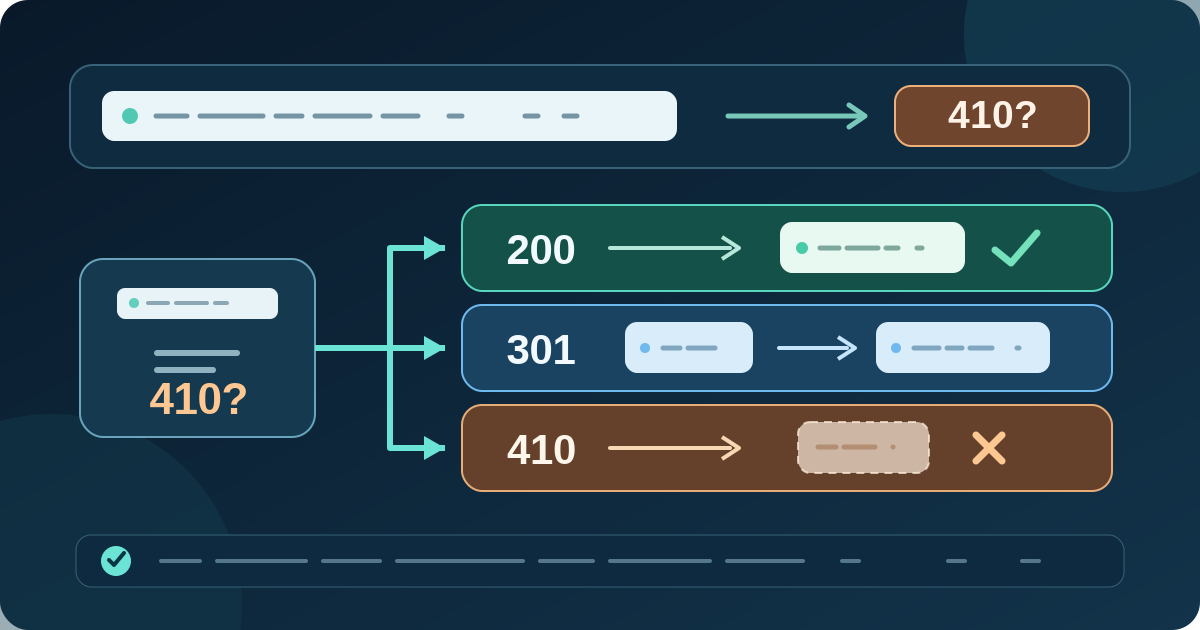
What a 410 actually says
HTTP 410 means access to the resource is no longer available at the origin and the condition is likely to be permanent. It is meant for an intentional removal. If permanence is unknown, 404 is the more honest status. A 410 is not a redirect: it does not send visitors to a replacement. Because 410 can be cached without an explicit freshness rule, a fixed configuration may not instantly change what every visitor sees.[1][2]
For Google Search, a 410 is a 4xx response: the returned page content is not used for indexing, and a previously indexed URL can disappear over time. Google's current crawler documentation treats ordinary 4xx responses, including 404 and 410, alike for this purpose. Do not choose 410 because someone promises a faster removal date; choose it when the URL is truly retired.[3]
Confirm the status and its scope before editing
Test the exact old URL in a browser Network panel or an HTTP status checker, including the host, path, trailing slash and query form that visitors use. Record the final response code and any redirect chain. An error-looking page can still return 200, and a 410 can come from a CDN, redirect service, web server, CMS or application route. Check both a normal visit and a fresh private session, then compare a nearby page that should still work.[6][3]
If only one migrated URL returns 410, trace that URL's rule. If a whole path or host returns 410, stop broad changes and inspect the migration map, catch-all routing and recently published redirects. Save a short evidence record: URL, UTC time, observed status, response layer if known, change window and intended new page. Share redacted request details rather than private query values or customer data.
Find the layer and rule that produced 410
Compare the public response with the site's published routing configuration and deployment history. Look for explicit gone rules, a retired-content plugin, wildcard redirects, an old-host forwarding service, CDN edge rules and CMS status settings. Check whether the same rule matches only the intended URL or an entire prefix. A migration can leave the new content intact while a front-door rule still answers 410 before the request reaches it.
If the origin now returns 200 but the public edge still returns 410, inspect the edge's rule and cache before changing the origin again. The HTTP specification permits heuristic caching of 410, so stale edge or intermediary responses are plausible. Record where the response changes; avoid purging unrelated site content or replacing a broad rule until the mismatch is understood.[1]
Decide the correct outcome for this URL
Use the editorial destination, not the status code alone. A live page accidentally marked gone should be restored at its existing URL. A page that moved and has a close equivalent should send the old URL to that equivalent with a permanent redirect. A deliberately retired page with no useful successor can keep 410; 404 is also reasonable when permanence cannot be established. Do not redirect every retired URL to the homepage: Google's site-move guide warns that irrelevant mass redirects may be treated as soft 404s.[1][2][4]
| What happened | Target response | Owner check |
|---|---|---|
| Content should still live at this URL | 200 with the intended page | Remove the accidental 410 rule and confirm the content exists |
| Content moved to a genuinely equivalent URL | 301 to that specific page | Map old URL to new URL and check the destination |
| Content was deliberately retired with no replacement | 410, or 404 if permanence is uncertain | Approve the retirement and show visitors useful navigation |
| Temporary outage only | Use an outage response appropriate to the incident | Repair the service; do not label the URL gone |
Make one bounded change and keep a rollback
Keep the old rule and the proposed replacement in a change record. Test the exact URL and one unaffected neighbor in preview or staging if available. Then adjust only the matching route, CMS state or edge rule. For a redirect, use the specific destination from the migration map and confirm it loads with the expected content. For a restore, verify that the page body, title and important assets return normally—not only that the 410 disappeared.[4]
If 410 persists after the rule changes, compare public and origin responses and inspect cache behavior. A targeted invalidation may be necessary where the old response was cached; its scope depends on the provider. Keep rollback details ready until the public path, not just the admin preview, shows the intended outcome.[1]
Clean links and discovery signals after the decision
For a restored or redirected page, update menus, campaign links and internal references to the preferred live URL. For a deliberately retired page, remove links that invite visitors into a dead end, and provide a useful alternative in the human-facing error page without changing its 410 status. During a site move, include images and downloads in the URL inventory as well as HTML pages.[4]
Review the sitemap against the decision. Google recommends listing the canonical URLs you want in search results; a retired 410 URL should not remain there. A moved page should be represented by its new URL. Treat sitemap submission as a discovery hint, not a guarantee of immediate recrawl or indexing. Monitor the affected URLs and their replacements rather than assuming a Search Console label alone proves the live HTTP status.[5][3]
Copy a 410 migration triage worksheet
Use one row per affected URL. The decision column prevents a blanket redirect or blanket 410 from hiding differences between still-live, moved and retired content. Keep this with the migration map so another owner can verify the choice.
| Field | Record |
|---|---|
| Exact old URL and observed time | Host, path, UTC time, 410 or redirect chain |
| Intended content state | Still live / moved / retired / unknown |
| First 410 layer and matching rule | CDN, forwarding service, server, CMS or application; rule ID |
| Relevant new URL, if any | Specific equivalent page, not a generic homepage |
| Chosen response and approver | 200 / 301 / 410 / 404; owner and reason |
| Verification | Public status, final content, unaffected neighbor, links, sitemap, cache |
Verify the visitor path and the crawler signal
Repeat the public test after publication from a fresh session. For a restored URL, expect the intended content with 200. For a moved URL, expect one clear redirect to a relevant working page. For a retired URL, expect the selected 410 or 404, a helpful human-facing explanation and no accidental sitemap or internal links. Check one unaffected neighboring URL to catch an overbroad rule.[1][4][5]
Record the final status and change time, then monitor any important old URLs. Google must crawl a URL again to observe a new response; neither restoring 200 nor issuing 410 guarantees immediate changes in search results. If the public response differs from the intended one, return to the layer trace before making another rule change.[3][4]
Sources and further reading
- RFC 9110 §15.5.11: 410 GoneIETF / RFC Editor · Accessed
- RFC 9110 §15.5.5: 404 Not FoundIETF / RFC Editor · Accessed
- How HTTP status codes affect Google's crawlersGoogle Crawling Infrastructure · Accessed
- How to move a siteGoogle Search Central · Accessed
- Build and submit a sitemapGoogle Search Central · Accessed
- 410 GoneMDN Web Docs · Accessed