DNSSEC migration checklist for an event domain
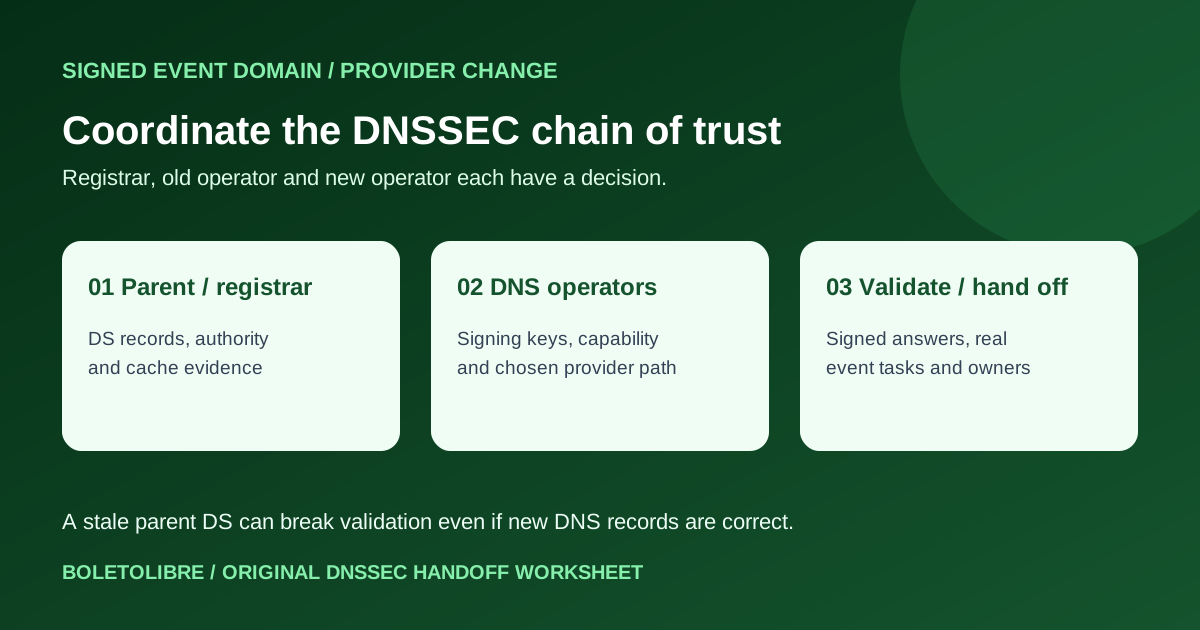
An event domain can show correct new DNS records and still fail for validating resolvers if its parent DS record points to incompatible signing keys. This event-domain checklist helps the organizer assign the registrar, old DNS provider and new DNS provider to a reviewed plan before touching ticket, registration or email routes. The technical operator must follow the exact providers’ current procedures.
Boletolibre editorial team
Published
Decide whether the change is DNS hosting, registration or both
Download the original DNSSEC migration handoff record (Markdown)
Record the registered domain, current registrar, old and new authoritative DNS operators, affected subdomains, event page, ticket alias, registration, MX and email-authentication records. A registrar transfer and a nameserver migration are different changes; doing both together increases the number of handoffs. Confirm whether DNSSEC signing is active and which parent DS record set is actually published. The parent-zone/registrar owner must be able to update DS, while the DNS operator controls signing keys. This article is narrower than a general DNS zone migration: it tracks the trust chain across those parties.[1][2]
Choose a migration path the actual providers support
Google Cloud describes keeping the chain of trust during a cross-operator move when both operators and the registrar support public-key exchange, multiple DS records, compatible algorithms and controlled key rotation. Cloudflare documents a multi-signer migration for supported configurations. Route 53’s hosted-zone migration guide says it does not currently migrate the DNSSEC setting; its documented path removes the parent DS before the move and re-establishes trust after. These are provider-specific approaches. A team must not combine fragments of them or assume a zero-interruption path exists. Record which capability is supported, the exact vendor guide and a qualified reviewer’s decision.[1][3][2]
Make temporary DNSSEC deactivation an explicit decision
When a provider cannot preserve the chain, its guide may call for deactivating DNSSEC at the parent for the transition. Google Cloud notes that the zone then lacks DNSSEC protection and warns against this route where records depend on DNSSEC authenticity. Identify any such dependency, including a DANE/TLSA use if present, before accepting the path. An event owner should not turn this into a generic “remove DS, then change nameservers” instruction: the safety and order depend on the registrar, operators, cached records and the domain’s services. Escalate to a DNS specialist if the dependency or support capability is unknown.[1][2]
Set gates from the domain’s observed records and cache lifetimes
Before the change, compare the old and new zone contents, including web, registration, ticketing and email records, and capture parent DS and authoritative DNSKEY evidence. The qualified operator should define checks for both providers, validating resolvers and real attendee tasks at each handoff. Wait for relevant parent NS/DS and child NS/DNSKEY cache lifetimes from actual data and the selected vendor procedure; a copied 24- or 72-hour rule is not proof. Google recommends trying the process on a less critical zone. Keep the old operator available until the chosen guide’s retirement condition is met. Record observed timestamps with time zones and a rollback decision owner; do not promise zero downtime.[1][2][3]
Verify final trust and assign ongoing ownership
After the provider-directed transition, have the DNS owner verify the intended parent DS state, active signer, authoritative answers and validating resolution. Check event pages, registration, ticket redirects and email from independent clients. Confirm the final owner for registrar DS updates, signing and key rotation, monitoring and the evidence archive. A dashboard showing “DNSSEC on” is not alone proof that the parent-to-child chain validates. If validation fails, use the provider-specific recovery plan and communicate confirmed visitor impact through an independent channel.[1][4]
Sources and further reading
- Migrate or transfer DNSSEC-enabled zonesGoogle Cloud Documentation · Accessed
- Migrating a hosted zone to a different AWS accountAmazon Route 53 · Accessed
- DNSSEC migration tutorialCloudflare DNS documentation · Accessed
- Enabling DNSSEC signing and establishing a chain of trustAmazon Route 53 · Accessed