Email subscriber sunset policy: decide when to stop regular campaigns
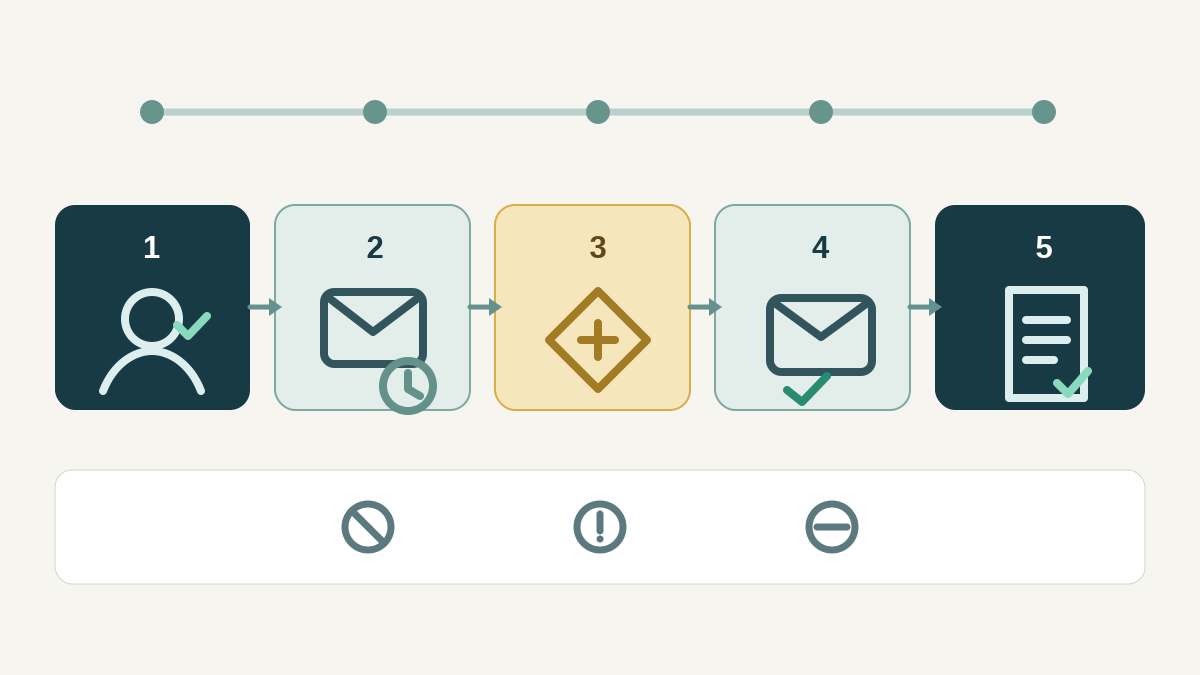
A sunset policy gives a team a repeatable way to stop regular marketing to subscribers who no longer show useful signs of interest. It is a decision rule, not a diagnosis of what any person thinks. Start with eligible, opted-in contacts; choose a threshold that fits your send cadence; review stronger signals and exceptions; then record the outcome. The worksheet keeps the decision explainable when campaigns, staff or email platforms change.
Boletolibre editorial team
Published
Separate the four starting states
First remove contacts who unsubscribed, complained, lack a reliable marketing permission record or have an undeliverable address from this exercise. They are not candidates for a “win-back” message. This policy is for subscribed addresses recently sent regular marketing but showing little recorded interaction. An address not mailed in a long time is stale, a different case: Mailchimp recommends reconfirming or removing stale addresses before resuming normal sends. Keep transactional or service notices outside this marketing rule and evaluate their own purpose separately.[1][5]
| State | Next decision |
|---|---|
| Opted in and recently mailed, little interaction | Review under the sunset rule |
| Not mailed for a long interval | Reconfirm or remove before routine marketing |
| Unsubscribed, complained or permission missing | Exclude from marketing; do not send a win-back |
| Delivery failure | Follow the provider’s delivery and suppression process |
Write a threshold your cadence can support
Set the observation window using both elapsed time and opportunities to engage: for example, a weekly publication might review several delivered issues, while a seasonal sender needs a longer interval. Record the number of qualifying campaigns, first and last send dates, and any exclusions such as a new subscriber who has barely received mail. Mailchimp says inactivity depends on sending frequency and the product or service; there is no universal number of days or campaigns. Apply the same rule to comparable segments, then review it after a cycle instead of changing it to make one campaign look better.[2]
Use clicks, explicit replies, preference updates, purchases or other consented first-party activity when those signals are available and relevant. No recorded click is not proof of disinterest; a subscriber may read without clicking. Open tracking is even less reliable because Apple Mail Privacy Protection can download remote content in the background regardless of engagement. Do not let an open alone rescue a contact or a missing open alone trigger removal.[4][2]
Review the candidate group before an action
Preview a small sample of records and count the full candidate group. Check permission source, recent signup dates, campaign receipt, click or reply history, preference changes, purchase or account activity, and known data gaps. Exclude people who were not actually exposed to enough comparable sends. Separate a seasonal customer from a weekly-content subscriber, and ask whether the message mix changed. Record who reviewed the segment and when; a filter that matches the wrong audience can affect many contacts at once.[2]
Choose one exit path and preserve its meaning
If permission remains valid and a genuinely useful message is available, run a limited re-engagement attempt with a clear choice to stay, change preferences or leave. Suppress candidates from regular campaigns while that attempt is evaluated. If there is no meaningful response, stop regular marketing according to the recorded policy. Google advises mailing-list senders to write to people who want the messages and to make unsubscribing easy. Do not describe a lack of response as affirmative consent.[5][1]
Choose the provider action deliberately: a marketing suppression or unsubscribe state stops future marketing under that status; archiving may remove a contact from an active audience while retaining its data; deletion has a different purpose. In Mailchimp specifically, archived contacts cannot be sent marketing, and unarchiving restores their latest marketing subscription status rather than granting fresh permission. Its help also warns that archiving is not a substitute for deletion when an applicable deletion request must be honored. Check the semantics of your own provider before automating this step.[3]
Log the rule, outcome and next review
Use the worksheet to record the segment definition, data source, exclusion checks, sample size, action, owner and review date. Compare later complaint, opt-out and engagement patterns for eligible recipients; do not claim the policy alone caused a change. Recheck that signup forms, imports and automations cannot silently re-add a stopped contact to routine campaigns. When someone newly signs up, use the current permission and preference record rather than an old engagement score.[5][3]
Download the subscriber sunset decision worksheet (Markdown)
Sources and further reading
- About Inactive and Stale AddressesMailchimp · Accessed
- Identify Inactive SubscribersMailchimp · Accessed
- Archive or Unarchive Your ContactsMailchimp · Accessed
- Mail Privacy Protection & PrivacyApple · Accessed
- Email sender guidelinesGoogle · Accessed