Plan a re-engagement email for inactive subscribers
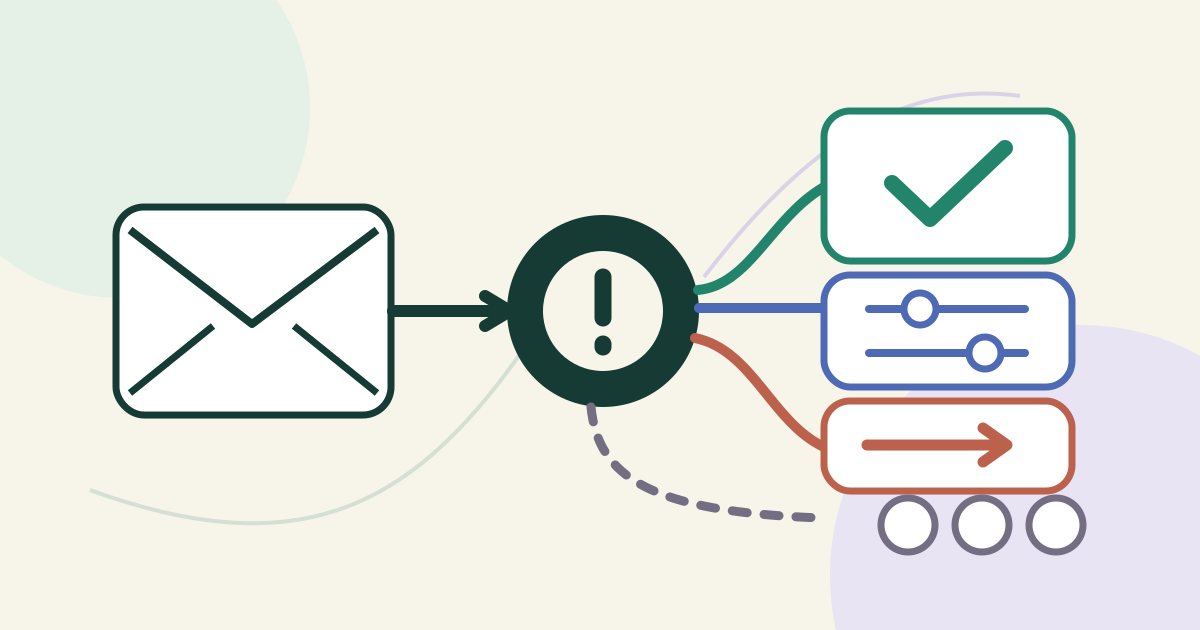
An inactive subscriber is still a person who once chose to receive marketing. A useful re-engagement email gives that person a simple decision: keep receiving something relevant, change what arrives, or leave. This guide plans one controlled send to already subscribed contacts. The editable worksheet records the audience rule, copy, destinations and outcome before a team schedules the email.
Boletolibre editorial team
Published
Start with permission and a useful reason
Use this campaign only for contacts with a current marketing subscription and a credible record of how they joined. An address that never gave permission, unsubscribed, complained or is known to be undeliverable is not a re-engagement prospect. A contact you have not mailed for a long time may be stale rather than merely inactive; review that case separately before resuming ordinary marketing. Keep service messages outside this marketing selection.[1][3][6]
Name the reader benefit before opening the editor. Maybe a newsletter now covers a new topic, offers a lighter frequency, or contains a resource that matches an earlier choice. 'We want a better engagement number' is an internal wish, not a reason someone should receive another email. If there is nothing useful to offer or ask, the honest decision may be to stop routine sends under the team's separate sunset policy.
Define a segment that can be checked
Write an inactivity rule suited to your cadence: the comparable campaigns and dates considered, the delivered-message requirement, and the activity that would keep someone out of the candidate group. A weekly publication might review several delivered issues; a seasonal one needs a different window. Exclude recent signups who barely had a chance to engage, currently unsubscribed or suppressed contacts, and people with a relevant recent reply or preference update. Count and sample the segment before scheduling.[2][4]
Treat tracking as evidence with limits. A missing open or click does not prove that somebody ignored the content; some readers never click. Apple Mail Privacy Protection can load tracking images without a person reading, so an open alone is weak evidence of renewed interest. Where available and appropriate, weigh an explicit preference choice, reply, or completed reader action more heavily. Do not turn a platform score into an unexplained permission decision.
Give the reader one clear choice
Build the message around a plain question, such as 'Would you still like the monthly field notes?' Say what will arrive and how often, using wording that matches the real plan. The primary button can take a person to a page where they explicitly confirm or select a preference. Include a visible route to reduce frequency or change topics if you can honor it. Keep the normal unsubscribe route easy to find and working.[1][5]
A click that merely opens the choice page is not a completed 'stay' decision. If confirmation requires a second step, label the page and store the completed choice, not the email-link click, as the outcome. Avoid a threatening deadline, a fake last chance or a reward that obscures the choice. You can offer genuinely relevant content, but do not describe passive non-response as renewed permission.
Draft the message in five small parts
Use a recognizable sender and a subject that says why you are writing, without implying a relationship that is not current. In the opening, remind the reader what they subscribed to and acknowledge that your emails may no longer fit. The body should state the benefit of staying in one concrete sentence. Next give the primary choice and, if supported, a preference route. Close with a human reply address and the usual unsubscribe mechanism.[1][5]
For example, a fictional botanical society might write: 'We send a monthly note about local walks and plant care. Would you like to keep getting it? Choose monthly notes, switch to quarterly highlights, or unsubscribe below.' Those are sample words, not a claim that a particular organization or email tool offers a preference center. A single useful message usually needs less explanation than a long win-back sales pitch.
Test the path before the send
Assign an owner to the choice page and to the data it changes. Test the email on a phone and with keyboard navigation. Follow every link as a recipient would: confirm, change preference, unsubscribe, and return from any confirmation page. Check that the destination language fits the message and that the final state appears in the sending system before another campaign could go out. Do not put an address or private token into a shareable worksheet.[5]
If the provider only supports a generic preferences page, explain that accurately in the email. If you cannot record a specific stay choice, measure the action the system can truly observe; do not invent a confirmation status from an open or a page view. Preview and test with safe sample records, including somebody excluded from the segment. Pause the campaign if the audience or the exit path behaves differently from the plan.
Set a restrained send and stop rule
Plan a single message first. A follow-up should require a separate reason, a maximum count, an interval suited to the audience, and an owner who can stop it; there is no universal cadence. Remove the selected group from ordinary promotions while the re-engagement decision is open if your sending setup supports that separation. Recheck the segment immediately before launch so recent unsubscribes and new activity are respected.[6][5]
Write down what ends the attempt: an explicit choice, an unsubscribe, a delivery failure, or the review date. Process opt-outs in the actual provider, not only in a spreadsheet. When there is no recorded response, apply the documented sunset decision rather than quietly treating silence as a new opt-in. A suppression state, an unsubscribe state and deletion can have different meanings; choose and verify the action in your own system.
Work through a small example
Suppose a weekly local-learning newsletter has 2,000 subscribed contacts. Its team defines inactivity as eight comparable delivered issues without a recorded click, reply or preference change, then excludes new signups, suppressed contacts and stale addresses. After sampling, 180 contacts remain eligible and all 180 messages are delivered. This is a fictional planning example, not a recommended threshold or a forecast.
By the review date, 27 people explicitly choose to keep the weekly note, 15 select a lower frequency, 9 unsubscribe and 129 have no recorded choice. The four mutually exclusive groups total 180. The team updates 42 recorded preferences, honors 9 opt-outs and sends the 129 to its reviewed sunset process. It does not count visits to the choice page as confirmations. To describe response, it can report 42 explicit keep-or-change decisions out of 180 delivered (23.3%), with the time window and definition beside the number.
Review outcomes without overclaiming
Record delivered count, completed stay choices, preference changes, unsubscribes, complaints, bounces and unresolved contacts. Show the denominator for each rate and keep outcomes mutually exclusive for reconciliation; investigate duplicates or a status that changed after the review cutoff. Compare with similar past sends only if the audience and period are truly comparable. Opens and clicks may help diagnose the path, but neither proves that the intended choice happened.[1][4]
Review replies as well as dashboards. A request for fewer messages, confusion about the sender or a broken button is useful evidence for the next campaign. Preserve the segment rule, creative version, send date, destination and decision owner with the aggregate results. Do not carry a person's old 'stay' choice into an unrelated newsletter or override a later opt-out. The worksheet below lets a second reviewer reproduce the decision.
Download the editable planning worksheet
Download the re-engagement planning worksheet (Markdown)
Use the localized worksheet to define eligibility, write the email in plain language, test each response route and reconcile four outcome groups. It contains the fictional 180-delivery example and blank fields for a real campaign. Replace the example assumptions with your own cadence, permission records and provider states before sending.
Sources and further reading
- Re-Engage Inactive Subscribed ContactsMailchimp · Accessed
- Identify Inactive SubscribersMailchimp · Accessed
- About Inactive and Stale AddressesMailchimp · Accessed
- Apple Mail Privacy Protection (MPP) FAQsMailchimp · Accessed
- About UnsubscribesMailchimp · Accessed
- Email sender guidelinesGoogle · Accessed