Event attendee communication channel matrix and update worksheet
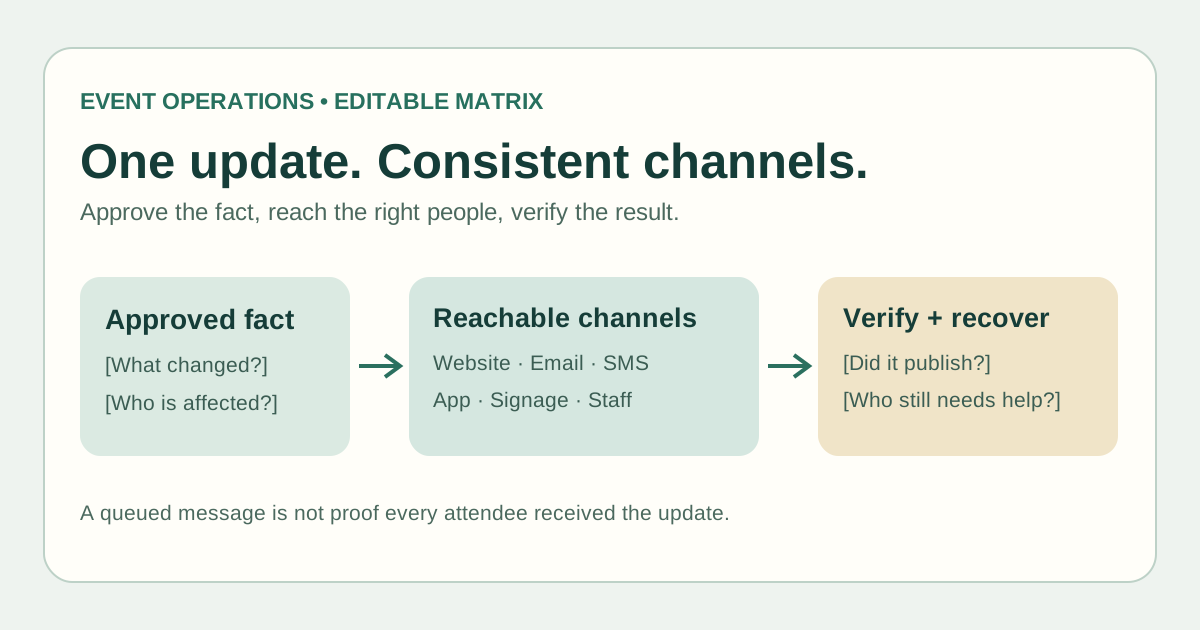
A room change can be correct on the website and wrong in an email draft, app alert or entrance sign. An attendee communication plan needs one approved fact and an explicit route to each affected group. This original matrix turns a routine event update into a record of who approves it, where it is published, which channels can actually reach the group, and how the team checks for gaps.
Boletolibre editorial team
Published
Download the editable channel matrix
Download the attendee communication channel matrix (Markdown)
Use one row per approved information change and affected audience, rather than one row per platform. The worksheet includes a reachability card for the website, email, SMS or messaging, app push, signage and staff briefing. It is for routine operational updates; immediate safety instructions follow the venue's approved emergency plan.[1]
Create one approved version of the change
Start with a short fact record: what changed, who is affected, what attendees should do, what remains unchanged, and where to get help. Name the approver and update the durable event information page or controlled record. Give each copy owner the same version and link; withdraw or correct obsolete text. A message with the right words but the wrong audience or date still misleads people.[1]
| Decision | Record before distribution |
|---|---|
| Audience | Ticket type, session, arrival gate or other verified affected group; include exclusions |
| Current fact | Version, source URL, effective time and time zone |
| Action | Exact room, entrance, schedule or support action the attendee needs |
| Approval | Who checked the fact and who may publish it |
| Fallback | What reaches people without this channel |
Choose channels by actual reachability
Do not treat an app push as a universal alert: an app instance must be registered to receive messages, and not every attendee has the app or has enabled its notifications. Do not assume a phone number exists for SMS. For a website update, identify the exact public page and make sure signs or staff do not point to an outdated version. Email can carry detailed instructions, but the chosen event platform's audience rules matter; for example, Eventbrite's attendee email tool targets people registered at send time and excludes cancelled orders from its 'all attendees' group.[4][2]
Choose a primary route plus a practical backup for the affected group. On-site signage and briefed staff may be needed for guests already inside the venue; a long email alone may not reach them in time. Record who updates each surface, which languages are needed, and how the support team will answer if someone sees an older copy.
Separate publishing from proof of reach
Before publishing, review the audience and exclusions, test links, check localized facts, and preview messages on the actual channel. Afterward, record the website URL opened, email send record, SMS provider status, app test result and confirmation that each affected sign or staff shift received the update. Provider statuses have different meanings: Twilio distinguishes queued, sent, delivered and undelivered. Even a delivered status does not prove a person read or understood the change.[3]
Assign failed or unreached groups a next action. If one provider is delayed, use the preselected backup rather than repeatedly sending contradictory versions. Keep a visible correction record if the original message was wrong.
Keep routine updates separate from consent and emergency decisions
A registration confirmation, optional marketing offer and urgent venue instruction can have different audiences and contact rules. Check your organizer's communications and privacy requirements before using attendee data or a new channel; this worksheet supplies no universal permission to send. For safety threats, defer to the approved emergency communication plan and authorized on-site lead. Use the dedicated email map for scheduled email flows; this matrix coordinates facts and reach across channels.[1]
Sources and further reading
- Event Attendee Communication Plan: Before, During, and AfterConrego · Accessed
- Email your registered attendeesEventbrite Help Center · Accessed
- Outbound Message Status in Status CallbacksTwilio · Accessed
- FCM Architectural OverviewFirebase · Accessed