Plan and publish an event call for speakers: page, proposals and replies
A public call for speakers is an invitation to propose sessions for places you have actually made available. It needs more than a submission button: prospective speakers need to know whether their idea fits, what participation involves and when they will hear back. Your team needs a way to review what arrives and hand accepted sessions into the programme. Use the editable English worksheet to separate public page copy from private decisions. Confirm each event-specific date, term and promise before you publish it.
Boletolibre editorial team
Published
Decide what the open call can genuinely fill
Download the editable call-for-speakers page and workflow worksheet (English Markdown)
Start with the programme, not the form. Mark the sessions already promised or invited, then identify the remaining slots by track, format, duration, language and venue or stream. An open call should represent a real opportunity. If the programme is full, do not collect proposals on the implication that a place is available. If only workshop sessions are open, say so in the page title and opening instead of asking for every kind of talk.
Write down the audience and the questions the event wants to explore. Give two or three illustrative topics, but leave room for a proposal that meets the purpose in a way you did not predict. Decide whether one person may submit multiple ideas and whether co-presenters or panel proposals are possible. These choices affect the form, review effort and schedule. Keep an internal slot count and decision owner; publish only what candidates need to judge their fit.
Work backward from the programme deadline
Set the date when the programme must be stable enough for speakers, production and attendees. Work backward through proposal review, decision meeting, applicant replies, speaker acceptance and the time needed to prepare session pages or materials. Only then choose the opening and closing dates. Put the closing time and time zone beside the date; ‘Friday’ is not enough for someone submitting from another region. Record who can answer questions while the call is live and who can approve a correction.
Check the participation conditions before announcing them. Will selected speakers receive a fee, travel support, admission, a recording or any other benefit? Is a session in person, online or hybrid? Who supplies equipment or interpretation? Do not fill the public page with assumed terms. If a decision is still pending, either resolve it before launch or state only what is confirmed. Set a realistic date for notifying applicants and assign an owner for replies, including replies to people who are not selected.
Write the public page as an applicant's decision path
Begin with the event name and edition, date and location or online format, the audience, and a short explanation of the sessions you seek. Follow with accepted topics, formats, durations and languages. Make the submission deadline conspicuous, with its time zone. State who may apply, any limit on proposals, what the applicant must send, and where questions go. If you plan to publish a recording or need speaker materials, describe the confirmed expectation without turning the page into an unreviewed agreement.
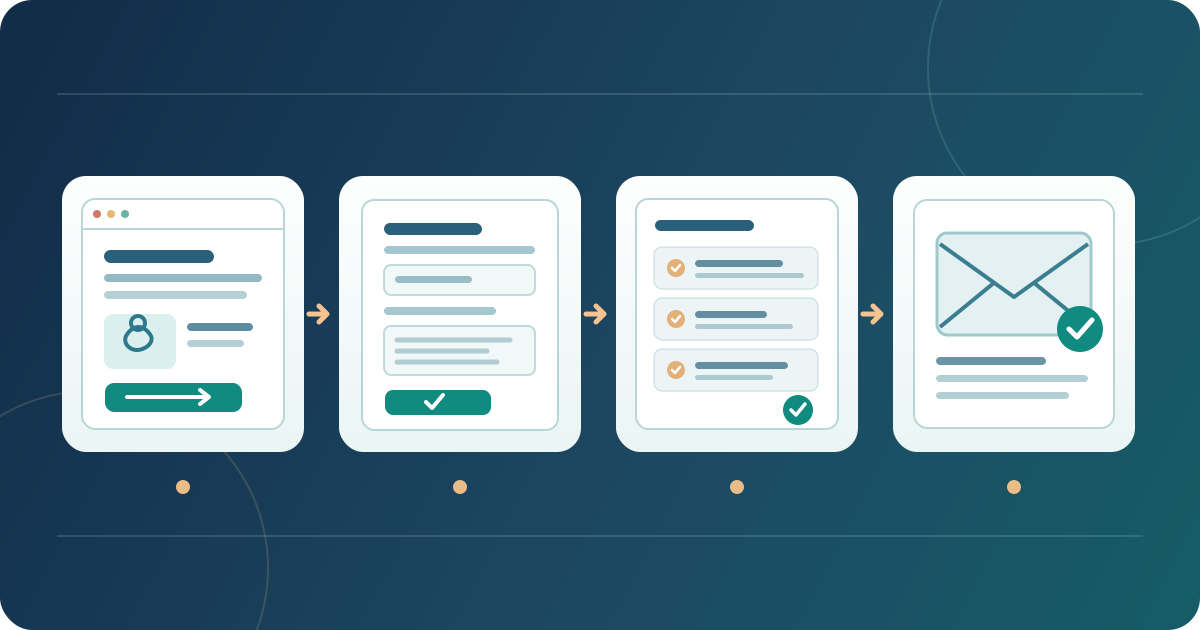
Give the review criteria and the planned reply date in plain language. A candidate should be able to answer three questions before starting a form: ‘Does my proposal fit?’, ‘What will I commit to if accepted?’ and ‘When will I know?’ Use one clear action such as ‘Submit a session proposal’ and point it to the actual application route. Keep a contact option for a person who cannot complete that route. The worksheet includes a fill-in public page skeleton; remove prompts that do not apply before publishing.
For a fictional design forum, for example, the page might request twenty-minute demonstrations about tested community design methods, offer three open slots, close at 17:00 in the event's named time zone and promise a decision by a specific verified date. Those details illustrate the level of specificity, not recommended numbers or terms. Replace all of them with your event's approved facts. Link to the main event page and keep the two pages consistent if the schedule changes.
Ask for enough to judge the proposal, then test the form
Build the form from the review criteria. A workable first round might ask for a session title, short abstract, format, track, audience level, learning outcome and relevant speaker experience, plus a contact route for the reply. Ask about technical needs only when they affect selection or planning. Do not request a finished deck, private address or detailed travel information just because the form can hold it. Label what is required, give useful length and file-format guidance where relevant, and avoid asking the same fact twice.[2]
Give each control a descriptive, associated label; instructions should remain available beyond placeholder text. When a field fails validation, identify the problem in words and let the applicant correct it. W3C's form guidance explains these patterns. Test the live form with a clearly synthetic proposal, including a deliberate error, and confirm the submission reaches the intended reviewer and produces the promised acknowledgement. Check the route with a keyboard and on a phone. A working form is not enough if the public page points to an old or closed URL.[1][2][3]
Set review rules before the first proposal arrives
Translate the public criteria into a small internal rubric. For each factor, describe what reviewers should look for and how they will record a reason, rather than treating a score as self-explanatory. Assign a reviewer, a decision owner and a route for resolving disagreement. Keep eligibility checks separate from editorial judgment: a proposal may be strong yet outside a published format or deadline. Record a conflict or prior relationship for the decision owner to handle instead of silently changing the criteria.
Review the possible programme as well as individual proposals. Two strong submissions may cover the same question, while a track promised on the public page remains empty. Note when a proposal is shortlisted, declined, awaiting clarification or held as an alternate; these are internal states, not public offers. Limit access to proposal details to people doing the work. Keep decisions and reasons in the private worksheet or your controlled system, never in the public page draft or an applicant-facing file.
Publish, announce and verify the applicant route
Preview the page in the languages you offer and on the devices applicants are likely to use. Compare its event date, session formats, deadline, conditions and contact route with the approved event record. Follow every link from the live page through the form and back to the acknowledgement. If the form is hosted elsewhere, make the transition clear and ensure the event name matches. If Boletolibre.com handles attendee ticket sales for your event, label that ticket link separately from the speaker proposal form so applicants do not land at checkout. Use a fresh browser session or a colleague who was not involved in setup to see what an applicant actually sees.
Announce the call with a short summary of the audience, sought topics, session formats, deadline and link to the authoritative page. Share it through relevant communities and partners whose members may have suitable ideas. A reminder can answer a real question or clarify a topic rather than repeat a vague request for speakers. Keep the page as the source of current facts. When you change a deadline or condition, update the page first, note the change, and use the same routes to alert people who may already be preparing or have submitted.
Close the call and answer every applicant
At the published closing time, verify what the submission route now shows. Do not leave an ‘Apply now’ button leading to a closed form without an explanation. Reconcile the received list with acknowledgements and any support requests before review is finalized. If someone reports a technical failure near the cutoff, route the case to the named owner and apply the event's documented decision rather than improvising a private exception that other applicants could not see.
Send the decisions on the date you gave applicants, or tell them promptly if that date must move. An acceptance message should make the next action clear: whether the speaker must confirm, by when, and which participation details still need agreement. A decline can be concise and respectful without inventing a reason or implying a future place. Tell alternates their actual status and response window. Do not publish a name or session as confirmed merely because the proposal was selected internally.
Turn accepted proposals into a reliable programme
After a speaker accepts, verify the final title, description, public name, format, time and any materials needed to publish the session. Move only approved public details into the agenda and speaker profile. The proposal abstract may have been written for reviewers, not attendees, and a working title may no longer describe the final session. Link each published entry back to its confirmed programme record so a room or timing change is made consistently.
Hand the confirmed speaker an operational brief with the session facts, deadlines, contact and rehearsal route. Track whether every applicant received a decision and whether each accepted speaker has actually confirmed. Finally, replace the open call's action with a closed status and, if useful, a link to the published programme. Keep a correction owner for both pages. The call is complete only when the public invitation, private decisions and attendee-facing programme agree on what happened.
Sources and further reading
- Labeling ControlsW3C Web Accessibility Initiative · Accessed
- Form InstructionsW3C Web Accessibility Initiative · Accessed
- Validating InputW3C Web Accessibility Initiative · Accessed