Event date and time localization checklist for every language
A translated event page can be grammatically correct and still send someone to the venue on the wrong day. Numeric date order, 12-hour versus 24-hour clocks, time-zone labels and automatic viewer-local conversion all deserve a separate review. Start from one verified event time, then check every place it appears.
Boletolibre editorial team
Published
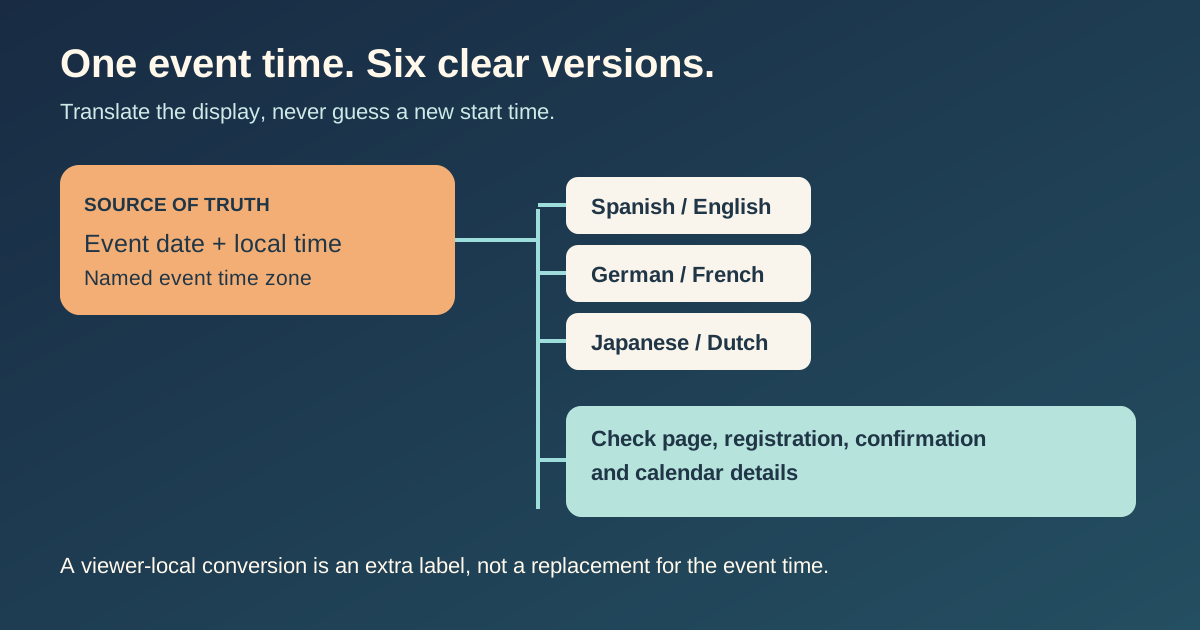
Lock one event-time source of truth
Record the event's local calendar date, start and end times, and a named event time zone, such as America/Mexico_City. Have the event owner confirm these before translation starts. Do not use “7 pm” alone: readers need to know which place's clock that is. The event zone remains the reference even if a visitor's device shows a supplemental local conversion. Corsizio's event platform makes the same practical distinction between an event's configured zone and an optional viewer-local display; its exact settings are product-specific.[1]
| Field | Editor records | Why it matters |
|---|---|---|
| Event local date | Full written date and year | Prevents day/month reversal |
| Event local start and end | Wall-clock time at venue | Keeps schedule and doors aligned |
| Named time zone | IANA location identifier | Avoids ambiguous abbreviations |
| Change owner | Person who approves schedule updates | One correction can reach all channels |
If an event spans midnight, say which date each end time belongs to. For a virtual or cross-border event, show the event zone explicitly and label any viewer-local conversion as a second time, not the official replacement.
Review the displayed date and clock by locale
Unicode CLDR documents that languages and regions differ in date order, punctuation and 12- or 24-hour clock patterns. Prefer a date with a written month when space permits; “04/05” is ambiguous across audiences. A localized formatter can handle ordinary display rules, but an editor must still check that the rendered weekday, month and year agree with the source event.[2]
- Spanish, English, German, French, Japanese and Dutch: inspect the complete date, year and weekday, not just translated labels.
- Check whether the locale renders 12-hour or 24-hour time; if 12-hour, verify AM/PM or an equivalent day period.
- Keep the venue/event time-zone label visible on the main schedule. Do not assume the visitor knows a bare abbreviation.
- When showing a visitor's local time, identify both the converted time zone and whether the date changed.
For a website implementation, an explicit IANA timeZone in Intl.DateTimeFormat prevents the server or visitor device's default zone from silently deciding the event-time display. Formatting language and time zone are separate options; the same instant may have a different written form in each locale.[3]
Check every surface that repeats the event time
A page is only one copy of the schedule. Registration forms, checkout summaries, confirmation emails, reminder messages and calendar attachments may be generated by different systems. Compare them against the same approved source. Some mail clients infer a separate calendar summary from an email and show it in the device's time zone, so compare the written email with the client preview rather than assuming both displays are identical.[1]
| Surface | Review question |
|---|---|
| Event page and program | Is the time clearly in the event zone? |
| Registration and checkout | Does the chosen session use the same start and date? |
| Confirmation and reminder | Does the written time match the approved schedule? |
| Calendar file or invite | Does the attendee's calendar resolve to the same instant? |
| Language switch | Does changing language preserve the same event edition and time? |
Run a small localization sign-off
Use one worksheet row per language and event. Assign a human reviewer who can compare the localized display with the verified source. Check at least one viewer whose device zone differs from the event zone, and a boundary case if a conversion crosses midnight or a daylight-saving change. Record the actual page and message reviewed, not merely “translation complete.”
Download the event date and time localization review sheet (CSV)
If the organizer changes a start time, treat it as a schedule change across all six locales and every downstream surface. Re-review date, time, time-zone label and calendar output before announcing the new schedule.
Sources and further reading
- Time zones and formatsCorsizio Support · Accessed
- Date/Time PatternsUnicode CLDR · Accessed
- Intl.DateTimeFormat() constructorMDN Web Docs · Accessed