Event registration data export checklist: give each team the right view
An attendee export is often passed to door staff, catering, finance and reporting as if they need the same file. They do not. The leading Google result distinguishes attendee and order lists and recommends separate views. This event-specific export brief makes each handoff explicit, so teams know which records are in the file and when it became stale.
Boletolibre editorial team
Published
Name the purpose and row unit before exporting
Download the editable export-and-handoff brief (Markdown, English)
Decide whether the recipient needs one row per order, ticket, attendee, registration or check-in. A buyer can purchase several tickets, while a ticket can have its own attendee and entry state. Include the event edition, date or session key in the scope; a recurring series cannot be reconciled from a title alone. Write the decision the file supports: admitting guests, preparing meals, reconciling payments or measuring attendance.[1][2][3][4]
Choose only the fields needed for that decision
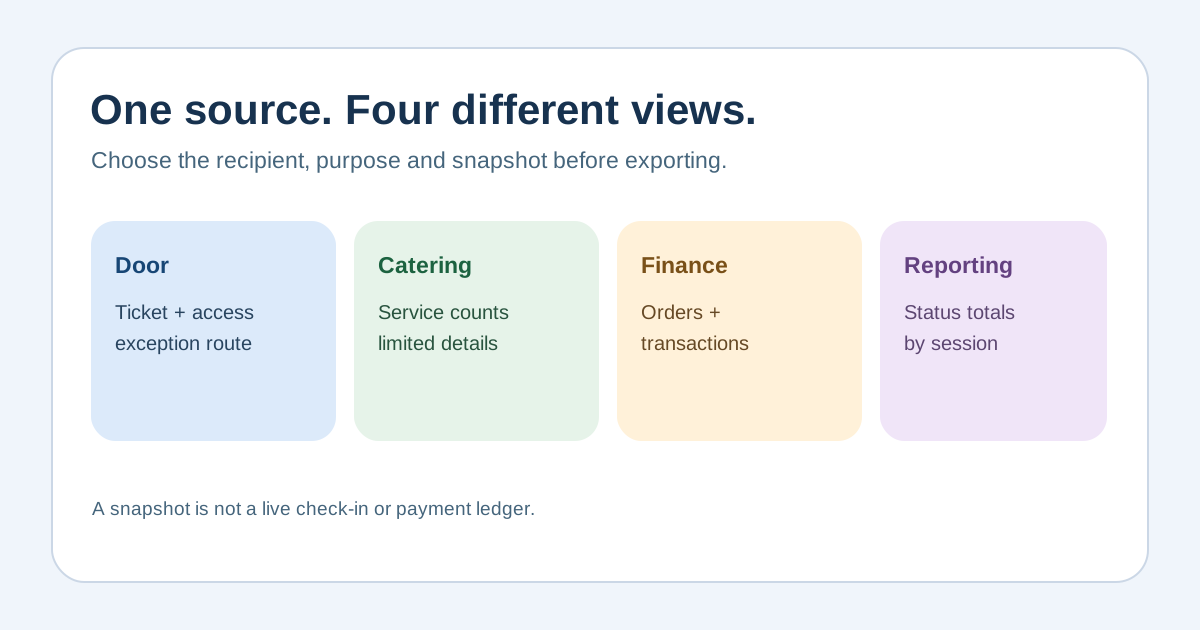
A door view may need a searchable name, ticket/seat type, authorized access state and a way to refer an exception, but not price or marketing preferences. Catering may need counts by service choice rather than names; finance needs order and transaction references rather than an entrance roster. For each field, name the recipient and the reason. Sensitive accessibility or dietary details deserve a separate restricted handoff only to the staff who act on them. Apply local privacy rules and your approved data policy.[1][2][3][4]
Freeze and label the snapshot
Record source system, export operator, filters, event edition, status meanings, time and time zone, row count and file version. Confirm whether pending, cancelled, refunded, complimentary, transferred and checked-in records are included. Provider definitions differ: an order export may not be an attendee list, and a completed order is not a checked-in person. Keep original IDs and do not infer attendance from sales. Check character encoding and that dates survive opening in the destination tool.[1][2][3][4]
Hand off through an approved channel
Give each recipient only their approved view, using the organization’s access-controlled sharing route. Do not email a full registration database to a temporary volunteer or place it in a public folder. State whether the recipient may print, download or forward it, who can answer exceptions, and when an updated version will replace the old one. For an offline door list, label the copy and reconcile it with the live system when service returns; a static file cannot show later sales, refunds or check-ins.[1][2][3][4]
Reconcile and retire the copy
Compare exported rows and status totals with the source immediately after creation and after imports or major changes. Record any exclusions and the exact file used for badges, catering or reporting. At event close, reconcile checked-in counts with the live record, collect printed copies and follow the approved retention and deletion schedule for each recipient. Keep financial records and operational exports under their separate authorized policies; a generic blog cannot set a universal retention period.[1][2][3][4]
Sources and further reading
- The Event Attendee List: What to Collect, How to Export It, and Who May See ItVenuera · Accessed
- Manage orders for a single eventEventbrite Help Center · Accessed
- Glossary of order and attendee statuses in event reportsEventbrite Help Center · Accessed
- Principle (c): Data minimisationInformation Commissioner’s Office · Accessed