Event marketing timeline template: plan a launch around your event date
An event marketing timeline is a list of messages, channels and deadlines anchored to the real event date. The leading Google result for “event marketing timeline template” supplies editable week-by-week spreadsheets, so this guide includes an original workbook rather than only a suggested schedule. Its rows are examples: a small local event may need fewer steps, while a conference with partner approval may need more lead time.
Boletolibre editorial team
Published
Download and set up the calendar
Enter the event date in cell B2 and the time zone in B3. The yellow lead-week cells control calculated target dates: 0 means event day; a negative number means after it. Dates remain blank until you enter an event date. Add, delete or move rows to suit the actual campaign, and replace every sample deliverable with a specific output.
Download the editable event marketing launch calendar (XLSX)
Build the sequence from attendee decisions
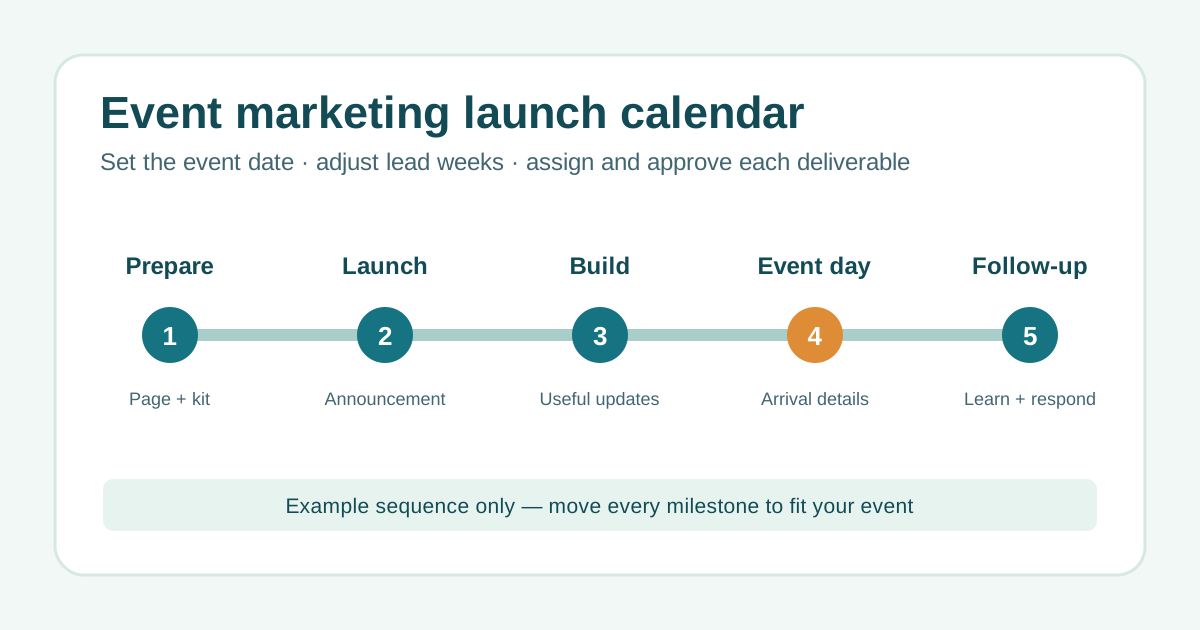
Start with the page and registration link people need to make a decision. Then map an announcement, useful programme or access updates, the final practical information and permitted follow-up. For each item, record the audience and one clear action, such as reading the event details or checking arrival instructions. The workbook separates phase, channel, deliverable and call to action so “post on social” cannot stand in for a complete brief.[1]
- Prepare: accurate event page, ticket path and approved visual/message kit.
- Launch: announcement and partner sharing material with one verified destination.
- Build: timely updates that answer actual attendee questions.
- Event day and follow-up: current logistics, service messages and learning.
Assign responsibility and an approval gate
Name a content owner and approval owner for each row. The owner drafts or schedules; the approver checks facts, brand, accessibility and the live ticket destination before publishing. Mark the status Draft, In review, Approved, Scheduled, Published or Held. An unapproved item should not be treated as a fixed launch promise. If the event date, price, venue or programme changes, review the affected rows and linked pages together.
Use real evidence to adjust the plan
After publishing, add the live link or other evidence, published date and observed outcome. Compare against the specific purpose of that message: useful page visits, valid registrations, answered support questions or attendance information. A view or click by itself does not prove a ticket sale. Do not send promotional email without the permission required for the audience and place; separate essential attendee service updates from marketing consent.
Adapt the sample weeks instead of treating them as rules
The workbook begins with an eight-week example for illustration, not a required campaign length. Work backward from the real decision points, including partner or venue sign-off, registration opening, programme confirmation and attendee travel planning. If a deadline is already past, rescope the deliverable or channel instead of backdating a publication. Keep the overall event project plan and marketing calendar linked, but use this sheet for communications and approvals rather than venue operations or budgeting.
Sources and further reading
- Free Event Marketing TemplatesSmartsheet · Accessed