Event financial closeout checklist and open-items template
After the event, a bank deposit, ticket sales report and supplier invoices can each tell a different story. This checklist joins them without treating any one report as the final answer. Download the open-items worksheet to record evidence, owners and decisions while finance reviews the final event position.
Boletolibre editorial team
Published
Download the editable closeout worksheet
Download the editable closeout worksheet (Markdown)
The worksheet records source, expected amount, observed amount, difference, owner, evidence, next action and signoff. Mark an item pending rather than forcing a zero difference.[1][4]
Define the closeout scope and evidence
Create one record for this event edition, currency, reporting period and finance owner. Keep source exports with their dates and versions. The worksheet has an evidence index and an open-items log; do not paste bank credentials, full card data or attendee details into a shared copy.[4]
Reconcile inflows without confusing sales and cash
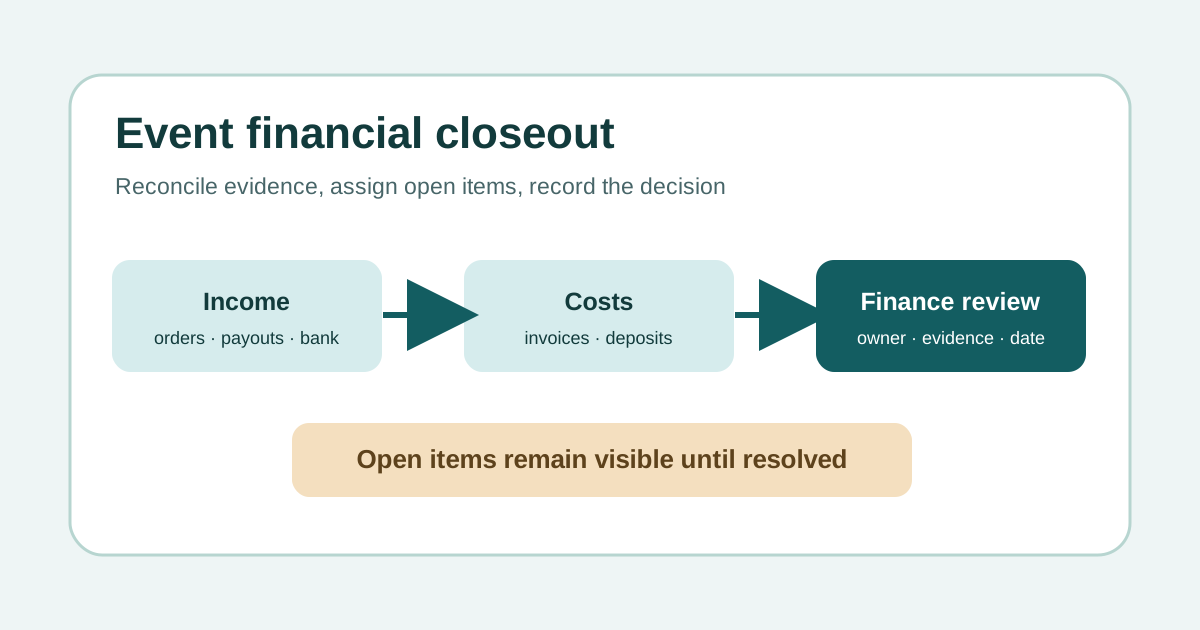
Start with ticket orders and any separate on-site, sponsorship or merchandise income. Compare gross ticket sales with itemized fees, taxes, refunds, credits and chargebacks, then match each processor payout to the bank receipt. Eventbrite explicitly separates gross sales from net payout and provides payout summaries and itemizations. Offline ticket orders may appear in sales reports without being in a processor payout. Use your actual platform’s report definitions.[2][3]
| Ledger or evidence | Question at closeout | Keep separate from |
|---|---|---|
| Ticket order export | What was sold, refunded or disputed? | Processor payout |
| Payout detail and bank statement | What was sent and actually received? | Gross ticket sales |
| Supplier invoice and purchase approval | What is payable, paid or disputed? | Ticket settlement |
| Cash, deposits and personal expenses | Who holds or is owed each amount? | Operating income |
Review every open cost and obligation
For each supplier, compare the approved commitment, delivered service, invoice, credit, deposit and payment status. Track expenses paid personally, cash floats and deposits separately so they do not disappear into “miscellaneous.” A missing invoice is an open obligation, not a zero cost. Record who will resolve disputed amounts and what evidence is needed.[4]
Record a decision and follow-up
Have the authorized finance reviewer record the position as closed, provisionally closed with named open items, or returned for correction under the organization’s policy. Log material variances against the approved budget, the remaining exposure, the owner and next review date. A reconciled ticket payout alone does not settle supplier bills, refunds, tax questions or later adjustments. Ask qualified local finance or tax advisers where classification is uncertain.[4]
Do a final exception sweep: late supplier invoices, attendee refunds, platform adjustments, deposits to recover and reimbursements awaiting approval. The closeout record can be provisionally complete while these remain open, provided each has a named owner, amount or estimate, evidence and next review date. Do not label it fully closed until your finance owner accepts the remaining treatment.
Sources and further reading
- After the event checklistRunCue · Accessed
- Export payout reportsEventbrite Help Centre · Accessed
- Understanding your event payout amountEventbrite Help Center · Accessed
- Sponsored Programs Project/Grant Closeout ChecklistsUniversity of Michigan Finance · Accessed