Event internet connectivity checklist: map users, zones and fallbacks
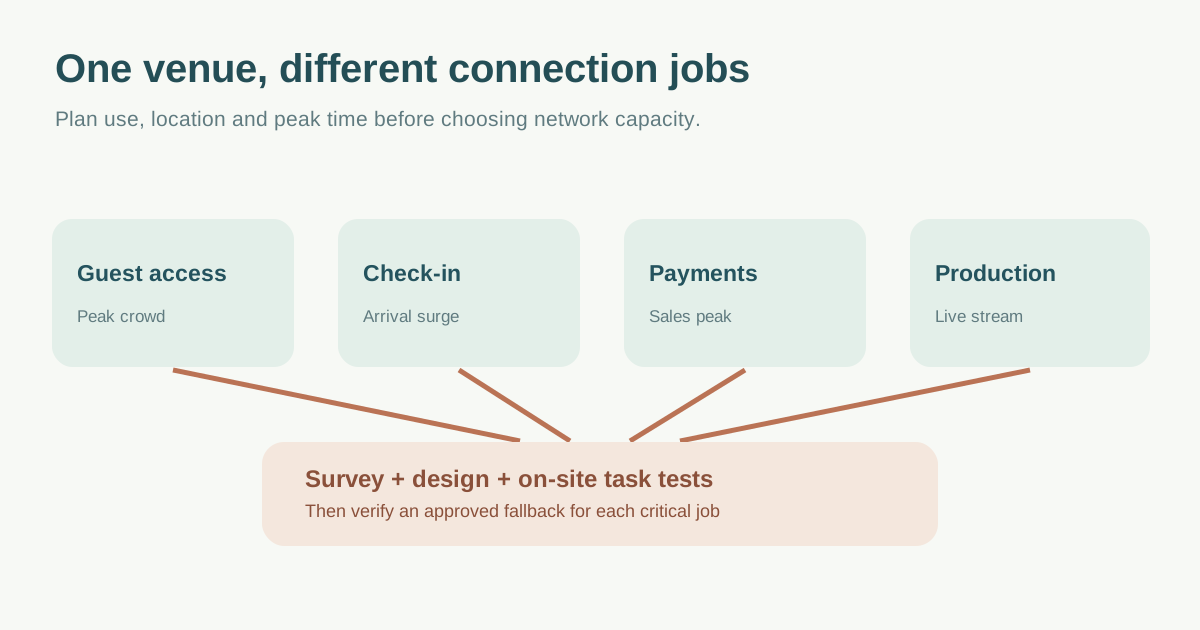
“The venue has Wi-Fi” does not tell you whether ticket scans, payment terminals, speaker streams and guests will all work when the room fills. Build a requirements brief around each task, location and peak period, then ask the venue or network provider to survey, design and verify the service.
Boletolibre editorial team
Published
List jobs, devices and busy moments
Separate attendee access from operational uses: check-in, payment, staff communications, speakers, streaming, exhibitors and signage. For each, record approximate simultaneous devices, app or service, whether it needs Internet or only a local network, and the consequences of a short outage. Include setup and rehearsal, not just doors-open hours. Cisco’s high-density design guidance begins with application throughput, device needs and client counts before access-point placement; do not turn one published device-per-access-point figure into a universal event guarantee.[2]
| Use | Where and when | Requirement to confirm |
|---|---|---|
| Ticket check-in | Entrances at arrival peak | Actual scanner workflow and offline behavior |
| Payments | Bars and merchandise at sales peak | Provider-supported connection and outage procedure |
| Production stream | Stage/control room during show | Dedicated path, upload need and test feed |
| Attendee Wi-Fi | Rooms and public areas at peak | Concurrent device estimate and coverage |
| Exhibitors | Booths during demonstrations | Wired or wireless service, ownership and support |
Avoid assuming the guest network should carry critical operations. Ask the provider how operational devices are separated and authenticated, how each network is supported, and who may change settings. A public password on signs is a guest-access decision, not a suitable credential plan for payment or production systems.
Walk the site with the network provider
Put entrances, busy rooms, stage, payment points and exhibitor locations on the floor plan. Ask which areas have wired drops, existing access points, upstream capacity and other tenants or events sharing them. A walk-through is part of the leading checklist; current Cisco guidance supports a site survey because walls, client devices and interference affect real coverage. Ask for a survey before and, where needed, after installation rather than treating a venue-wide speed-test screenshot as proof for every zone.[1][3]
Get the provider to confirm coverage, expected concurrent use, service hours, support contact, change freeze and any paid service boundaries in writing. The engineering design should account for density and radio conditions; adding access points without a survey is not automatically a fix.[2]
Design the loss-of-service response per task
For each critical workflow, record what happens if the venue uplink fails, local Wi-Fi fails or a device cannot join. Confirm a second connection only when its route and provider are genuinely independent enough for the intended failure. A phone hotspot on the same cellular carrier or an “offline” ticketing feature that has never been enabled is not a verified fallback.
Ask the ticketing and payment providers what their offline modes actually permit, how data reconciles and which actions must pause. Plan a named decision owner for pausing check-in, switching an approved route or communicating a delay. Do not encourage staff to collect card details manually or improvise an unapproved network.
Rehearse at the actual operating points
Before opening, test representative devices in each zone during a realistic load or rehearsal: scan a test ticket, exercise a supported payment test flow, send a production test stream and join the attendee network. Record time, device, network, zone, observed result, provider ticket and retest owner. If a problem recurs, track it rather than marking “Wi-Fi checked.”
Publish only the guest connection instructions that the venue approves. The 2016 leading article recommends specific password simplicity and broad publication, but authentication choices have changed; let the current network provider set guest access and keep operational credentials restricted. After the event, ask for outage, support and observed usage data to improve the next brief.[1]
Download the event connectivity requirements and test worksheet (Markdown, English)
Sources and further reading
- Checklist: 7 Ways to Ensure Wi-Fi Connectivity at EventsBizBash · Accessed
- High Density Wi-Fi DeploymentsCisco Meraki Documentation · Accessed
- Conducting Site Surveys with MR Access PointsCisco Meraki Documentation · Accessed