Event website performance budget template: decide what a page can afford
A festival landing page, a registration form and an external ticket checkout do different jobs. A performance budget is the agreement that makes their speed measurable before a new poster, font, map or marketing tag is added. It pairs the experience visitors need with resource limits the team can control. The numbers must come from your baseline and audience; a copied universal page-weight limit is not a release decision.
Boletolibre editorial team
Published
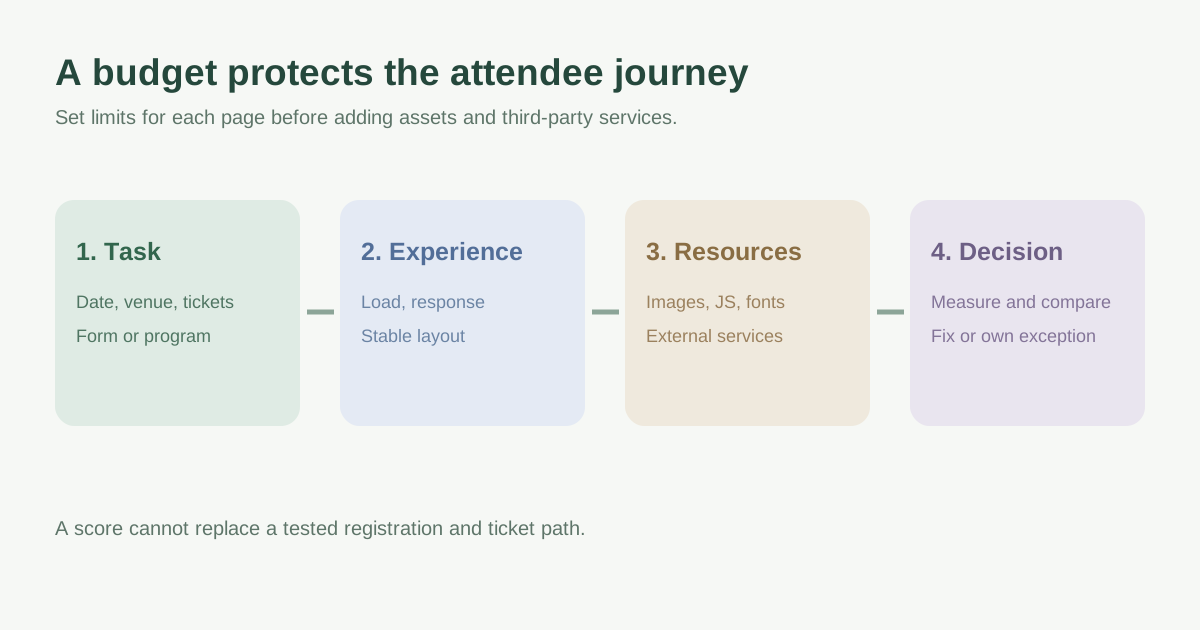
Budget the attendee task, not just the homepage
Choose a representative URL and task for each page type: read the event date and venue, inspect the lineup, complete registration, or reach the ticket provider. Record mobile and desktop separately if their content or behavior differs. Include the state in which optional analytics, maps and consented tags actually run. If the checkout is hosted elsewhere, budget the event site through the outbound handoff, then document the provider boundary rather than claiming control of its page.[2]
| Page or state | Task to protect | Likely cost to examine |
|---|---|---|
| Event landing | Find date, venue and ticket action | Poster, display font, video or animation |
| Program or lineup | Find a session or performer | Images, filters and embedded media |
| Registration | Enter and correct details | Form scripts, validation and interaction work |
| Outbound ticket handoff | Reach the intended checkout | Redirect time and third-party destination |
Pair an experience target with a resource ceiling
Use two kinds of limits in the same row. Experience measures say what the visitor feels: when the main content appears, how quickly a useful interaction responds, and whether elements move unexpectedly. Current Core Web Vitals are LCP, INP and CLS; field data describes actual visits, while a controlled lab run helps diagnose a specific change. Resource ceilings say what the team can spend: transferred image, script, CSS and font bytes, request count, and third-party work. A page can meet a byte ceiling yet still delay the ticket action if a critical asset is discovered late.[2][3]
Write the unit and measurement boundary for every number. “Transferred JavaScript KB on the first mobile visit” is reviewable; “small JS” is not. Third-party JavaScript is both script and third-party transfer, so the two category totals overlap. Avoid adding overlapping columns into a false grand total. Choose an initial limit from a measured version of the same template and the proposed changes, then revise it through an explicit decision rather than silently moving the goalposts.[1][2]
Capture a comparable baseline before promising a target
Save the page URL or prototype, version, device class, viewport, network profile, cache state and consent state. Run the same attendee steps on a comparable mobile profile after each material change. Record the main poster or headline load, ticket-button stability, form response and transfer breakdown. A single Lighthouse score is useful for clues, but it does not prove every visitor will get that experience or that a form interaction passes. Where enough field data exists, review the relevant page or page group and device segment as a separate signal.[1][2][3]
Before launch, document what is estimated and what has actually been measured. For a new event site with no baseline, set a provisional target, label it provisional, and update it after a representative prototype and field evidence exist. Do not treat an absent field metric on a low-traffic event page as a pass. Check the first visit, repeat visit and a slower connection because campaign traffic may arrive on unfamiliar devices.[1]
Spend the budget on useful visitor value
Review each proposed hero asset, sponsor embed, map, chat widget, analytics tag or animation against the task it supports. Name the requester and owner, expected extra bytes or work, when it loads and what would happen if it fails. A media-rich lineup may warrant a different allowance from the registration form. Delaying a widget until interaction can improve initial display but may make that later interaction slower, so test the entire path.[1]
When an addition breaches the agreed limit, choose a measured remedy: compress or resize the poster, drop an unused font weight, remove duplicate tags, load a nonessential embed on request, or simplify an effect. If the value justifies an exception, record the approving owner, affected URLs and devices, measured overage, reason, mitigation, expiry and review date. Never use an exception to hide a broken ticket button or inaccessible form. This is a product decision as well as a technical one.[2]
Use the same worksheet at design, release and campaign changes
At design review, reserve room for the actual images and services the event needs. Before release, compare measured results with every applicable row and check the attendee path, including the registration success or error state. After launch, repeat the review when a campaign introduces a new tag, poster, video, calendar embed or venue map. Assign someone to update the worksheet and to remove expired exceptions. A budget that nobody owns cannot stop the next slow page.[1][2]
Download the event website performance budget worksheet (Markdown, English)
Sources and further reading
- Website Performance Budget: A Planning WorksheetKinetivy · Accessed
- Performance budgets 101web.dev · Accessed
- Web Vitalsweb.dev · Accessed