Offline event check-in: a fallback and recovery checklist
An internet outage at the door is an operational decision, not just a device problem. Some check-in tools can save a current attendee snapshot and record scans locally; others cannot. Even a supported offline mode may leave two disconnected devices unaware of each other’s admissions. Plan what staff may verify, when entry must pause, and how every offline action will be reconciled after service returns.
Boletolibre editorial team
Published
Prove readiness while connected
Ask the ticketing provider which offline mode, devices, ticket types and check-in actions it actually supports. Identify when the attendee list and ticket status were last downloaded, how late purchases and transfers reach devices, and whether disconnected scanners share a used-ticket state. Eventleaf’s provider guide, for example, requires an online connection to enable its offline mode and download registration data. Test a valid ticket, changed ticket and a second scan in a controlled rehearsal; do not infer behavior from a feature name.[1]
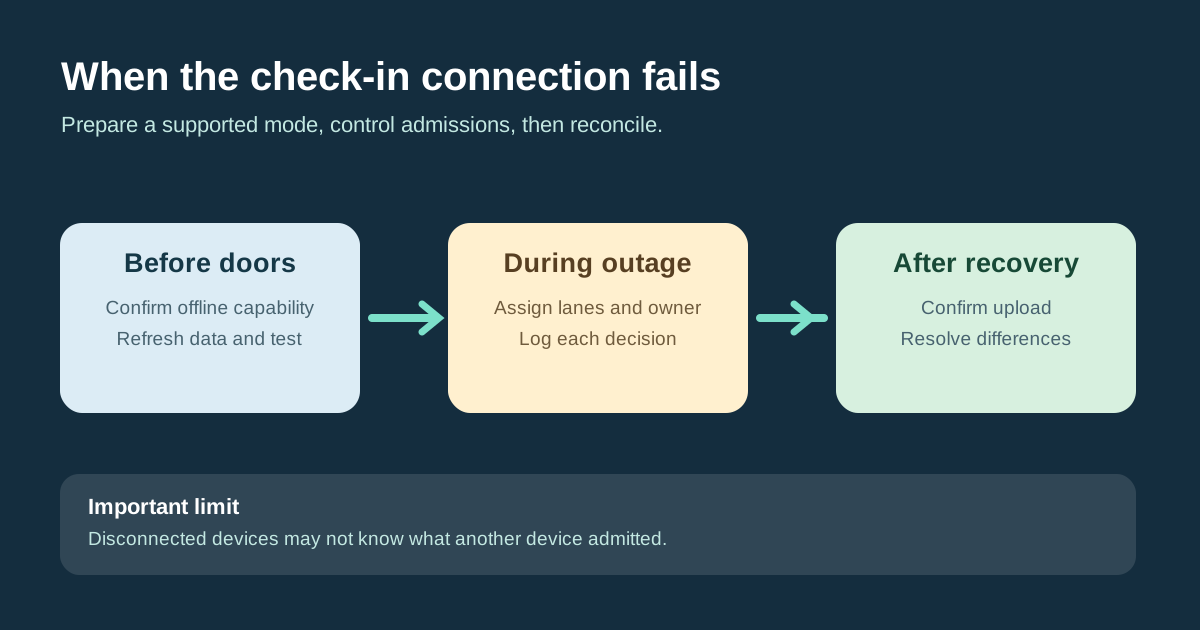
- Confirm the provider’s offline capability and download a current snapshot while online.
- Rehearse loss of connectivity and a changed or already-used ticket.
- Name the outage lead, lane assignments and admission-hold trigger.
- After recovery, verify uploaded action counts and reconcile every manual decision.
Set the admission rule for an outage
Name a lead who can declare the outage, communicate with venue operations and authorize the temporary process. Assign specific devices to specific lanes or ticket pools if possible; avoid scanning the same population on isolated devices without understanding duplicate handling. Record outage start time, time zone, last confirmed data snapshot and all operational changes. Stop or redirect a queue when the available data cannot reliably establish the entitlement or the venue operating plan requires an admission hold.
| Condition | Action | Control |
|---|---|---|
| Connected and current | Use normal validation | Lead confirms data and device state |
| Supported offline, current snapshot | Use assigned lanes and local logging | Watch for stale changes and isolated-device duplicates |
| No trustworthy validation | Pause or use approved restricted manual review | Lead decides each exception under venue plan |
| Reconnected | Upload and reconcile before closing | Resolve conflicts and temporary records |
Keep a narrow manual fallback for device failure
If every scanner fails or the provider has no supported offline validation, a restricted printed or local list may be an emergency reference only when the organizer has approved it and understands its age. Limit the number of copies, name their custodians, record one decision per admission with a ticket reference and operator, and send uncertain or duplicate cases to the support lead. Never treat an old list as proof of a new purchase, transfer or cancellation. Keep the manual log out of public view and protect it after use.
Verify the return to one authoritative record
When service returns, do not declare the event synchronized just because a device is online. Follow the provider’s upload steps, capture the number of local actions submitted, and compare with the event’s authoritative report. Eventleaf’s guide explicitly has staff review offline actions, select “Disable and Sync,” then review the report; those are product-specific steps. Reconcile manual admissions, duplicate or conflicting entries and check-outs before closing the incident. Record unresolved differences and secure or destroy temporary copies under the event’s data policy.[1]
Download the offline check-in readiness and recovery worksheet (CSV)
Sources and further reading
- How to Check In/Out Attendees Using Eventleaf's Offline ModeEventleaf · Accessed