How to write useful event page titles and meta descriptions
A visitor looking for ticket prices should be able to distinguish the tickets page from the event overview before clicking. A clear page title and a useful meta description help communicate that difference, but the published page must deliver what they promise. Google Search Central explains that Google creates snippets automatically, usually from page content and sometimes from a description tag. Use the fields as accurate page summaries, not as guaranteed search-result copy.
Boletolibre editorial team
Published
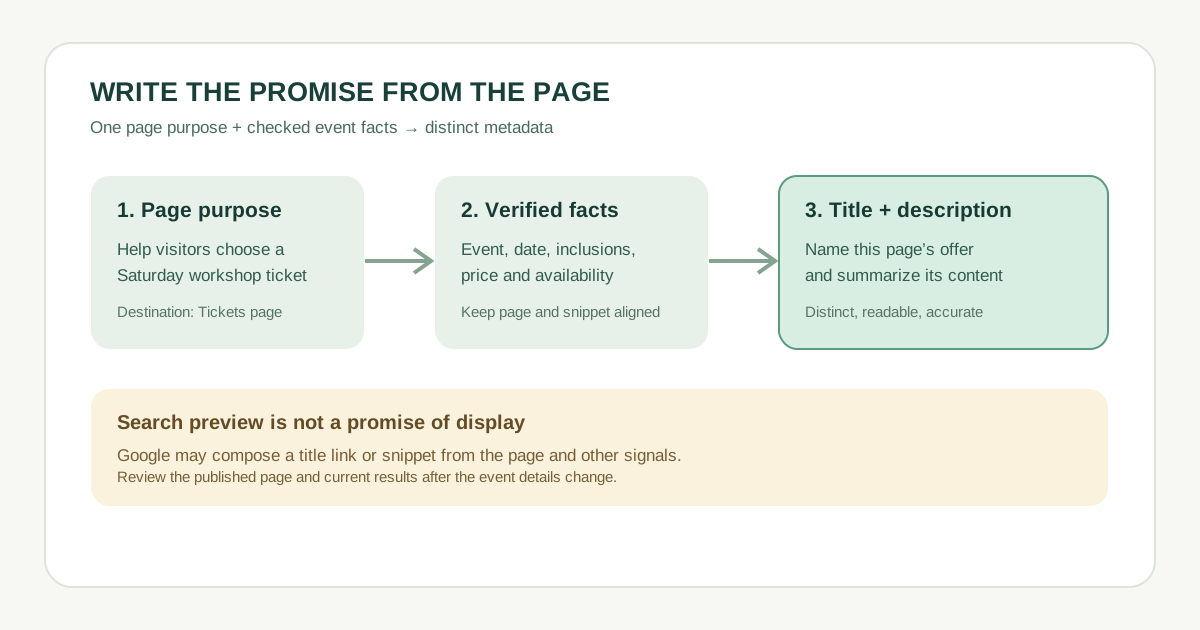
Give each page a different job
List the public pages you want people to find. For each, write the visitor’s question and the answer actually on the page. An overview explains what, when and where. A ticket page explains options and conditions. A program page holds sessions and times. A visit page explains location, travel and accessibility. If two URLs answer the same question with nearly identical text, settle the page relationship before writing two versions of the same title.
| Page | Visitor question | Title angle | Description must verify |
|---|---|---|---|
| Overview | Is this event for me? | Event name + date/location | Event promise and main details |
| Tickets | Which option can I buy? | Tickets + event name | Types, inclusions, terms |
| Program | What happens and when? | Program + event name | Published schedule or lineup |
| Visit | How do I get there? | Visit/venue + event name | Address, arrival and access |
Write the title as a specific, readable label
Use the page’s main subject early, then add event name or a distinguishing detail when helpful. “Tickets | Example Arts Weekend” tells people more than “Home” or the same brand slogan on every URL. Keep the visible heading consistent with that promise. Google asks for descriptive, concise, distinct title elements, without repeated keywords or boilerplate. It can generate its displayed title link from the title element, visible heading and other signals, so your wording is a preference rather than a guaranteed search label.[2]
- Weak: “Example Arts Weekend | Events | Tickets | Buy Tickets | Tickets”
- Better: “Example Arts Weekend Tickets | Options and Terms”
- If a date or venue is in the title, verify it on the page and revise it when the event changes. In each localized page, write the title in that page’s language and script.
Summarize the page honestly in the meta description
Write a short, natural preview of what a visitor can do or learn on this particular URL. For the ticket page: “Compare available ticket types for Example Arts Weekend and read what each includes before checkout.” This is useful because it names the page-specific answer. Avoid keyword lists, generic site slogans, sold-out promises and prices that are not maintained.
Google says descriptions should be unique and relevant to the page. It often makes the snippet from on-page text, and may use the meta description when it better describes the result. There is no fixed length limit for either the description or title element; the displayed result is truncated as needed for the device. A character-count formula cannot guarantee how the result will appear.[1][2]
Review the promise against the published page
- For each URL, compare the title, main heading, description and visible facts. Fix mismatched dates, venue names, inclusions and availability before publication.
- Preview the page on a phone and check that the description’s promised information is easy to find, not buried in an inaccessible widget.
- After publishing, inspect the page source or your CMS metadata view and search appearance. Google may show different title or snippet text for different queries; treat that as feedback, not automatic evidence of a broken tag.
- Assign an owner and next review date. Recheck when a schedule changes, a ticket tier sells out, a venue moves or a translated page is updated.
| Review field | Record |
|---|---|
| Page URL and purpose | ____ |
| Proposed title / description | ____ |
| Facts checked on page | ____ |
| Owner / review date | ____ |
| Google display observation | ____ |
Prioritize important public pages first. A page-specific, honest summary helps visitors choose the right result; neither field promises a particular ranking or click-through rate.
Sources and further reading
- Control your snippets in search resultsGoogle Search Central · Accessed
- Influencing your title links in search resultsGoogle Search Central · Accessed