Event parking instructions for attendees: publish a clear arrival guide
A venue address is not a parking instruction. A guest may need a particular lot, a timed entrance, a reservation, or a different route from the building’s main pin. Write the parking information from current venue-approved facts, then make the event page the stable reference for the same wording in reminders and onsite help.
Boletolibre editorial team
Published
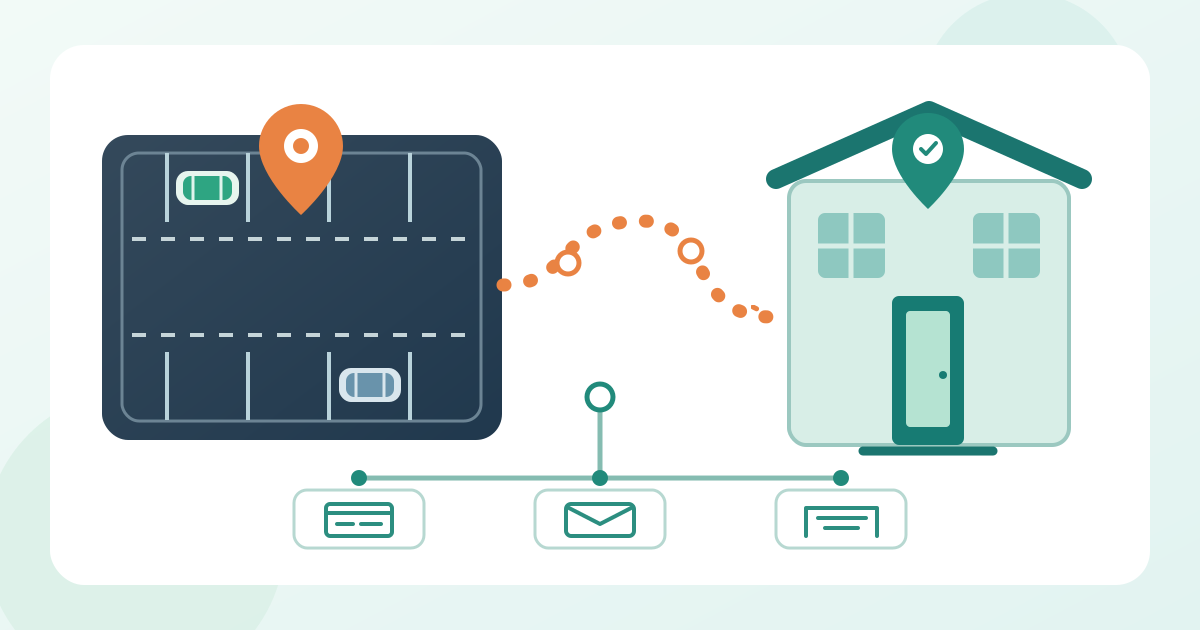
1. Confirm the parking facts and their owner
Download the editable parking-page, fact-source and channel QA worksheet (English Markdown)
Start with the event edition, venue, date, arrival periods, and the person who approves parking information. Ask the venue or parking operator which lots attendees may actually use. Record the approved name and address of each lot, its entrance, operating hours, any reservation requirement, and the fee and payment method if confirmed. If details differ by ticket type or day, write separate paths rather than one blended instruction.
Keep the source and approval date beside each fact in the internal worksheet. Do not infer capacity from a satellite image or reuse rates from an old event page. Mark unresolved details as internal questions; they should not appear as tentative public promises.
2. Give each attendee a definite parking choice
Decide whether the page needs one simple route or a short choice list. Separate general parking, reserved or prepaid parking, accessible parking information, drop-off, and any staff-only area only where those distinctions are real for this event. Say who each option is for, whether advance action is required, and the exact point where the guest should arrive. Avoid labels such as “VIP parking” without a ticket or permit condition.
If parking is unavailable or not provided, state that plainly and link to verified alternative arrival information. For multiple lots, order the options by the decision the attendee makes, not by an internal venue code.
3. Verify the lot pin and the walk to the event door
Check the approved lot address and map pin against the actual vehicle entrance, not just the venue’s building marker. Open the proposed directions link on a phone and confirm it resolves to the intended lot or entrance. Google’s Maps URL documentation explains how a directions URL can target a destination; the URL is only useful after the event team verifies that destination against the venue’s current plan.[1]
Then describe the walk from parking to the attendee entrance using confirmed landmarks and the entrance name. If a campus has several buildings or gates, identify the correct one and the period when it is open. Keep the street address and written route next to a map or diagram so a failed embed does not hide the essential instruction.
4. Write the public parking block in the order guests need it
Lead with “Where to park” and the lot name, address, and precise arrival point. Follow with who may use it, hours, reservation or permit step, confirmed price and payment route, and the walk to the event entrance. Put time-sensitive exceptions near the relevant instruction, not in a footnote. Use the venue’s wording for named gates and lots consistently, and explain abbreviations on first use.
Fill the private table before publishing the public block; remove every bracketed placeholder and unapproved claim. Use descriptive link text such as “Directions to North Lot” so readers know what each link opens. If the event page also sells tickets, keep the parking instructions easy to find from that page without implying that a ticket includes parking unless the ticket terms confirm it.[3]
5. State accessible arrival and closure fallbacks accurately
Ask the venue’s accessibility contact to approve the accessible parking location, arrival point, route to the attendee entrance, and any assistance contact that may be published. Describe the verified journey in words. Do not certify a route or quote a universal number of spaces; verify the actual site conditions. If a temporary layout changes the route, obtain a fresh approval before changing the page.
Agree in advance what the page should say if a designated lot closes or reaches its operating limit. A fallback may be a confirmed alternate lot, a link to current venue guidance, or a contact point; publish only what the responsible team can support. Keep the approved lot and arrival contact explicit; a generic route suggestion may not reflect a temporary event entrance.
6. Keep the page, reminders, signs and staff aligned
Publish one current parking section or page and record its URL, owner and last-checked date. Link to it from the practical places guests already use: the event information page, confirmation or reminder messages, and the attendee programme where appropriate. Copy the same lot names, eligibility and dates into each channel. A short email can point to the full page, but it should still contain any decision the guest must make before departure.
Check onsite signs and the front-of-house answer against the published wording with the venue lead. If the lot name on a sign differs from the map label, explain the relationship rather than forcing guests to guess. Keep private operational notes and staff-only routes out of the attendee page. Give the team a simple route for reporting a mismatch.
7. Test the published arrival path on a phone and keyboard
Review the live page after publication, not only the editor preview. On a phone, find the parking section from the event entry page, open each lot and reservation link, and read the route without zooming into a graphic. Try the links with a keyboard and check that their names distinguish destinations. W3C guidance calls for meaningful link text and text alternatives for informative images; put critical lot, fee and route facts in visible text even when a map is provided.[2][3]
Ask someone unfamiliar with the venue to answer three questions from the page: which lot applies, what must be done before arrival, and which door follows parking. Note any answer they cannot find quickly. Check the page in each published language against the same approved facts; translation should not silently change a gate or time.
8. Recheck changes and close the loop after the event
Set a review point before reminders go out and another when venue access is finalized. When a lot, fee, hour or entrance changes, record the approving owner, effective time, affected audience and previous wording. Update the canonical page first, then correct queued messages and brief the onsite team. For a material late change, use the channels that can reach the affected guests; a changed page alone does not notify people who already saved old directions.
After the event, capture the questions staff actually received and any map links that led to the wrong place. Use those findings when preparing the next edition.
Sources and further reading
- Get Started with Maps URLsGoogle Maps Platform · Accessed
- Images TutorialW3C Web Accessibility Initiative · Accessed
- Understanding Link Purpose (In Context)W3C Web Accessibility Initiative · Accessed