How to handle duplicate event registrations without deleting a real ticket
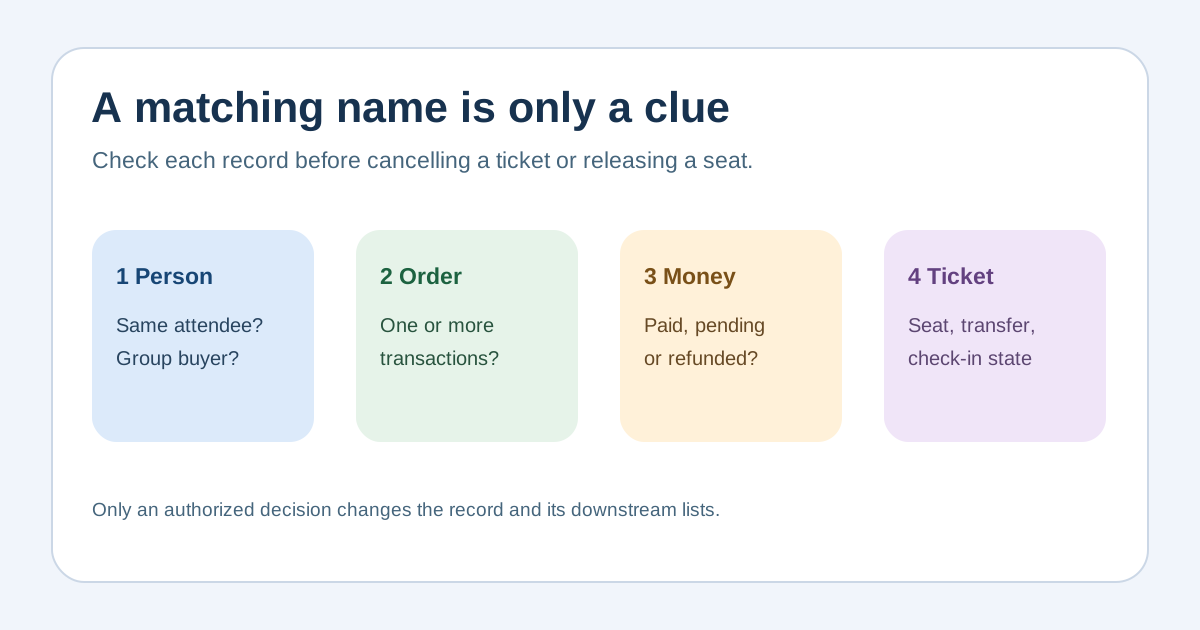
Two rows with the same name are a clue, not proof that one ticket can be deleted. A buyer may legitimately purchase for several people, rebook another session or use two addresses. The first Google result emphasizes prevention and matching; this event-specific guide focuses on the safer decision after a possible duplicate appears.
Boletolibre editorial team
Published
Define what could actually be duplicated
Download the editable duplicate-registration review log (Markdown, English)
Separate person profile, registration, order, payment, seat assignment, ticket credential and check-in record. A duplicate contact row does not necessarily mean a duplicate paid order. Decide the event edition and session scope before comparing records. Keep the original identifiers from the ticketing system so support, finance and gate teams can discuss the same transaction.[1][2][3][4]
Flag candidates without automatically merging them
Compare order and registration IDs first, then review email, name, phone and creation time as clues. A shared email may belong to a group purchaser; different emails may belong to the same attendee; similar names may be different people. Look for repeat-button submissions, import retries, group roster overlap and genuine repeat purchases. Avoid mandatory phone verification merely to make matching easier. Set a review queue rather than deleting or suppressing records on a weak match.[1][2][3][4]
Check money, capacity and ticket state before any action
For each candidate, inspect payment and refund status, ticket type, seat or timeslot, transfers, check-in status and whether confirmations were sent. Identify which record is authoritative for the attendee and which financial transaction each order represents. Do not merge two paid orders as a data-cleanup shortcut or release a seat before a permitted cancellation/refund is complete. Your platform may have different edit, cancel or transfer limits; use its current controls and an authorized operator.[1][2][3][4]
Resolve the case with the attendee when identity is uncertain
Contact the purchaser or attendee through a verified order channel if the records could both be valid. Explain the two references and ask which ticket they intend to use without revealing another person’s private details. Record the decision, action owner, attendee notification, and whether ticket delivery or check-in access changed. If there is a suspected duplicate charge, reconcile that with payment records rather than assuming the second registration is free.[1][2][3][4]
Reconcile every downstream list
After an authorized change, check attendee count, sold inventory, reserved seat, badge file, catering count, reminder audience, CRM export and check-in list. Record the before/after count and the platform transaction IDs. Keep a small audit trail; never erase evidence that explains a payment or entry decision. For future prevention, make submission feedback clear, provide a way to find an existing registration, and review import deduplication behavior in a safe test environment.[1][2][3][4]
Sources and further reading
- How to Prevent Duplicate Event Registrations: A Complete GuideEvent Tech Hub · Accessed
- Glossary of order and attendee statuses in event reportsEventbrite Help Center · Accessed
- Manage orders for a single eventEventbrite Help Center · Accessed
- Edit your order informationEventbrite Help Center · Accessed