Group event registration: a buyer-to-attendee workflow and roster template
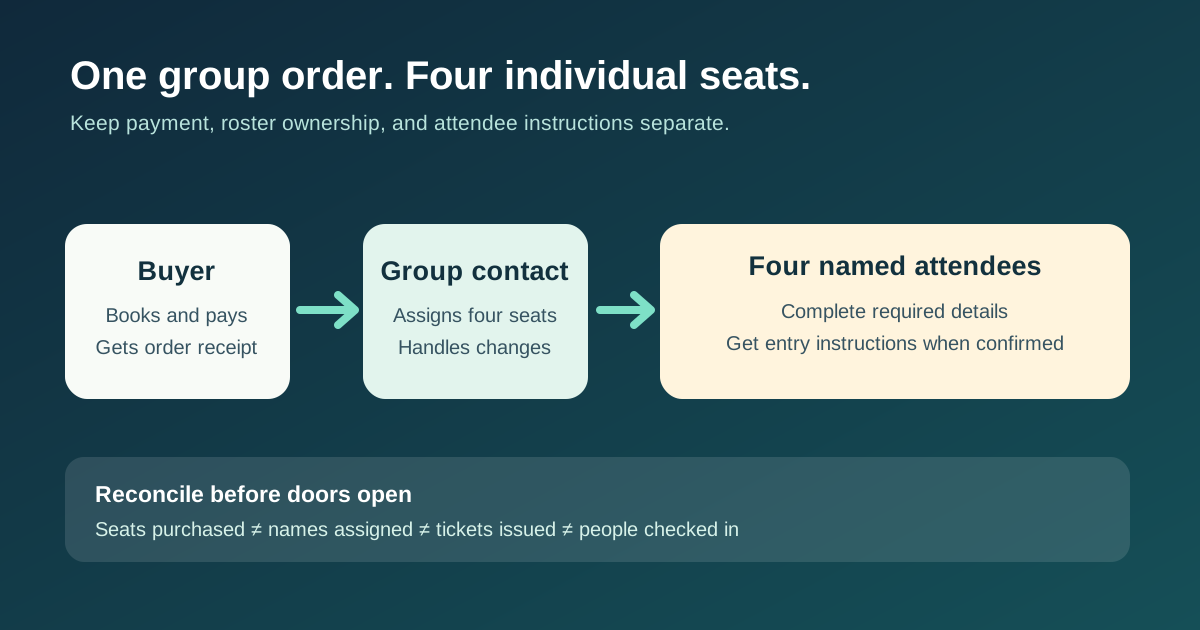
A group booking can create one order and several admissions. The person paying may never attend, while attendee names may arrive days later. Build the workflow around those different roles so the buyer gets the transaction record, the group contact can finish the roster, and every confirmed attendee gets the right arrival information.
Boletolibre editorial team
Published
Separate the four responsibilities
The leading group-registration guide distinguishes one buyer transaction from individual attendee records. Use that as a design question, not a promise that every platform supports the same features. One person may fill several roles, but still decide which record and message belongs to which role.[1]
| Role | Responsibility |
|---|---|
| Buyer or payer | Completes purchase; receives order and payment record |
| Group contact | Owns roster deadline, corrections and group reminders |
| Individual attendee | Provides required personal details; receives confirmed joining information |
| Organizer | Sets inventory, edit permissions, cutoff and check-in source of truth |
Choose when each seat needs a name
Offer either named attendees at checkout or clearly labeled unassigned seats, if your ticketing system actually supports them. State the deadline and owner for completing names, access needs and any session choices. Do not request every attendee detail from the payer if it is better supplied privately by each attendee. A seat is reserved only when the real inventory and payment rules say it is.
- Order: record quantity, buyer, payment state and one group reference.
- Assignment: link each seat to one attendee or mark it unassigned; name the person responsible for changes.
- Communication: send payment information to the buyer and entry details to confirmed attendees when their records are ready.
- Gate: reconcile seat, ticket and check-in records using the latest approved roster.
Handle changes without losing the order
Decide who may correct a spelling error, replace an attendee or release an unused seat; set a cutoff for each action. Keep the original order and payment record linked to the seat. Before sending another ticket, invalidate or replace the old one according to the platform workflow. Explain refunds and transfers only as your actual event policy allows.
Reconcile the roster before check-in
Before doors open, compare four counts: seats purchased, attendees assigned, tickets issued and people checked in. Investigate unassigned seats, duplicate identities, pending payments and replaced tickets. Give check-in staff the latest approved roster, not an old export. After the event, retain only the attendee data your published policy and operational needs justify.
Download the four-seat group registration roster example (CSV)
Sources and further reading
- Group Registration: A Complete Guide for Event OrganizersVenueSight · Accessed