How to respond to event complaints on social media
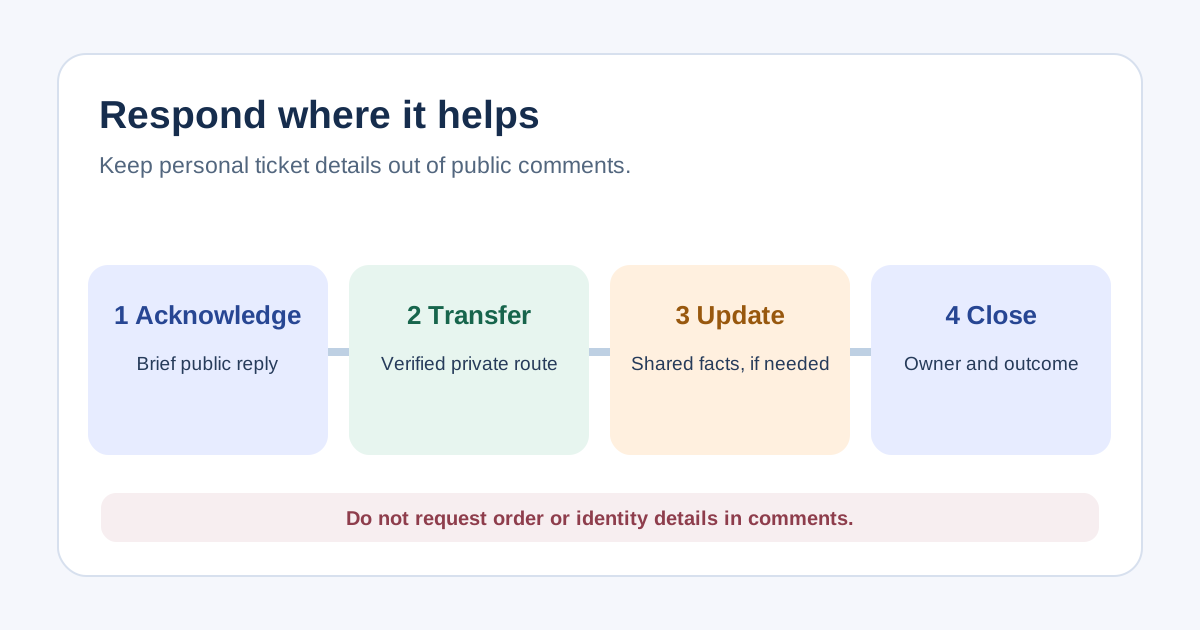
A public comment about the wrong gate, missing ticket or delayed start may need a visible answer, but the case details rarely belong in the thread. This event-specific response card separates public information from private support, assigns an owner and records when a wider update is needed. It is for complaint routing, not the moderation rules for an event community or a promise of a refund.
Boletolibre editorial team
Published
Read the complaint and classify the impact
Download the social complaint response card (Markdown, English)
Capture the post URL, platform, time and exact claim. Ask whether this is one person’s order issue, a public event fact that may be wrong, a service-wide disruption, or a safety, harassment or fraud concern. Assign one responding owner and a backup. Verify facts with ticketing, venue or operations before stating a cause or remedy. Keep sensitive evidence in a restricted support system rather than copying it into a broad social team chat.[1]
Acknowledge publicly without collecting personal details
An original public reply for an individual case is: “Thanks for flagging this. We are checking [general issue]. Please contact our event support at [verified private route] so the team can review your case securely. We will update the public event information if the issue affects others.” Do not request an order number, payment detail, email address or identity document in comments. Avoid a canned apology that promises a fix you have not confirmed.[1][4]
Move individual cases to a verified private route
A direct message is not automatically the right private route: confirm that the account is official, staffed and able to verify the case. Otherwise point to a monitored support form or inbox on the event site. Give the support team the public post link and a case reference, then document owner, next action and follow-up status. Do not reveal the person’s private outcome publicly without permission. Route imminent safety or abuse through the event’s approved escalation process.[2]
Close the case and review the pattern
Record whether the case was transferred, resolved, awaiting another team or still open. Compare repeated themes with support tickets and the event’s incident log. Moderation is separate from complaint resolution: hide or report content only under the platform and event’s rules, particularly when private information or abuse appears. The old leading guide’s blanket advice never to remove negative comments is not a universal platform policy.[3]
Sources and further reading
- 5 Ways to Deal with Negative Feedback from AttendeesEventbrite · Accessed
- About Facebook Page accessFacebook Help Center · Accessed
- Block certain words from appearing in comments on your Facebook PageFacebook Help Centre · Accessed
- About public-interest exceptions on XX Help Center · Accessed