Event staff rota template: plan every shift from setup to breakdown
The public start time is only one point in an event team's working day. Google's first result for 'event staff rota template' offers editable schedules for setup, arrival, live service and breakdown. Our original Excel workbook follows that practical intent, adding zone, supervisor, confirmation and backup fields so a manager can see who covers each handoff. It is a scheduling aid, not a staffing-ratio calculator or payroll record.
Boletolibre editorial team
Published
Build the rota from the actual event timeline
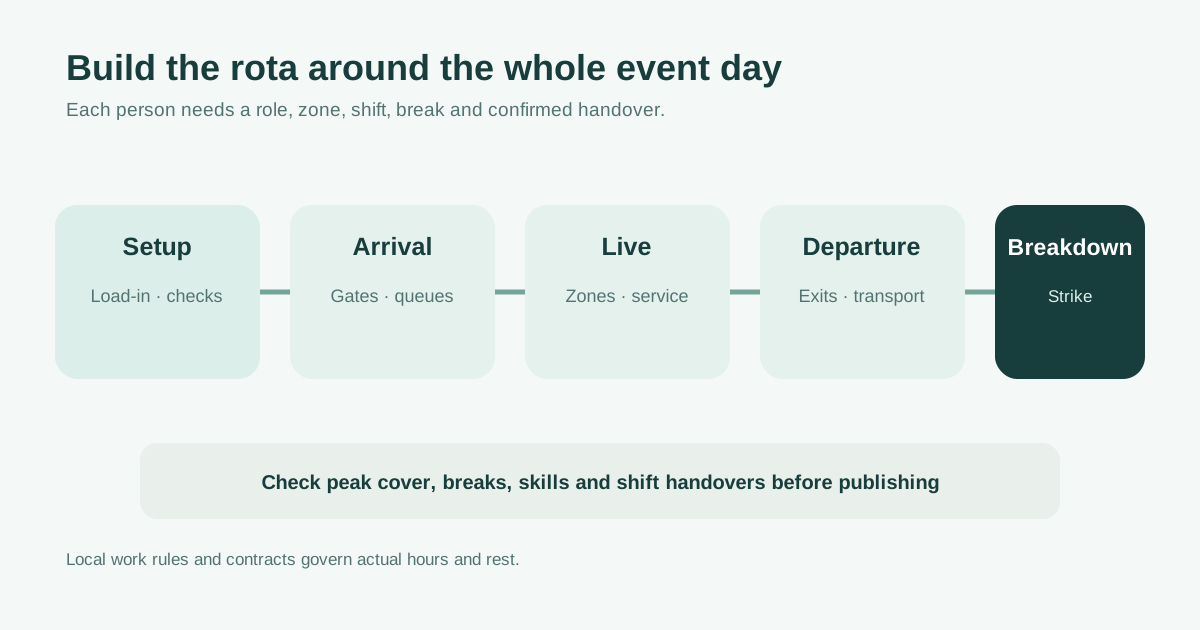
Start with the approved run of show and venue access window. Mark load-in, setup, checks, guest arrival, live programme, guest departure, cleaning and breakdown. For each phase, identify the roles and skills needed before assigning names. A registration team may need to arrive before doors, while a technical team may need a separate setup and strike shift. The leading Alphanomic template makes event, venue, role and shift visible and explicitly includes setup and breakdown; that is the minimum practical shape of a rota.[1]
- Event and venue, including time zone for distributed teams.
- Phase, zone, role and supervisor for each shift.
- Start date and actual call, finish and handover times.
Assign people to zones and cover the busy moments
Fill one row per person and shift. Use the zone/position field for a gate, registration desk, floor area or backstage point rather than a vague job title. Compare the roster against the busiest arrival and departure moments, not only the total number of tickets sold. Confirm the required skills or credentials with the venue and relevant provider; do not substitute an unqualified general helper for a role that requires specific training. Record a backup for absences and check travel if someone is moving between sites. This workbook does not choose how many stewards, clinicians or security staff are required.
- Named person and confirmed availability.
- Exact zone and reporting supervisor.
- Backup or replacement plan for critical cover.
Make breaks and handovers visible
Enter planned start and finish times as spreadsheet times and break length in minutes. The workbook calculates planned hours, including a shift that ends after midnight when the finish clock time is earlier than the start. It is intended for shifts shorter than 24 hours. Stagger breaks so critical positions remain covered, then record who hands over open incidents, equipment and attendee issues. Check actual local employment rules, contracts, fatigue controls and required rest with the appropriate people; this template does not specify universal break minima or decide payroll.
Confirm one current rota and update it when plans change
The status column flags missing people, dates, times or availability confirmations. Resolve those items before sharing a version with staff, suppliers and supervisors. Include a point of contact for a late arrival or approved shift swap in your operational brief, and keep older versions identifiable so an outdated screenshot is not mistaken for the current rota. After the event, compare planned coverage with actual attendance and handover gaps to improve the next schedule. The downloadable Excel file keeps task prompts editable and separates planned hours from any official time record.[1][2]
Sources and further reading
- Free Event Staff Rota TemplateAlphanomic · Accessed
- Free Shift Schedule TemplatesSmartsheet · Accessed