How to manage event ticket inventory across sales channels
Selling an event through a website, a physical box office and partners creates several views of one finite capacity. Central synchronization can help, but no system should be assumed to update every channel instantly. This original ledger and cutover checklist let an organizer account for issued tickets, active holds and channel allocations before opening or moving stock.
Boletolibre editorial team
Published
Start with one approved capacity and channel map
Download the editable channel inventory ledger (Markdown, English)
Record the approved sellable quantity for each date, ticket type, seat block or access zone. List every place an order can be created: official checkout, box office, partner, sponsor or manual comp route. Name the inventory owner and the system that is authoritative for each pool. If a bundle consumes a base admission place, count that admission once; do not add the bundle as extra capacity. Keep venue capacity approval separate from marketing targets.[1][2]
Choose shared live stock or non-overlapping allotments
A genuinely connected setup can sell from a shared pool only when the provider confirms how simultaneous reservations, failed payments, cancellations and delayed integrations change availability. Test those behaviors rather than assuming a dashboard means real-time protection. If two systems cannot share an authoritative stock count, give each a fixed non-overlapping allotment and hold that quantity out of the other. Ticket Tailor documents holds for stock assigned to another platform or box office, and distinguishes held from issued tickets.[1][2]
Reconcile issued, held and available stock
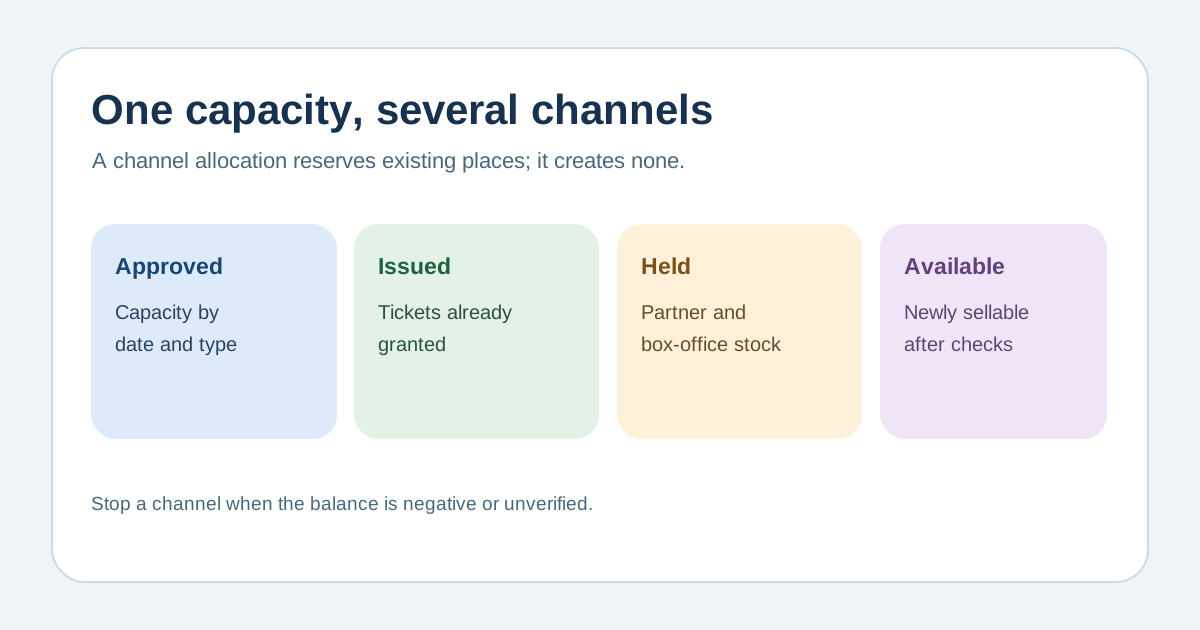
For each pool, compare approved sellable capacity with issued admissions and active holds, including partner allocations not yet sold. A hold is not an issued ticket, but it reduces what another channel may offer. Record order or batch references, last report time, owner and any unresolved difference. Review cancellations and returned stock under the actual platform rules before reopening it. Treat a negative or unverified available balance as a stop signal: pause the affected channel and have the inventory owner resolve the count.[1][2]
Move stock with an explicit cutover
Before shifting an unsold partner allotment to web sales, obtain the partner’s final sales/hold report and confirm the old channel has stopped selling or has reduced its limit. Release the old hold and open the new allotment as one controlled sequence with time, owner and evidence. Rehearse simultaneous orders, payment failure, offline box-office sales, duplicate reports and a partner sending late sales. If a platform cannot enforce the change atomically, use a temporary pause and manual reconciliation rather than promising zero oversells.[1][2]
Sources and further reading
- How to manage ticket inventory across channelsFinlo · Accessed
- How can I put tickets on hold?Ticket Tailor Help Centre · Accessed