Event ticket purchase limits: configure a per-order cap
A maximum of four tickets per order is easy to state but can be hard to interpret: does it apply to each ticket type, the whole cart, one account or one household? The first Google result is an EventBookings setup guide for its “maximum tickets per customer” control. Before publishing a fairness promise, determine exactly what your chosen system counts and how exceptions work.
Boletolibre editorial team
Published
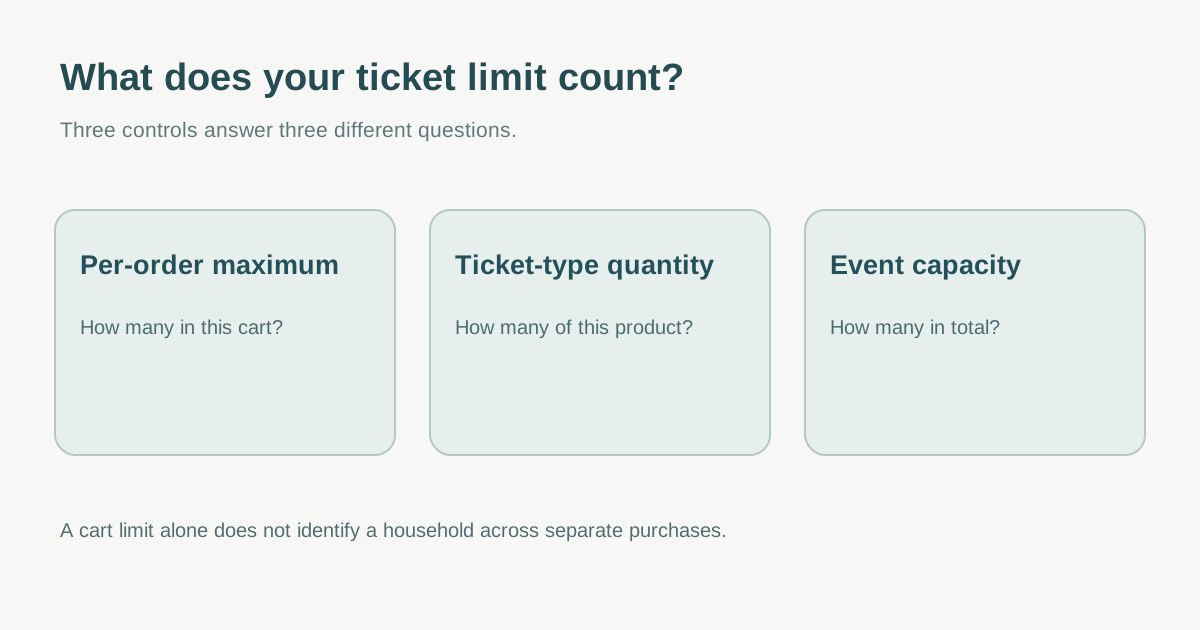
Choose the unit the limit actually controls
Write down why the cap exists and which products it covers: a presale tier, all paid tickets, accessible-seat companions, group packages or the whole event. Ask the provider whether it counts tickets of one type, one order, one account or purchases across orders. Eventbrite documents tickets-per-order as the minimum and maximum that can be purchased at one time; that is narrower than a household-wide rule. EventBookings describes its maximum-per-customer control in its own ticket setup. Verify behavior with real sample carts rather than treating similar labels as equivalent.[1][2]
A household cap is especially difficult to promise because buyers may use different accounts or payment methods, and unrelated people can share an address. If you cannot reliably and appropriately enforce a household rule, publish the narrower verified per-order wording and provide a route for legitimate larger groups.
Keep purchase limits separate from event capacity
An order maximum constrains a buyer transaction. Ticket-type quantity is the number available for a product; event capacity is the total that can be sold across types. Eventbrite describes these as distinct controls. Set every quantity against the approved event inventory and test that a low per-order cap does not accidentally conceal remaining tickets.[3]
Check any minimum as well as maximum. Eventbrite notes that a product can appear sold out if its minimum per order exceeds the number remaining. For example, a four-ticket minimum with only two tickets left cannot make a valid order. Decide whether to lower the minimum, release another product, or close that offer—without inventing capacity.[4]
Test the edge cases before on-sale
Try one ticket below the limit, exactly at it and above it. Mix ticket types in one cart, place separate orders from one account, cancel or refund an order, and test staff or sponsor allocations if those use a different path. Record the observed block message, inventory effect and support response. Do not claim that a per-order control eliminates resale or duplicate accounts.
Document who may approve an exception, how a larger family or accessibility-related companion request is handled, and whether staff overrides are logged. Describe the limit in the ticket page and checkout with the same unit the system enforces. A blanket “per household” phrase is misleading when only the cart is checked.
Download the purchase-limit configuration and test sheet (Markdown, English)
Sources and further reading
- How to Set the Maximum Number of Tickets Per CustomerEventBookings Help Center · Accessed
- Create and edit ticket typesEventbrite Help Center · Accessed
- Change your event capacityEventbrite Help Center · Accessed
- What to do when tickets are not on saleEventbrite Help Center · Accessed