Event ticket price and currency display checklist
Translating a ticket page does not automatically change the currency charged. A visitor should be able to tell which currency a ticket costs, what checkout will charge, and whether any displayed conversion is only an estimate. Treat number formatting, price-setting, payment presentment and payout settlement as separate decisions.
Boletolibre editorial team
Published
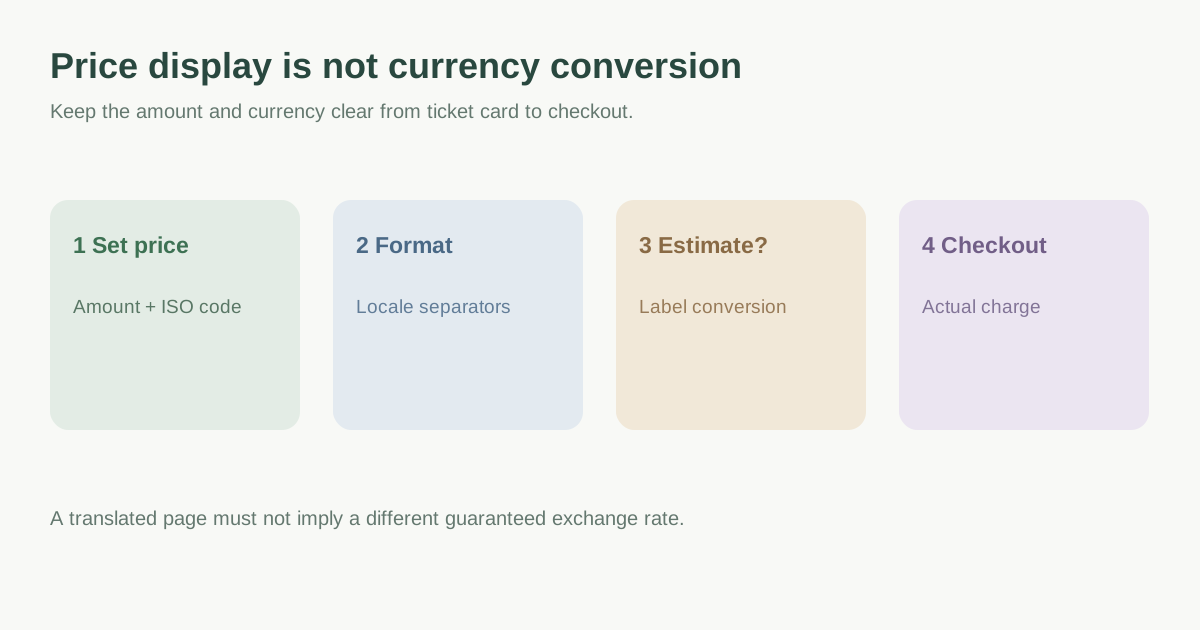
Separate four different money decisions
First, identify the actual ticket price and its currency. Second, format that price for the reader’s locale: separators, symbol position and decimal digits may change without changing the price currency. Third, decide whether to show an estimated equivalent or offer a real alternate-currency price. Fourth, verify the currency charged at checkout and the currency paid out to the organizer. Stripe documents payment-method, presentment and settlement currencies as distinct concepts; do not assume a localized page changes any of them.[3][2]
| Decision | Example | What must stay clear |
|---|---|---|
| Localized formatting | MXN 1,250.00 versus a locale-specific grouping style | Same underlying amount and currency |
| Estimated conversion | Approximate EUR equivalent of a MXN price | Rate/source/time and checkout currency; no guarantee |
| Alternate price | A separately set EUR ticket price | Which amount checkout actually charges |
| Settlement | Organizer receives payout in another currency | Not necessarily the attendee’s charge currency |
Format the amount for the reader without changing its meaning
Use locale-aware number formatting rather than inserting commas, periods or a currency symbol by hand. JavaScript `Intl.NumberFormat` supports currency formatting by locale and currency code; zero-decimal currencies such as JPY need different display precision from many two-decimal currencies. Keep an unambiguous currency code near prices where symbols such as `$` could mean several currencies. Test the actual site and ticket platform because they may render the same price differently.[2][3]
Do not infer currency solely from page language or visitor IP. A Spanish-speaking visitor may buy an event ticket priced in USD; an English visitor may attend an event priced in MXN. If a visitor chooses a display currency, keep that choice visible through ticket selection, fee summary, checkout and confirmation.
Distinguish estimates from amounts charged
If checkout charges only the event’s fixed currency, label any converted amount as an estimate and state the actual charge currency before payment. The card issuer or payment method may use its own rate and charge foreign-exchange fees; a site estimate is not a rate lock. If the ticketing provider offers real multi-currency prices, verify supported currencies, pricing method, fees and refund behavior in that provider’s current settings before advertising them.[3]
The leading Google result discusses real-time and fixed conversion, but its suggested number of currencies and broad conversion-uplift claims are not a rule for an event. Choose display options based on actual attendee markets and the supported checkout path, then compare the published price with the final amount. Do not promise an exchange rate the organizer cannot control.[1][3]
Check the full attendee path in each locale
For every ticket type and each of the six page languages, inspect the list card, event detail, fee disclosure, cart, checkout and confirmation. Record amount, ISO currency code, tax/fee treatment, rate disclaimer if any, and what the purchaser actually pays. Check a refund example with the provider if you plan to explain refund currency or rate effects. Keep legal price-display rules as a separate jurisdiction-specific review; this worksheet is an editorial and product consistency tool.[3]
Download the event-ticket price display audit worksheet (Markdown, English)
Sources and further reading
- What is the best way to handle multi-currency displays?White Label Coders · Accessed
- Intl.NumberFormatMDN Web Docs · Accessed
- Supported currenciesStripe Documentation · Accessed