Event video caption production checklist and delivery matrix
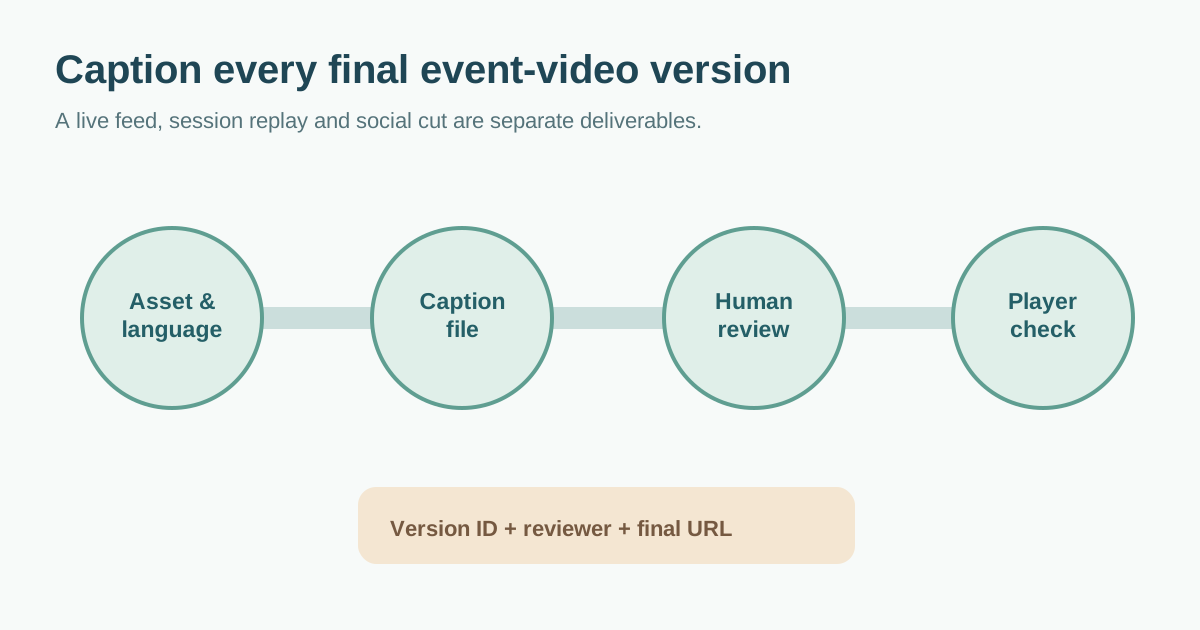
A conference recording can be edited three times, clipped for social, and uploaded to two different players. If captions are ordered only for the first cut, the final audience may see an old name, a late subtitle or no selectable track at all. Put every event-video destination and language in a delivery matrix before the edit is locked, then review the published version in its real player. The editable worksheet below is a production handoff, not a claim that one export works everywhere.
Boletolibre editorial team
Published
Separate the live service from the posted recording
List the actual assets: livestream, full session replay, highlight reel, sponsor clip and short vertical edit. For each, identify the spoken language, requested caption languages, where it will be viewed, and the publication date. A live caption service covers what people can access during the event; a later recording is a new deliverable with its own accuracy and playback review. W3C notes that live captions on a posted recording may need editing for accuracy.[2][3]
For in-person live captions, test the audio feed, connection, display route and the way attendees will access the text with the caption provider and AV lead. UC Berkeley’s event checklist emphasizes those dependencies. Its specific meeting-platform and timing instructions belong to its own service workflow, so use your provider’s actual requirements instead.[4]
Write a caption brief for every version
Use one row per video version and destination. Record the final edit ID, spoken language, caption language, selectable track or visible captions, file format accepted by that player, caption producer, language reviewer, due date and release owner. Ask the platform owner which files and controls it supports before commissioning exports. “Captioned video” is not a sufficient handoff when a website player, venue screen and social channel have different capabilities. The first organic production guide also centers these decisions before final edit; the matrix here applies them to event session and highlight versions.[1]
| Event asset | Version and destination | Caption deliverable | Approval |
|---|---|---|---|
| Session replay | Final talk edit / event site | Language track and matching file ID | Speaker-name reviewer + publisher |
| Highlight reel | Horizontal cut / website | Captions tested in site player | Content and accessibility owner |
| Short clip | Vertical cut / selected channel | Visible or selectable as supported | Channel owner |
| Live stream | Live feed / attendee access route | Provider and AV feed test | Live operations lead |
Give captioners the approved session title, speaker names, acronyms and subject terms. Let a language reviewer check translated meaning rather than asking the editor alone to approve words they do not speak. Keep a note of who can authorize a correction after publication.
Review words, timing and meaning after the picture is stable
Captions communicate speech and meaningful non-speech audio, not just a transcript pasted onto the frame. Check names, numbers, negations, speaker changes and sounds that affect understanding. Compare the caption timing with the actual final audio. W3C says automatic captions generally need substantial correction and are not sufficient unless confirmed accurate; they can be a starting point, not an automatic approval.[2]
Play the final cut with captions visible at phone size and in the intended player. Watch for captions covering a speaker label, demonstration, date, QR code or call to action. For a vertical crop, inspect that version rather than assuming the horizontal caption placement transfers. Avoid treating one rigid character count or reading speed as a universal rule: check the chosen player, language, content and viewer experience. W3C notes that positioning and styling support varies across players.[2]
Keep the video and caption versions paired
Name the master video and each caption file so an editor can see the event, session, edit revision and language. Record the file pair in the matrix. If the spoken edit changes, reopen the caption review; a previously approved subtitle file may now drift out of sync. When captions are burned into the video, that edit becomes a separate version that must be replaced as a whole. When selectable tracks are used, verify the control and language label in the real published player, not only in the editing tool.
Before release, have someone other than the caption producer watch representative sections of the actual published URL with sound on and off. Check the beginning, a speaker change, a number or name, a quiet or noisy section and the end. Mark failures with a timestamp, fix owner and retest status. Link the final approved files, review date and player URL so a later correction does not restore an outdated track.
Make the next event easier
After publication, keep the approved terminology list, language owner and platform-specific export notes with the source project. Archive only the versions your organization needs under its media and privacy policy. Captions do not describe every important visual element; review whether the video also needs a description or an equivalent text alternative. W3C treats captions, transcripts and visual description as distinct accessibility needs.[3]
The downloadable worksheet includes separate rows for live and recorded deliverables, a review log and a final playback sign-off. Fill it before commissioning work, then update it whenever the edit, platform or language changes.
Download the event video caption delivery matrix (Markdown, English)
Sources and further reading
- Video Caption Planning: A Practical Production ChecklistRabbit and Carrot · Accessed
- Captions/SubtitlesW3C Web Accessibility Initiative · Accessed
- Planning Audio and Video MediaW3C Web Accessibility Initiative · Accessed
- Live Captioning Checklist for In-Person EventsUC Berkeley Disability Access & Compliance · Accessed