Website administrator account security checklist for event teams
A stolen website administrator login can change event dates, redirect a ticket link or remove the people who can correct the problem. Google Workspace’s small-business security checklist covers unique passwords, two-step verification, recovery methods and a second administrator. Those are useful principles, but the exact settings differ across a CMS, registrar, host and ticketing provider. Use this checklist to verify each account rather than assuming one platform setting secures the whole event.
Boletolibre editorial team
Published
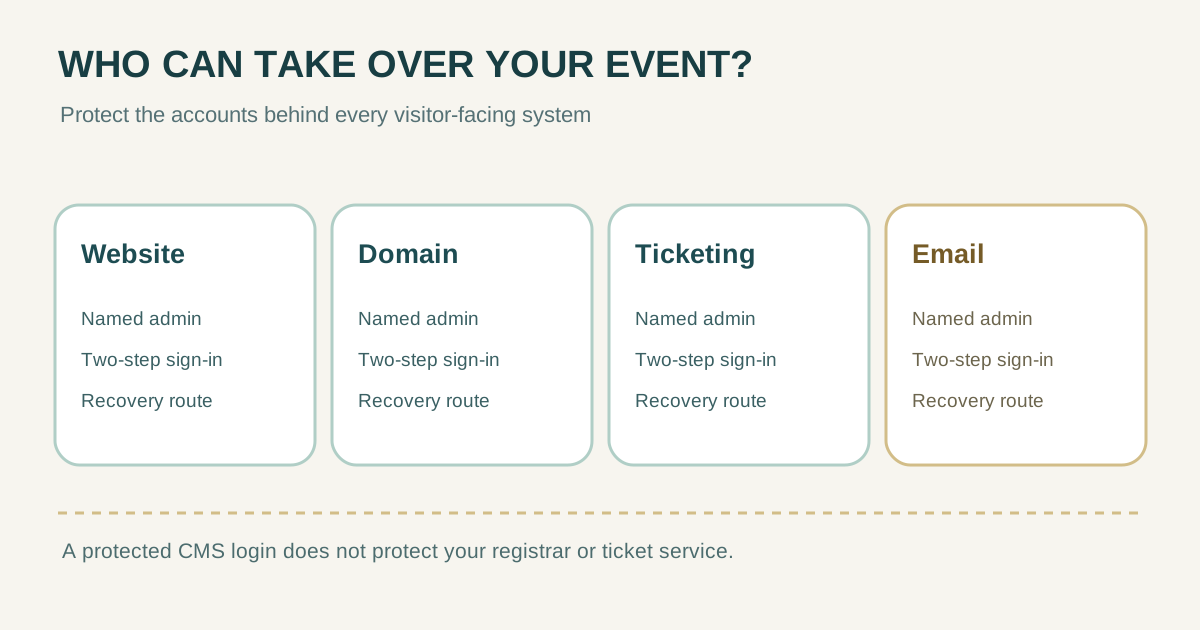
1. List the accounts that can change the event
Start with powers, not job titles. Include whoever can publish a page, change a domain or DNS record, alter checkout or ticket inventory, send event email, invite users, or disable another administrator. The companion roles guide helps decide who needs each permission; this checklist protects the accounts once assigned.
| System | High-impact administrator action | Named account owner |
|---|---|---|
| Website or CMS | Publish or replace event pages; manage users | ________ |
| Hosting and deployments | Change application or restore service | ________ |
| Domain and DNS | Redirect site, mail or verification records | ________ |
| Ticketing and payments | Change purchase links, inventory or payout settings | ________ |
| Email service | Send confirmations or change sender settings | ________ |
Keep this inventory in a secure team record, but never put passwords, backup codes or private keys in the sheet. If the site is managed by an agency, record both the agency contact and the organizer-controlled recovery route.
2. Secure each high-privilege sign-in
Google’s small-business checklist and the NCSC both call for two-step verification on administrator accounts, unique credentials and limited use of broad admin access. Google also recommends identifiable accounts instead of shared admin logins, so activity can be attributed to a person. Use the strongest practical second factor your provider supports; a security key or passkey can be useful where supported, but settings are provider-specific.[1][2][3]
- Give each administrator an individual account. Do not share a single “admin” login among organizers or contractors.
- Use a unique, strong password stored in an approved password manager where password sign-in remains necessary. Turn on two-step verification for every privileged account.
- Use a normal or narrower account for routine copy edits and email. Sign in with broad admin power only for an admin task, then sign out.
- Review active sessions, devices and sign-in alerts where the product exposes them. Investigate an unfamiliar change before relying on the account again.
WordPress documents strong generated passwords and two-factor authentication as concrete CMS examples. Do not assume a plugin is installed, or that a ticketing or registrar account inherits the CMS’s protections.[4]
3. Build a recovery path that survives one lost account
Google’s checklist recommends a second super administrator managed by another person, current recovery information and securely stored backup codes. The NCSC likewise recommends more than one administrator and recovery information available independently of the account that might be lost. This is a resilience plan, not permission to give every collaborator full access.[1][3]
| Recovery question | Evidence to check |
|---|---|
| Who can act if the primary admin is unavailable? | Second authorized person/account, with its own protected sign-in |
| What if the second factor is lost? | Provider-supported spare key or recovery method, securely stored |
| What if business email is inaccessible? | Independent provider contact and recovery route, current details |
| Who controls the domain? | Organizer can prove ownership and reach the registrar without the agency |
Store recovery codes or spare keys in a secure place accessible to the authorized recovery people, separate from a shared content spreadsheet. Verify the process without consuming codes unnecessarily; document where the procedure is held, not the secret itself.
4. Review access before launch and when the team changes
- Before sales open, confirm who has admin access in the CMS, host, registrar, ticketing and email service. Remove accounts no longer needed.
- Check that two authorized people can initiate the provider’s recovery process without relying on one person’s inbox, phone or agency relationship.
- After a contractor leaves or an event closes, revoke their privileged access promptly and confirm it is gone.
- After a suspicious login or unauthorized change, use the provider’s incident and account-recovery process; preserve relevant logs and review downstream systems.
The NCSC recommends limiting admin use and revoking access when staff leave or change roles. Google recommends monitoring admin activity and alerts where available. Record review date, reviewer, account owner, MFA status, recovery owner and next action; do not record passwords or recovery codes.[3][2]
| Review record | Fill in |
|---|---|
| Date / reviewer | ________ |
| System / named admin | ________ |
| Individual account / MFA verified | Yes / No / Action |
| Recovery path checked | Yes / No / Action |
| Access still needed / removal owner | ________ |
Sources and further reading
- Security checklist for small businesses (1–100 users)Google Workspace Help · Accessed
- Security best practices for administrator accountsGoogle Workspace Help · Accessed
- Protecting your admin accountsUK National Cyber Security Centre · Accessed
- Password Best PracticesWordPress.org Documentation · Accessed