Website roles and permissions for a small event team
A person who updates the event schedule may need to edit a page, but usually does not need to change website users, plugins or payment settings. Define the jobs first, then assign the smallest platform role that lets each person do that job. The exact role names and controls differ by CMS, so use this as a permissions plan to translate into your own site and ticketing tools, not as a universal menu of roles.
Boletolibre editorial team
Published
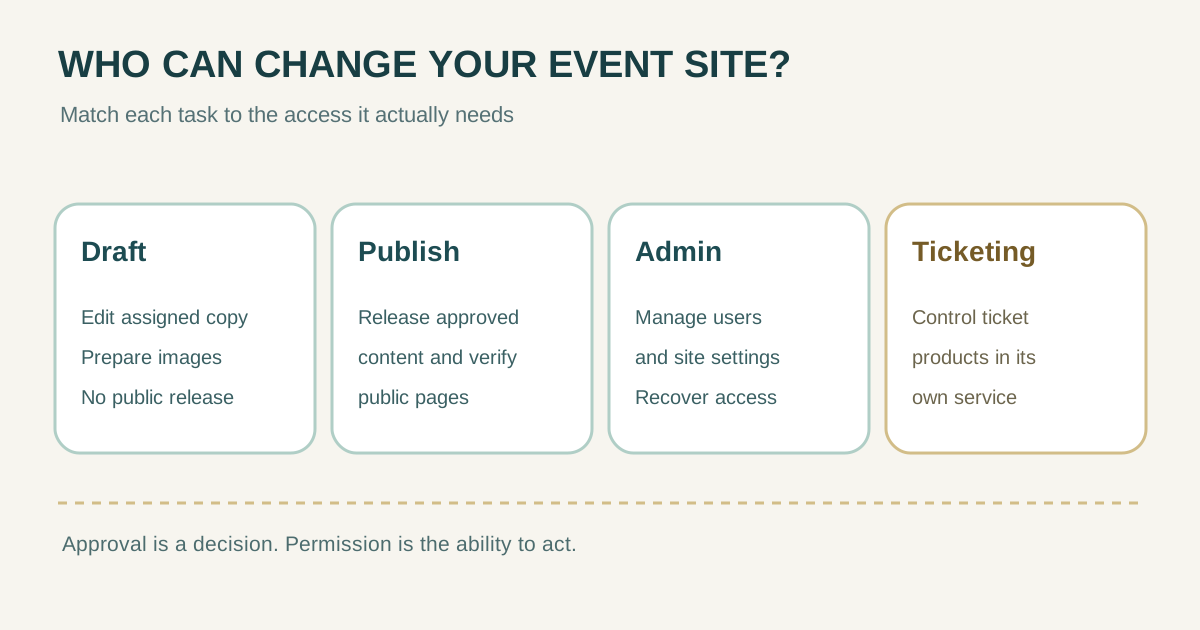
Turn event jobs into an access matrix
The first organic result for this question is Adobe Commerce's user-role guide: create a role, choose the resources and site scope it can access, then assign users. Its warning is useful across systems: if a restricted role can edit permissions, it may be able to raise its own access. WordPress also distinguishes capabilities such as writing, publishing and managing users. Do not assume two systems use the same role labels or boundaries.[1][2]
| Event-team job | Access normally needed | Access to keep separate |
|---|---|---|
| Content contributor | Create or revise assigned event copy and images | Publish, user management, site settings |
| Event editor / publisher | Review and publish approved pages; correct visible errors | User and plugin administration unless part of the job |
| Site administrator | Manage accounts, settings, integrations and recovery | Ticketing financial controls unless explicitly assigned |
| Ticketing operator | Manage ticket product, capacity or checkout in its own service | Website admin access solely because they run ticketing |
| External reviewer | View draft or staging material and leave comments | Public publishing or account administration |
This is a planning matrix, not a claim that every platform can enforce each row exactly. If a product bundles too many powers into one role, decide whether to use a more restricted built-in role, a supported custom role, a review-only channel, or a different workflow. Test the chosen account before launch.
Translate the plan into your actual platform
WordPress documents separate default roles: a Contributor can write and manage their own posts without publishing; an Editor can publish and manage posts by others; an Administrator has broad site administration capabilities. Those are WordPress examples, not instructions to give every event editor the built-in Editor role. That role may cover more pages and posts than a specific assignment needs. In Adobe Commerce, an administrator can choose narrower resources and, for a multisite installation, scope a custom role to a site or store. Check your actual product version and extensions before granting access.[2][1]
- Inventory every system in the visitor journey: website or CMS, hosting, domain/DNS, registration, ticket checkout and email sender.
- List the exact actions each person needs in each system. Treat an ability to edit a page, publish it, invite users and change prices as different actions.
- Use individual accounts. Record who can grant or remove access and who can recover an administrator account.
- If the platform supports site or resource scope, restrict the role to the event area it serves.
- Sign in as a test user with that role and confirm both the needed action and the actions that must remain unavailable.
Keep approval authority separate from the Publish button
A content approver decides that a specific price, date, venue or policy version is correct. A publisher has the technical ability to put it online. One person may perform both jobs in a tiny team, but record the decision and the version either way. A CMS role can permit Publish without enforcing your event's approval process; a content ownership register can name a maintainer without granting account access. Link the three records rather than confusing them.
| Question | Record to use |
|---|---|
| Who maintains the event page over time? | Content ownership register |
| Who approved this exact change? | Content approval log |
| Who can technically edit or publish it? | Platform account and role inventory |
For a ticket launch, rehearse a small approved change. Have the contributor save it, the approver decide on the draft version, and the publisher make it live. Verify the public page and checkout link. This exposes missing access or excessive privileges while there is still time to adjust them.
Review access when the team or event changes
Set a review point before ticket sales, after the event and whenever a contractor leaves or changes duties. Compare the account inventory with actual people, remove access no longer needed, and verify that at least one designated administrator can still recover the site. Review the ticketing and email services separately from the CMS. Keep passwords and recovery codes out of a shared permissions sheet.
- For each account, note person, system, role, reason, approver and review date.
- Check whether the role can invite users, change permissions, edit pricing, publish public content or export attendee data.
- Remove or narrow access promptly when the assignment ends; confirm the former collaborator can no longer sign in.
- Retest the critical publish and purchase journey after any role change that affects launch staff.
Sources and further reading
- User rolesAdobe Commerce Documentation · Accessed
- Roles and CapabilitiesWordPress.org Documentation · Accessed