Event website contact page template: help guests reach the right team
A guest on a contact page usually needs one of a few answers: help with a ticket, access information, a programme question, or a way to reach the organizer. An event contact page should route that request without making the guest guess which inbox works. The original HTML template below is a responsive visual starting point: replace its placeholder addresses, links, service hours and promises with the event’s real support arrangements before publication. The sample does not send a form or create a helpdesk ticket.
Boletolibre editorial team
Published
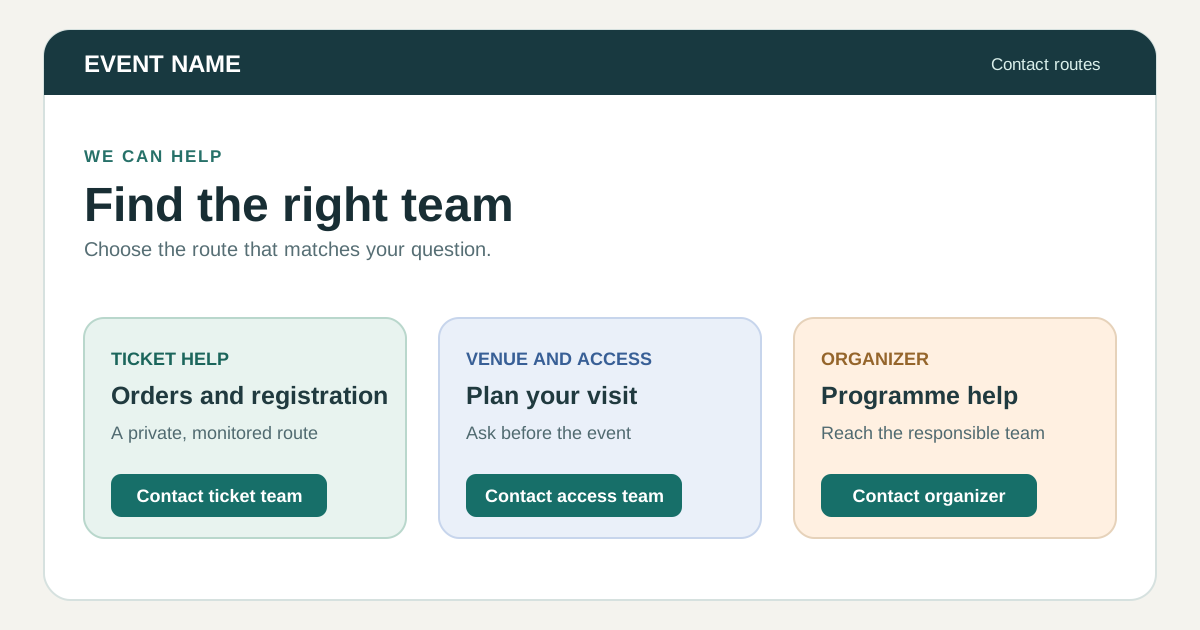
Download and adapt the original page template
Download the original responsive event contact page (HTML)
The page includes a short “choose your question” section, visible contact methods, practical details for sending a ticket query, a clear urgent-on-site route, and a final check before a guest sends personal information. It uses sample values marked for replacement. Open the HTML locally to preview it; wire actual links and support ownership before uploading. A polished page with a dead inbox is worse than a plain page with a monitored contact.
Put the most useful route near the question
Group contacts by task rather than by internal department name. A ticket holder needs an order-help route; someone planning a visit needs access and venue information; a speaker or supplier may need an operations contact. Avoid asking for a complete order record in a public social post. GOV.UK’s contact pattern recommends choosing channel order from user needs, keeping that order consistent, and stating opening hours and expected response times when known.[1]
If the event details are on Boletolibre.com, place the organizer’s chosen support link close to registration or ticket information and confirm that it leads to the correct team. This template does not assume a particular Boletolibre support feature or response time.
Make the contact information actionable
For each route, show what it is for, a real address or link, who monitors it, and when a reply can be expected. Give the event date, venue and time zone context so a guest knows they found the right event. If the event is running now, point to the approved on-site help desk or urgent contact; do not route immediate safety concerns through a slow general inbox.
If you add a form later, give each field a visible label, identify required and optional inputs, and explain what happens after submission. W3C WAI advises explicitly associated labels and instructions that remain available to assistive technology. A front-end form also needs a real receiving service, validation, spam controls and a tested success/error path; the downloadable HTML intentionally has no inactive form.[2][3]
Test the page as an attendee
Replace every placeholder and follow every email, ticket and venue link. Send a safe test inquiry to each real route, confirm ownership and check the reply in the time and language promised on the page. View the page on a narrow screen and use keyboard navigation. Ask someone unfamiliar with the event to find ticket help and access help without coaching. Update contact details before public launch, during schedule changes and after the event when the inbox or team changes.
Sources and further reading
- Contact a department or service teamGOV.UK Design System · Accessed
- Labeling ControlsW3C Web Accessibility Initiative · Accessed
- Form InstructionsW3C Web Accessibility Initiative · Accessed