Event website defaced? A response checklist for organizers
An event page suddenly shows text your team never approved, or its ticket button points somewhere unfamiliar. Treat the visible change as a possible security incident while you verify it. Use the worksheet with your security or hosting responder, not as a substitute for their investigation.
Boletolibre editorial team
Published
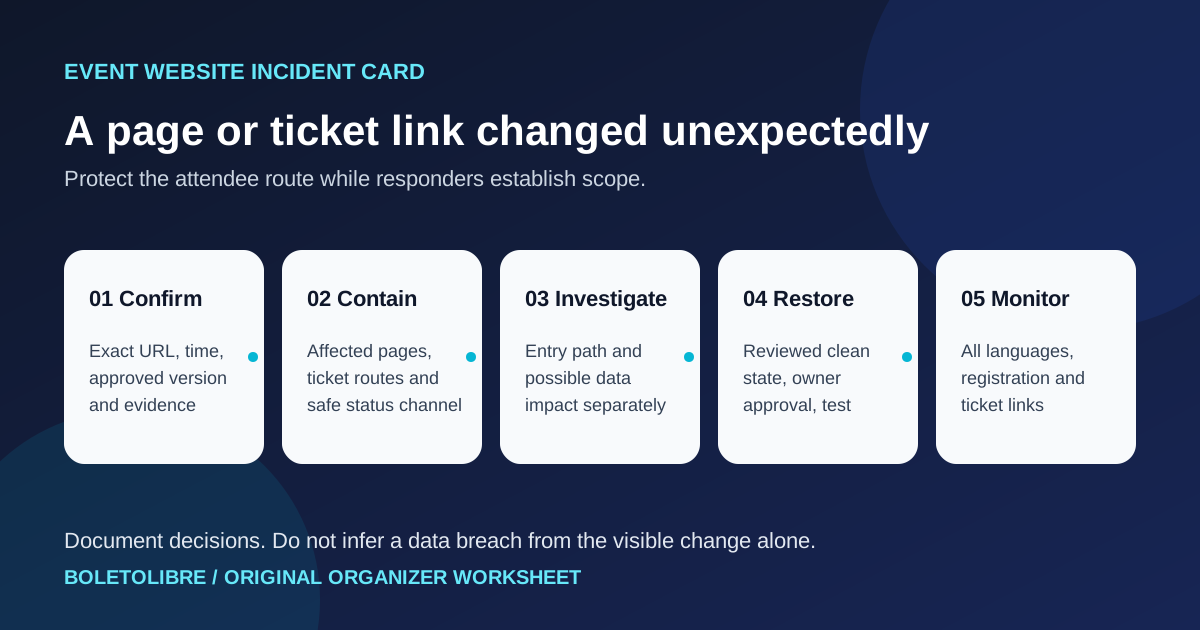
Confirm what changed and protect evidence
Download the original event defacement response decision card (Markdown)
Record the exact URL, locale, visible change, first observed time with time zone, reporter and known approved version. Capture a screenshot and preserve relevant CMS, deployment, DNS, CDN, hosting and access logs according to your incident process. Check whether this is an unauthorized change, an approved publication error or a stale cached copy; do not label an attack before the evidence supports it. Preserve an incident timeline and one decision owner.[3]
Choose containment around the affected attendee journey
Have the security and hosting owners decide whether to disable the affected page or edit path, show a trusted maintenance page, restrict compromised access, or use another scoped control. A malicious ticket destination or injected script may expose visitors, so check the event page, registration entry, checkout handoff and support links promptly. Do not send attendees to a replacement link until the team verifies its destination independently. The appropriate scope depends on the observed risk and architecture; taking an entire site offline is not an automatic rule.[2][4]
Keep a separately controlled status or contact channel available if the event domain or its email is suspect. State only confirmed impact, a safe route to current event information and the next update time; do not speculate about the attacker, data loss or restoration time.[3]
Separate visible defacement from the unknown cause and data impact
Ask the qualified responder to compare the altered page, approved source and deployment history; review relevant CMS accounts, code changes, hosting configuration, DNS and CDN routing. Identify the entry path and whether it remains open before restoring public service. A changed page alone neither proves nor rules out exposure of registration or payment data. The incident owner should record what systems and periods were assessed and escalate possible data exposure or notification questions to the appropriate legal/privacy team for the event's jurisdiction.[2][3]
Restore a reviewed state and test real attendee tasks
Select a known-good release or backup only after it has been checked for malicious content and the likely entry path has been contained. Record who approved restoration, the source version and the rollback option. Verify the affected URL and every language version, event facts, registration form, confirmation route, external checkout destination and support channel from a public client. A clean-looking homepage is insufficient if a ticket button still redirects. Monitor the altered surface and relevant logs for recurrence, then capture what to change in the response plan.[2][4]
Use the decision card during the incident
The downloadable card has spaces for evidence links, affected routes, containment decision, verified status channel, ticket-link check, investigation owner, data-impact assessment, restoration approval and post-recovery observations. It records decisions; it is not a penetration-test authorization, breach determination or promise that a backup is safe. Escalate to your provider and qualified responder whenever the scope or evidence is unclear.[3]
Sources and further reading
- Defacement incident response playbookCounteractive / GitHub · Accessed
- Website defacement (ITSAP.00.060)Canadian Centre for Cyber Security · Accessed
- Plan: Your cyber incident response processesUK National Cyber Security Centre · Accessed
- Recovering from a highly disruptive cyber attackUK National Cyber Security Centre · Accessed