Website language switcher best practices for event pages
A visitor opens an event schedule in English, chooses Español, and lands on the Spanish home page. They must find the event again, and may miss its ticket deadline. A useful language switcher changes the reading language while preserving the event, edition and task the visitor was doing.
Boletolibre editorial team
Published
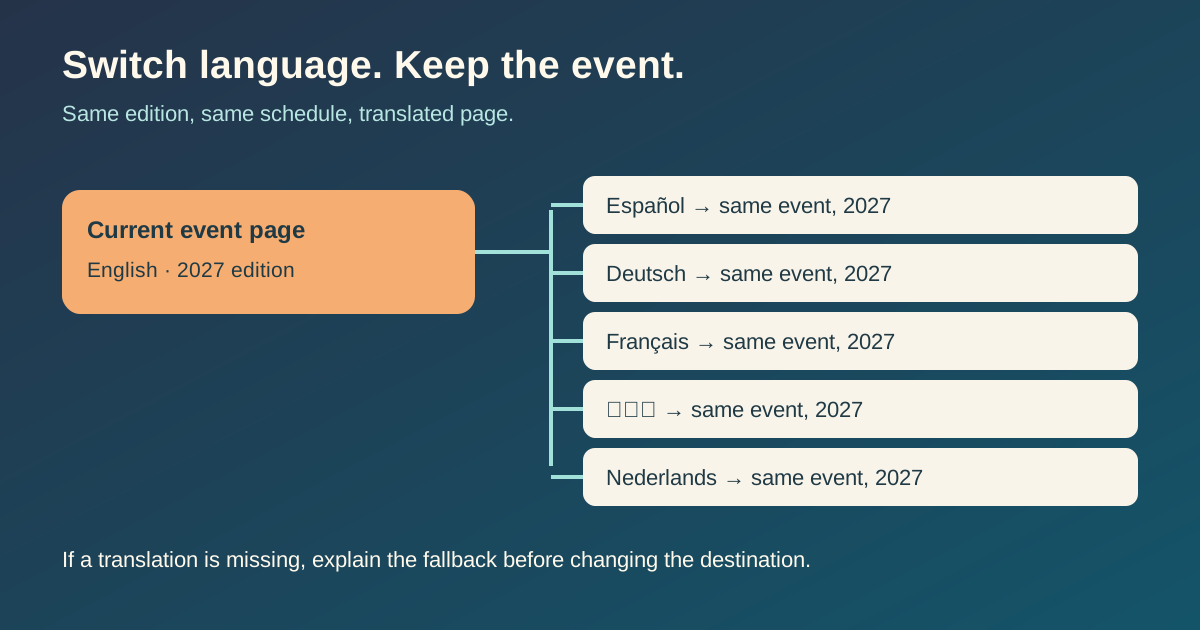
Make the destination the same event, not just the same website
Map each event overview, schedule, venue, FAQ and ticket-information page to its actual translated equivalent. If the visitor is reading the 2027 edition, the new language should still show that edition, with the same approved date, ticket status and venue facts. The U.S. Web Design System explicitly recommends taking people to equivalent content and avoiding a dead end; that is especially important after someone enters through a search result deep inside an event site.[2]
| Current task | Good target after switching | Avoid |
|---|---|---|
| Reading the 2027 event schedule | 2027 schedule in selected language | Generic language home page |
| Checking a ticket deadline | Same edition's ticket information | Older edition or expired offer |
| Viewing a translated FAQ | Equivalent FAQ answer | Unrelated page that happens to share the language |
If a particular translation does not exist, do not pretend it does. Hide or disable that option with a clear explanation, or offer an explicit route to the available language or a translated overview. Label a fallback before navigation so the visitor can choose; never silently replace a detailed answer with a home page.
Use names people can recognize
For six languages, a labeled menu is more compact than six separate buttons. Keep its location consistent across event pages and on mobile. Show language names in their own languages—English, Español, Deutsch, Français, 日本語, Nederlands—rather than relying on codes alone. A country flag represents a country, not everyone who reads a language; both Weglot's examples and USWDS caution against treating flags as language labels.[1][2]
If your menu contains words in other languages, mark those labels with the appropriate language in the markup; the page itself should identify its main language too. Give the control a name that announces its purpose, such as “Languages,” rather than an unexplained globe icon.[3]
Keep the choice usable and predictable
A visitor who deliberately chose a language should be able to open and share that URL. Avoid immediately forcing them to another version based on IP location or browser settings; Google also warns that such redirects can prevent both visitors and crawlers from reaching a version. Provide normal links for each available language.[4]
- On desktop and mobile, check that the control remains discoverable before the main ticket action.
- Use links for destinations; if the menu opens with a button, check keyboard focus, Escape and close behavior.
- Preserve the event edition and the useful page context when switching; do not carry an unsafe or expired checkout state into a new page.
- After switching, confirm that the selected language is visibly active and the page body is actually translated.
Test with a keyboard and screen reader, not only with a mouse. USWDS documents language attributes for mixed-language labels and an accessible list structure for menu choices.[3]
Review a real event's language routes
Record the current event URL, edition, target language, equivalent destination, schedule/ticket consistency, native label, mobile and accessibility check, and missing-translation decision. Use one row for each offered language, then click every path from a live event page.
Download the event language switcher review sheet (CSV)
This review is about visitor movement between equivalent pages. URL naming and hreflang relationships belong in the separate multilingual URL structure guide; a valid hreflang annotation does not rescue a switcher that sends people to the wrong event.
Sources and further reading
- Website Language Selector: 15 Examples & Best PracticesWeglot · Accessed
- Three or more languagesU.S. Web Design System · Accessed
- Language selectorU.S. Web Design System · Accessed
- Managing multi-regional and multilingual sitesGoogle Search Central · Accessed