Event website translation glossary template
A word can be translated accurately yet still mislead an attendee. “Registration,” for example, may mean an application, a free RSVP or a confirmed ticket depending on the event. This original glossary template records the intended action and approved wording for each locale before that term appears on a page, form or email. It complements a page-level translation workflow; it does not approve policies or publish pages.
Boletolibre editorial team
Published
Download the editable terminology register
Download the event website translation glossary (Markdown)
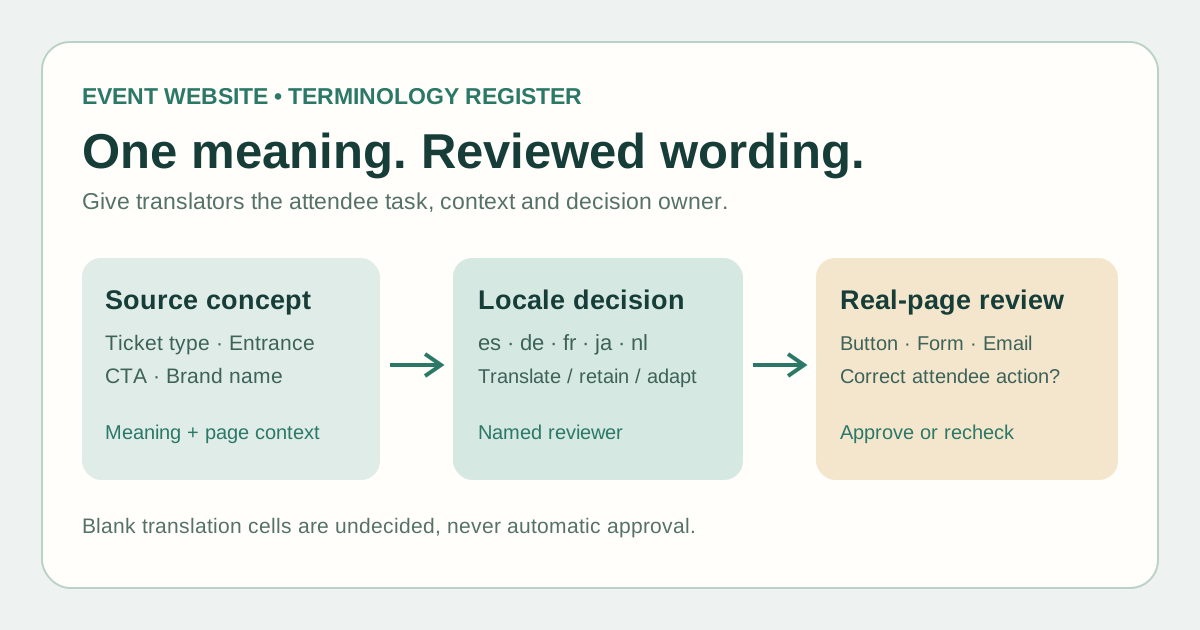
Copy the table for your event and edition. Each row records the source term, meaning, page context, translate/retain/adapt choice, five target-language decisions, usage notes, owner and review date. Blank language cells are undecided. The decision card below the table handles one ambiguous or disputed term.
Choose terms that affect attendee decisions
Start with terms that change what a visitor does: ticket type and entitlement, “apply” versus “register,” waitlist status, entrance name, access request, refund label and support channel. Capture the full sentence and a screenshot or URL. A label without context invites a technically correct but operationally wrong translation.
Keep proper names and legal or policy terms in a separate review lane. The brand owner may require an exact spelling; a refund or eligibility phrase may need qualified local review. The glossary should record that decision and its owner, not invent a universal translation.
Approve meaning and wording by locale
For every target locale, select wording based on the same attendee action, not on word-for-word similarity. Note prohibited alternatives when two phrases would imply different outcomes. Record capitalization and space constraints when the term is a button or ticket-card label. An automatic suggestion remains a draft until a reviewer approves it.
For a six-language event site, keep the source English concept and approved es, de, fr, ja and nl entries together. If your site uses a different source language or regional variant, change the columns and document the exact locale. Do not fill a missing translation with English by default unless that is an explicit reviewed choice.
Read the term in its real interface
W3C describes localization as adaptation beyond translation; Microsoft recommends checking context, terminology and the real interface during localization review. Open the actual page, registration form and confirmation message. Confirm that the chosen words fit the layout and lead to the correct ticket or support action.[1][2]
On a Boletolibre.com event page, this can include reviewing the public ticket label and the destination of the registration call to action. Check the actual configuration and public page; this worksheet does not change the platform or establish which languages an event supports.
Keep decisions current
When a ticket entitlement, venue entrance, policy or source CTA changes, flag every affected glossary row and page for review. Keep the old approved decision identifiable, assign a reviewer and update the decision date. A changed source term can invalidate a formerly correct translation.
Use the glossary alongside the page-level release matrix. The term register answers “what does this phrase mean here?”; the release matrix answers “which version of each language page was reviewed and published?” Neither replaces a final end-to-end attendee check.
Sources and further reading
- Localization vs. InternationalizationW3C Internationalization · Accessed
- How to perform localization testingMicrosoft Learn · Accessed