Multilingual event registration form testing checklist
A translated registration page is not complete when the labels look right. Attendees still have to enter their names, understand an error, finish an authorized test registration and receive a usable confirmation in the selected language. The leading Google result is a field-by-field multilingual form checklist; this event-specific matrix adds the downstream ticketing and email handoffs. Use safe test data and the provider’s approved test mode.
Boletolibre editorial team
Published
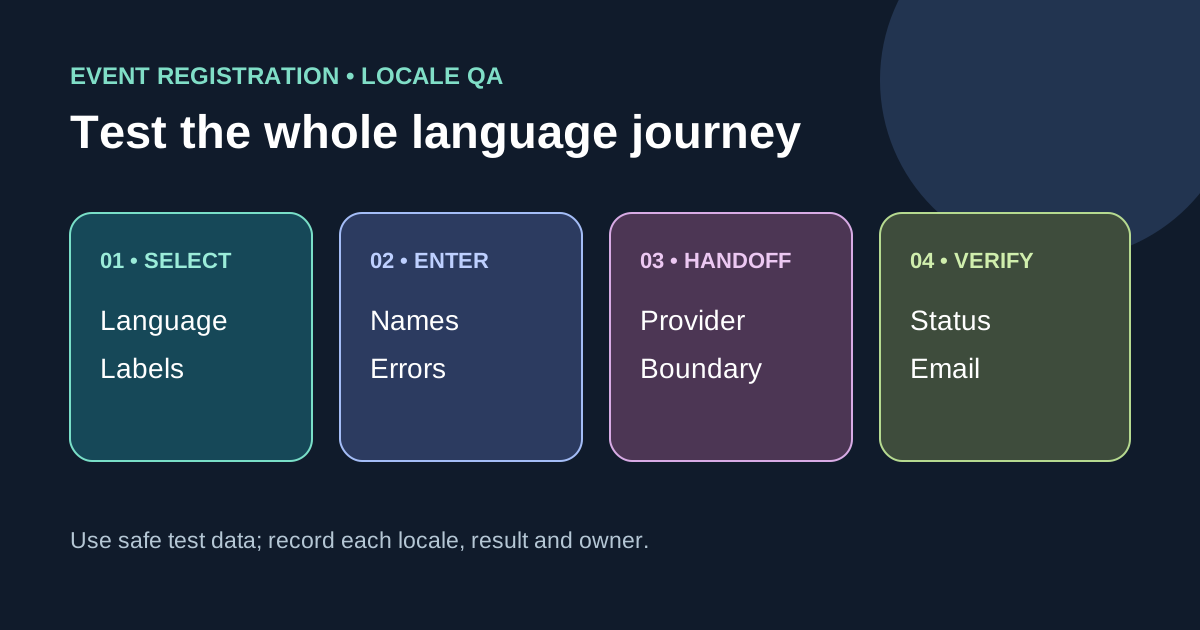
Map every language and transaction stage
Download the editable locale-by-flow test matrix (Markdown, English)
List each supported language and route: event page, registration start, each form step, review screen, provider handoff, confirmation page and confirmation email. For this site the public languages are English, Spanish, German, French, Japanese and Dutch, but the worksheet can be adapted to other products. Decide which steps your site controls and which belong to a ticketing provider. A translated landing page does not imply a translated external checkout; state the boundary to attendees before they leave your site.[1][2][3][4]
Test names and entered data without English-only assumptions
Use fictional or designated test-only people with characters and name structures that exercise each supported language. Verify the form accepts and preserves accents, non-Latin scripts, spaces, hyphens and more than two name parts where the product permits them. Do not assume every attendee has a Western first/last-name pair or silently change their casing. Test both the visible form and stored/emailed rendering. If a provider requires a particular script or separate legal-name fields, explain that requirement in the relevant language rather than failing without context.[1][2][3][4]
Check labels, errors and layout in context
Check field labels, required indicators, help text, select options, validation errors and button labels for each locale, including long German or French strings and Japanese names. Ensure the page identifies its language and that a change of language does not unexpectedly erase entered data; document if the product must reset it. Submit deliberately invalid test values and confirm the error identifies the field and explains the correction in text. Do not rely on color alone or an English-only server message. Check date, time, currency and phone examples against the event’s actual market and provider behavior, not invented universal formats.[1][2][3][4]
Follow the submission into confirmation
Complete a safe test journey through the boundary you own. Check review values, event edition, ticket or application status, displayed price and currency, and confirmation wording in the chosen language. If the ticketing provider cannot localize a step, name the fallback and responsible owner; do not claim a fully localized purchase. Never create live charges or email real attendees as a test. For a switch in language midway through registration, check whether state persists, whether terms or policy links change correctly, and whether the confirmation follows the chosen language.[1][2][3][4]
Record evidence and retest the exact failure
Record locale, browser/device, route, test-data class, expected wording, observed wording, screenshot or reference, owner and retest result. Use a fluent reviewer for meaning and policy language; visual checks alone cannot prove translation quality. Prioritize blockers such as rejected names, hidden errors, wrong ticket terms or an unexpected language at checkout. Keep this matrix distinct from general cross-browser QA: its purpose is the consistency of one attendee’s language and data from first field through final message.[1][2][3][4]
Sources and further reading
- A Practical Checklist for Testing Multilingual FormsMockFiller · Accessed
- Personal names around the worldW3C Internationalization · Accessed
- Why use the language attribute?W3C Internationalization · Accessed
- Understanding SC 3.3.1: Error IdentificationW3C WAI · Accessed