Should a recurring event use a headless CMS for its website and app?
A recurring event often publishes the same facts in more than one place: dates on the website, sessions in an app, venue details in email, and late changes everywhere. A headless content management system can give these channels a common content source, but it also leaves the team responsible for building and operating each presentation. The useful question is whether that separation solves a real publishing problem for your event.
Boletolibre editorial team
Published
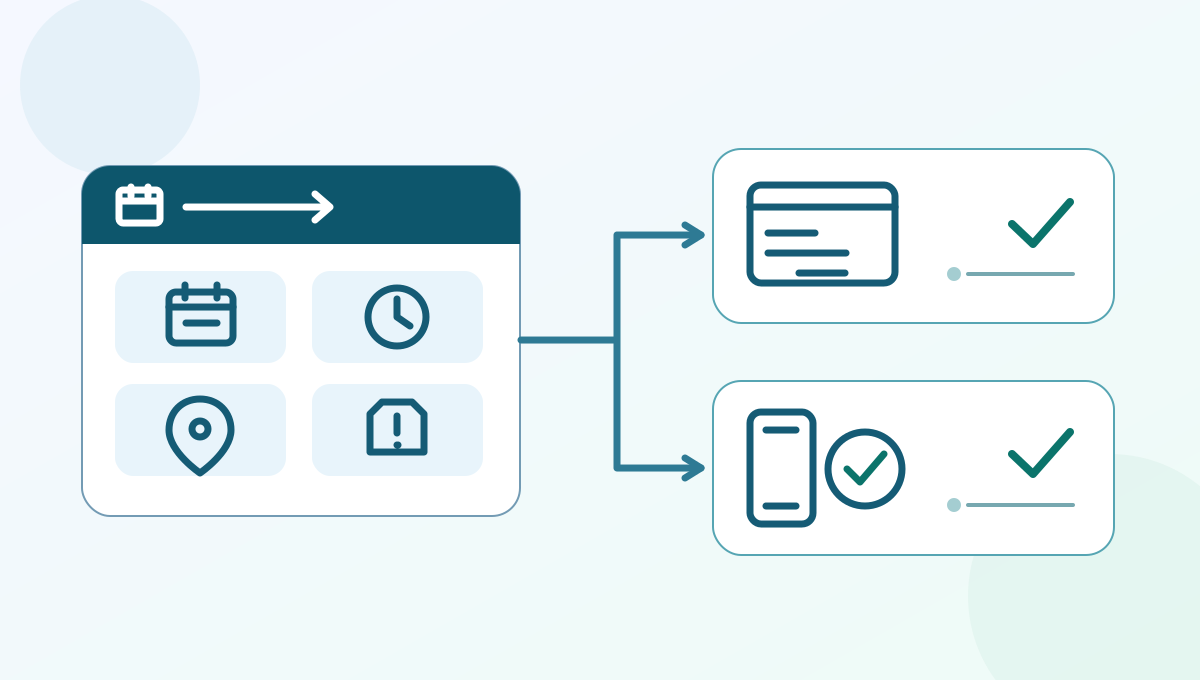
Start with the channels, not the CMS label
A headless CMS stores and exposes content separately from the website or app that presents it. That can be valuable when the same structured facts must power several independently designed channels. It does not mean that every page should be assembled in a mobile app, nor that a traditional CMS is automatically unusable for reuse. WordPress, for example, exposes a REST API that separate applications can use. Compare your current system’s actual API, modeling, preview and permissions before treating a migration as the only path.[2][4]
Make a channel inventory for the next two event editions. List the public website, mobile app, venue screens, email, partner feeds and internal documents that truly need authoritative event data. Mark who publishes each one, how often a change occurs, and how harmful a mismatch would be. A website and a one-off PDF do not create the same case for shared infrastructure as a site and app that both display hundreds of changing sessions.
Use the decision as a scope boundary: “We need editors to change a session room once and have the website and app show the approved value within ten minutes.” That is testable. “We want a modern CMS” is not. If one site already supports the editor’s work, keep the current arrangement on the table.
Model the recurring event before choosing a platform
Model the data in nouns and relationships. A practical recurring-event model might contain Event edition, Venue, Room, Session, Speaker, Sponsor and Notice. A session belongs to an edition, may have a room and speakers, and has start and end times. A notice may be urgent and expire. Keep the year or edition as a field or relationship rather than overwriting last year’s event with this year’s details. Contentful’s data-model documentation illustrates the underlying idea: content types define fields and entries; API consumers can then use the same structured records.[1]
Do not make every visible word global. A session title and start time may be shared facts, while a website teaser, app notification and email subject can be channel-specific copy. Define which fields are authoritative, which can be adapted, and which are presentation settings. A “single source” only works if the team knows what is actually single.
Make a sample model with five real sessions, one rescheduled speaker, two venues and the next edition. Ask an editor to create and update them without a developer. If the model requires a separate record for every tiny layout variation, or forces editors to paste formatted HTML into generic fields, adjust it before evaluating vendors.
Decide what is shared and what each channel owns
Draw the boundary between content delivery and transactions. Public session descriptions can be copied to multiple channels; checkout availability, ticket inventory, attendee identity and personal itineraries usually have their own systems and access rules. A CMS should not become a makeshift source of truth for those live or private states merely because it has an API. Put the owner and update path beside each field.
A shared API is useful only if each consumer handles missing, delayed and changed data. If the app is offline, which version of the schedule should it show and how will it label freshness? If a session is unpublished, does the website remove its URL or show an explanation? If a speaker name changes, does a push message need separate review? These are product decisions to write down, not properties supplied by the word “headless.”
For a recurring event, include an edition key in content queries and in editorial views. Without it, an archived page can accidentally show the latest sponsor or a new session can leak into last year’s app. Test archival views explicitly, including links from search and old email campaigns.
Trace one change through the editorial workflow
Follow one realistic update: at 08:30 a room changes for a 10:00 session. Record who edits the record, who approves it, whether a preview shows the website and app versions, what triggers publication, and who checks the public result. Some headless platforms provide separate delivery and preview APIs; Contentful documents preview as a distinct API and requires a website or app preview integration. Buying the CMS does not create that integrated preview by itself.[2][3]
Give editors a safe failure path. If the new room is missing or the translation has not been approved, should the record remain in draft, publish in one language, or show a temporary notice? Agree on a cutoff and an escalation owner before event day. Create permissions that let operations staff correct time-sensitive facts without giving every editor control of schemas or API credentials.
Measure the elapsed time from approved edit to the visible website and app change. Include build or webhook delays, cache lifetimes and app refresh behavior. HTTP caches can reuse a response while it is fresh according to its policy, so a successful CMS publish is not proof that visitors see the new value yet. The result should be an observed time, not a vendor promise.[6]
Keep delivery, search and accessibility in scope
A headless CMS delivers content; the website still needs pages that visitors and search engines can reach. If the frontend fills an empty shell only after JavaScript runs, some crawlers may take longer or fail to see the content. Google recommends server rendering or pre-rendering as useful approaches and notes that not all bots run JavaScript. For essential event details, inspect the returned HTML and test published URLs, rather than assuming the CMS choice determines search visibility.[5]
The CMS also does not make either presentation accessible. Editors need meaningful image alternatives and clean headings; web and app teams must implement usable navigation, keyboard operation, readable text and accessible components in their respective interfaces. W3C’s WCAG overview separates perceivable, operable, understandable and robust requirements; a shared content record does not automatically satisfy any interface’s full experience.[7]
Decide the fallback if the CMS API or a frontend build fails close to opening time. A cached public schedule or a static status page might preserve the essentials, but test the chosen path. Document which information must remain available, who can activate the fallback, and how visitors learn that information may be delayed.
Compare the whole operating job
Compare three viable arrangements against your actual needs: keep the current site CMS and use its API; adopt a dedicated headless CMS with separate web and app frontends; or keep one editorial site and export a narrow, approved schedule feed. The first can preserve familiar editing. The second may fit complex multi-channel models. The third may solve one repeated data-transfer problem without rebuilding everything. None is inherently faster, cheaper or safer; implementation and operating practice decide that.[4][2]
Score each on editor time, preview quality, localization, permissions, migration work, frontend maintenance, public performance, outage behavior and total recurring cost. Include who will maintain schemas, API integrations and each frontend after the launch team leaves. A license quote alone omits the work that appears when presentation and content management are separate.
Prefer a small change when the only pain is copying a few stable paragraphs. Consider stronger separation when several channels consume the same structured entities, updates are frequent, inconsistencies are costly, and the team can own delivery and preview. Write down the evidence behind the choice so the next event edition can revisit it.
Run a small pilot before changing systems
Pilot one edition slice: five sessions, a room change, one withdrawn session, one draft notice, two languages and one archived page. Have a real editor make the changes in a trial model. Render one website page and one app or feed view from those records. Run the same exercise with the current system or an API/export alternative so the comparison is fair.
Set pass criteria before building: the editor completes a routine update unaided; approved facts match across channels; a draft is visible only in preview; a changed room appears within the agreed window; old editions remain stable; the public page can be read without waiting for a client-only API fetch; and keyboard/assistive-technology checks cover the rendered view. Investigate any failure at the correct layer—model, workflow, API, cache or frontend—before deciding that a platform change is needed.[3][5][7]
Use the downloadable worksheet to list each field’s owner, channel, freshness target and fallback. At the end of the pilot, choose the smallest arrangement that meets the measured need, name the people who will operate it, and preserve a rollback path for the next event launch.
Sources and further reading
- Data modelContentful documentation · Accessed
- API basicsContentful documentation · Accessed
- Set up content previewContentful documentation · Accessed
- REST API HandbookWordPress Developer Resources · Accessed
- Understand the JavaScript SEO basicsGoogle Search Central · Accessed
- HTTP cachingMDN Web Docs · Accessed
- WCAG 2 at a GlanceW3C Web Accessibility Initiative · Accessed