Write clear labels for event PDF links
An event page can have a programme, venue map, accessibility guide, and archived schedule, all presented as “Download PDF.” The files may be well prepared, but the links force visitors to open each one to learn what it contains. Treat the link label as a small publishing decision: it should name the resource, distinguish the edition or language when relevant, and agree with the file it actually opens. This guide includes a six-language audit sheet for replacing vague labels and testing the live destinations.
Boletolibre editorial team
Published
Inventory the links a visitor can actually find
Download the event PDF link-label audit (English Markdown)
Open the public event page as a visitor and collect every link that leads to a PDF: programme, access guide, venue map, speaker notes, and older editions. Include links in navigation, cards, footers, and emails that land on the page. Record the visible words, the surrounding heading or sentence, the URL, and the document reached. Do not assume the filename or CMS media-library title is what visitors hear; the rendered link text is the starting point.
Sort the list by destination and purpose. Two links to the same current programme may reasonably share a name; two links labelled “Download” that lead to different documents make the visitor guess. Mark duplicate destinations, stale editions, dead links, and files whose public label promises a different event or date. This inventory is a content audit, not a claim that each PDF itself meets accessibility requirements.
Put the decision in the link label
Use the document's purpose as the core of the visible link: “2026 festival programme,” “South entrance venue map,” or “Accessibility and step-free access guide.” A bare “PDF,” “Download,” or “Click here” does not tell a visitor which resource is behind it. W3C's Level A Link Purpose criterion allows a link's purpose to come from its text together with programmatically determined context, but W3C recommends meaningful text that can be understood without hunting through that context.[1][3]
Write for the action a visitor is deciding to take. “Programme” may be enough beside one clearly labelled event, while a page comparing several dates needs the date or edition in the link. Avoid stuffing the label with every metadata field. The title should answer “Which file is this?” before it tries to answer “How many bytes is it?” A document title that matches the link also makes arrival less surprising.[1][3]
Distinguish editions and language variants
When both a current programme and a previous edition remain online, add the year, date, or “archive” to the labels as appropriate. If the content changes daily, use a meaningful update date only after checking it against the file. “Programme (updated 18 October)” is harmful when the link still opens last week's schedule. If two files have the same title but serve different days or venues, name those differences rather than relying on their positions in a grid.[1]
For translated documents, identify the document language in each link: for example, “2026 programme (English PDF)” and “Programa 2026 (PDF en español).” A page in one language may link to a document in another; make that choice visible to everyone, not hidden only in a file name. If a promised translation is unavailable, remove or correct the link instead of letting it lead to the wrong language. Keep edition and language terms consistent across the page.[1]
Set accurate file expectations
Adding “PDF” to the label is a useful way to warn visitors that a document, rather than another web page, will open. If a file is especially large, an accurate size can help visitors with limited data or storage; measure the final published file before displaying it and update the number when the file changes. File type and size are editorial aids, not blanket wording required by WCAG 2.4.4. A descriptive purpose can meet that criterion without a size appended to every link.[4][6]
Do not promise “download” unless that is how the published link behaves for the visitor. Browser settings and file delivery can cause a PDF to open in a tab or viewer. “2026 programme (PDF)” describes the destination more reliably than “Download now,” and still works when a user chooses to save it. If there is a current HTML programme and a PDF version, label each route distinctly so the visitor can choose the format.[4][6]
Prefer visible words to a hidden rescue label
A nearby heading can help a short link under WCAG 2.4.4 only when it is programmatically associated with that link. Visual proximity alone is not enough. Nor does that make a row of indistinguishable “Download” links the best design: people may tab through links, scan them visually, or use a link list without the surrounding prose. WCAG 2.4.9, the separate AAA Link Purpose (Link Only) criterion, calls for the link alone to convey purpose. Descriptive visible labels help both groups without treating AAA as a Level A rule.[1][2][5]
Avoid fixing visible ambiguity solely with an aria-label such as “Access guide PDF” while the screen still says “Download.” That leaves visual readers guessing and can create a mismatch for speech-input users. Rewrite the visible anchor text when you control it. Keep nearby context useful as well: a sentence can explain who the guide is for, but the link should still identify the file being offered.[1][2][5]
Rewrite a crowded event resource block
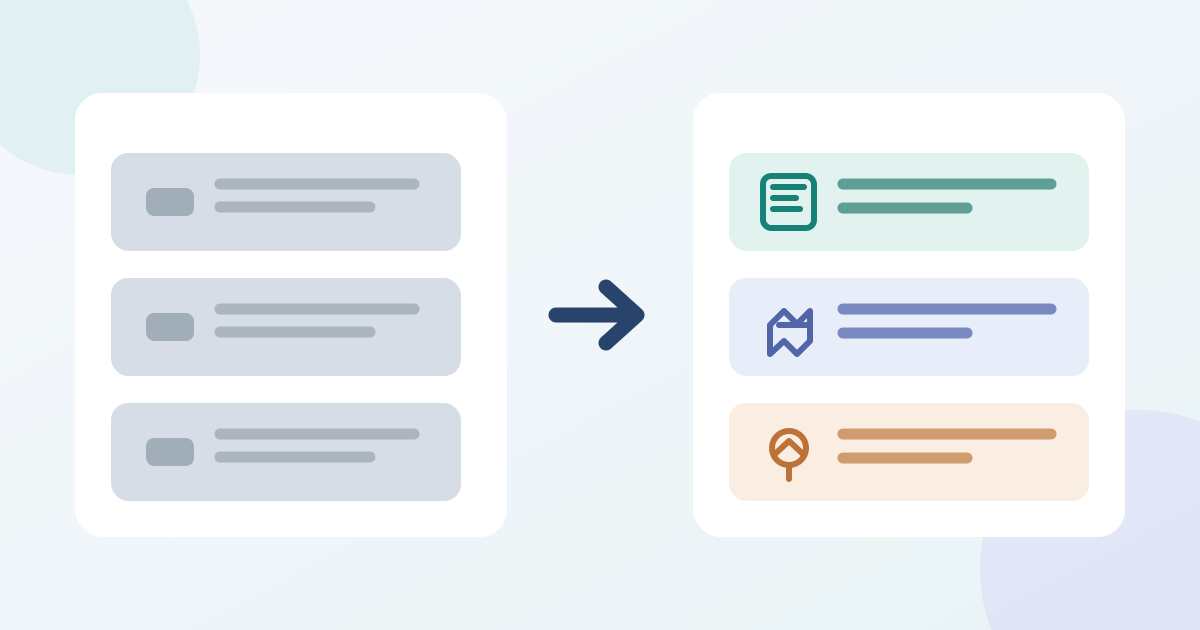
Imagine a page with three bullets: “Download PDF,” “Download PDF,” and “Download PDF.” Their destinations are the current programme, a venue map for the South entrance, and a 2025 archived programme. Replace them with “2026 event programme (PDF),” “South entrance venue map (PDF),” and “2025 event programme archive (PDF).” The visitor can now compare the choices without opening three files. This is an invented example; copy its decision logic, not its event facts.[3][1]
If the design separates a title from a compact format link, check whether the title is actually programmatically associated with that link. A visual card layout alone does not guarantee the title is part of the link's context. The safer editorial version is one linked title with the format included, followed by supporting copy outside the link. If a link is image-only, its accessible name must describe the destination; a file icon by itself is not a meaningful name.[3][1]
Test the published link and the actual file
After editing, test on the live route with a keyboard and, where available, a screen reader's links list. Read the labels without card headings: can you identify each document, edition, and language? Then follow each link. Confirm the URL resolves, the opened document's first page or title agrees with the label, and the file is the approved version. Repeat from mobile, where truncated card text or rearranged columns may hide the distinguishing words.[1][3]
A good link label does not repair an inaccessible PDF. Review the PDF's structure, reading order, text, images, and internal links as a separate document task. Equally, a well tagged PDF can remain hard to discover behind “Download.” Keep both checks in the publishing workflow. If a destination needs authentication, test with the attendee access state that the page promises; a successful editor session is not proof the public link works.[1][3]
Assign a rule for future replacements
Store a short content rule beside the event's media workflow: name the resource first, add the distinguishing edition or language, then the file format; include file size only when it is accurate and useful. Give one owner the job of updating both the file and every public link label when a programme is revised. A CMS filename change does not necessarily update the words in page copy, cards, emails, or archived pages.
Before publishing a replacement, compare the old and new filenames, document title, date, language, and link destination. Remove obsolete links or mark archives explicitly. Keep an audit row with page URL, old label, proposed label, destination, evidence that the file opened, and reviewer. That record turns “the PDF is wrong” into a precise correction and makes the next event edition easier to maintain.
Sources and further reading
- Understanding SC 2.4.4: Link Purpose (In Context)W3C WAI · Accessed
- Understanding SC 2.4.9: Link Purpose (Link Only)W3C WAI · Accessed
- G91: Providing link text that describes the purpose of a linkW3C WAI · Accessed
- Writing for Web Accessibility: Tips for Getting StartedW3C WAI · Accessed
- Understanding SC 2.5.3: Label in NameW3C WAI · Accessed
- The HTML anchor elementMDN Web Docs · Accessed