Lost event website admin device: a response checklist
A missing organizer laptop is a device incident, but it can also expose sessions in a CMS, registrar, ticketing service or support inbox. An event team needs one more view: which live attendee services must remain usable while the incident lead contains access? Use this worksheet to record decisions and proof, not as a script for blindly disabling every account.
Boletolibre editorial team
Published
Updated
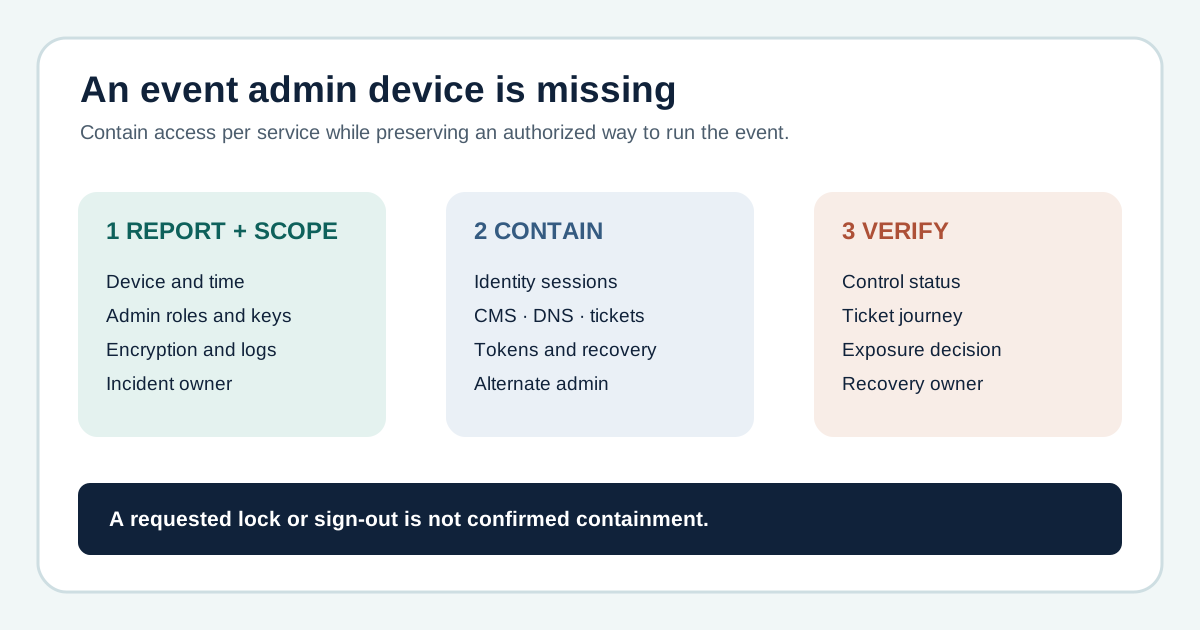
Report promptly and establish what is known
Download the original lost-admin-device response card (Markdown)
Have the device holder contact the incident or IT lead promptly. Record the device ID, last known place and time, ownership, managed-device status, encryption and screen-lock evidence, and any security keys, badges or written recovery material lost with it. Distinguish confirmed facts from unknowns. A missing device alone does not establish account compromise or data exposure. The NCSC recommends immediate reporting to the organization’s helpdesk when a device is lost or stolen.[2][1]
Map the administrator’s access before changing it
List identity provider and shared mailbox, CMS, registrar/DNS, hosting, ticketing, payment administration, code/deployments and analytics. For each, identify whether the device held an active browser session, local token, key or recovery method, and who else is authorized to keep the event running. Preserve an alternate administrator or recovery route where possible. This incident differs from planned staff offboarding: the person still needs legitimate access from a safe device, and a live ticket on-sale may be in progress.
Choose and verify service-specific containment
The incident owner should use the actual provider’s supported controls for device lock, session revocation, credential rotation or token review. A managed-device lock or wipe is not available for every platform or enrollment state. Microsoft Intune’s Lost Mode, for example, has defined platform prerequisites. Microsoft also warns that identity-provider revocation cannot directly cancel every application-issued session; GitHub exposes its own session controls. Record requested, pending and confirmed states separately rather than assuming a command took effect.[5][3][4]
Look for unexpected activity without guessing a breach
Review available sign-in, publication, DNS, ticketing and payment-administration change logs from the relevant time window. Escalate a suspicious account change or possible attendee-data exposure to the security and privacy decision owner. The local organization should decide any legal notification duties with qualified help; a generic checklist cannot determine them. Keep evidence and timestamps without copying attendee records or secrets into the worksheet.
Restore safe operations and close the loop
Verify the intended sessions or credentials are no longer usable, then test the public event page, registration, confirmation and ticket-delivery path. Approve a replacement device and least-privilege access for the administrator. Record residual gaps, owner, due date and completion evidence. If the device is recovered, do not simply resume the old session; let the incident owner decide whether it needs inspection and re-enrollment first.
Sources and further reading
- A checklist for when a laptop goes missingIT Brew · Accessed
- End user devices: advice for end usersUK National Cyber Security Centre · Accessed
- Revoke user access in an emergencyMicrosoft Entra documentation · Accessed
- Viewing and managing your sessionsGitHub Docs · Accessed
- Device action: Lost ModeMicrosoft Intune documentation · Accessed