Multilingual event attendee support routing: a practical worksheet
A multilingual event page does not help much when the support inbox replies in a different language or loses a ticketing question between teams. The leading Google guide stresses attendee language needs and advance expectations. This event-specific worksheet turns those needs into a support path that staff can actually follow.
Boletolibre editorial team
Published
Publish the available language channels
Download the editable attendee-support routing worksheet (Markdown, English)
List the languages you can support for each channel: web form, email, phone, social inbox and on-site desk. Show service hours and the next usable contact option. Do not promise a live language service that is not staffed. Keep the event date, time zone and venue contact visible in every supported language. The worksheet below is a planning aid, not an automatic translation service.[1][2][3][4]
Capture preference and the actual issue
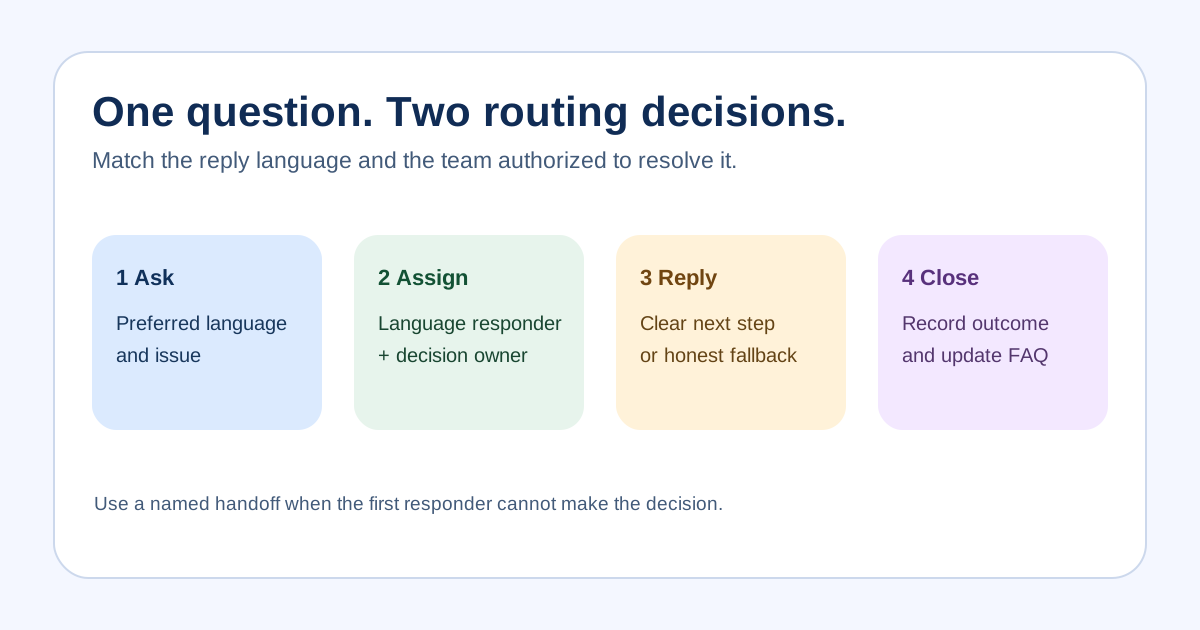
Ask the attendee which language they prefer for the reply. A browser locale, name, nationality or phone code is not a reliable substitute. Capture the minimum case detail needed: event and order reference if relevant, issue category, safe reply address, preferred language, urgency and consented accessibility needs. Avoid copying payment details or sensitive documents into a general ticket. Confirm whether the attendee is asking about registration, ticket delivery, access, travel or an event change.[1][2][3][4]
Route by language and issue owner
Assign two dimensions: a language-capable responder and the team that can actually decide the issue. Ticketing or refund decisions may belong to a provider or authorized organizer; a translator cannot create a policy or approve a refund. A support platform may route by language, but configure and test the behavior in the product you use. If the language is unavailable, offer a plain, honest fallback: a reviewed translated acknowledgement, an interpreter or a named callback path, with the expected response window.[1][2][3][4]
Escalate without dropping the attendee
For a time-critical access problem, give the attendee an immediately usable contact or on-site desk. Pass the case reference, requested language, facts already verified, decision owner and next action to the next team. Do not make the attendee repeat an entire story or expose private case notes in a public channel. If machine translation assists an agent, review meaning before sending consequential ticket, accessibility or policy answers.[1][2][3][4]
Review the handoff and update public answers
Log when the attendee was contacted, which language was used, who owns the next step and whether the issue was resolved. Review recurring questions before the event and update the relevant public FAQ or email copy with an owner and review date. Keep translation quality review separate from ticket resolution: a closed case does not prove the published wording is accurate.[1][2][3][4]
Sources and further reading
- Best Practices for Multilingual Event Planning: Virtual & In-PersonAvantpage · Accessed
- Using an end user’s language in business rulesZendesk Help · Accessed
- Understanding how a user’s language is set and detectedZendesk Help · Accessed
- Principle (c): Data minimisationInformation Commissioner’s Office · Accessed