Post-event feedback email template: invite and remind attendees
A survey form can be well designed and still receive confusing invitations. This guide focuses on the email around the already-published attendee survey template: who receives it, what the request says, how the link works and whether a reminder is appropriate. The editable file includes an invitation, one optional reminder and a pre-send decision card. The questions themselves belong in the separate survey template.
Boletolibre editorial team
Published
Choose the right recipient group
Download the feedback invitation and reminder (Markdown, English)
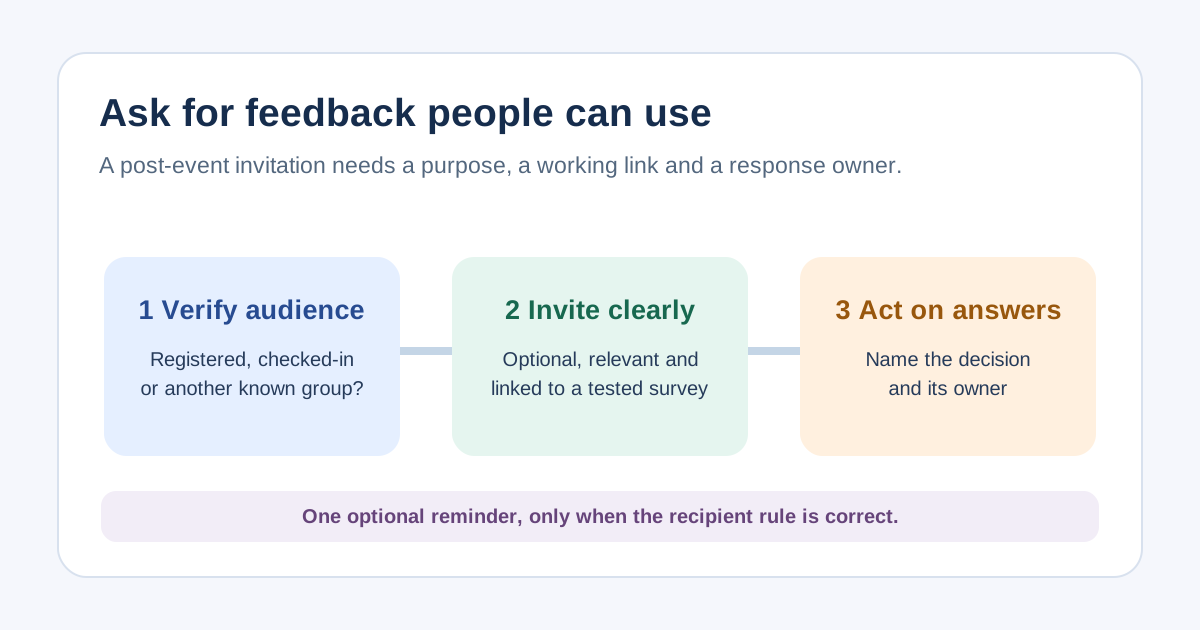
Decide whether the invitation goes to purchasers, confirmed registrants, checked-in people or session participants. These groups are not interchangeable: a purchaser may not have attended, while a guest may not be the purchaser. If the system cannot identify attendees, use accurate wording such as “people registered for [event]” and avoid claiming the recipient was there. Suppress duplicates and avoid sending a survey for an event someone did not book. Record the source of the recipient list and an owner who can resolve mistakes.[1]
Use a complete, plain-language invitation
An original send-ready example is: “Subject: Help us improve [event name]. Hello [name], thank you for [joining/registering for] [event name] on [date]. We are reviewing [one concrete part of the experience]. This optional survey asks [brief scope] and takes about [time verified in a pilot]. We will use the responses to decide [specific future change]. Please complete the [event name] feedback survey by [date and time zone]: [tested survey link]. If you need help with a ticket, refund or access issue now, reply to [monitored support route]. Thank you, [organizer and role].” Replace every bracketed field and remove claims you cannot verify.[1]
Check the survey link and response promise
Open the exact link in a test message on mobile and desktop; check the survey title, event edition, language, accessibility and closing behavior. Use descriptive link text, not only “click here.” Confirm whether responses are anonymous, linked to a recipient or collected by a third-party tool before describing privacy. SurveyMonkey documents that its invitation collector can track response status and that anonymity is a separate setting; other providers differ. Insert the approved notice and opt-out handling for your audience and sending context.[2][4]
Send at most a purposeful reminder
A reminder is useful only if the survey is still open, the request remains relevant and you can avoid unnecessarily contacting people who already responded. A brief example: “Subject: Last opportunity to share feedback on [event]. If you have not replied and would like to, the optional [event] survey closes [date/time zone]: [tested link]. We will use answers to [decision]. Thank you.” Choose the recipient rule in your own sending tool and check it before scheduling. Do not imply that a nonresponse is dissatisfaction or promise a universal send interval.[3]
Report the feedback and close the loop
Count invitations, delivery problems and valid responses against the actual invited group. Note whether invitations went to registered or checked-in people and whether responses are voluntary; the responders may differ from everyone who attended. Assign an owner to each finding, decide what to change and, when appropriate, tell respondents what happened. Do not promise to implement every suggestion. Keep support issues out of a survey inbox that nobody monitors.
Sources and further reading
- Boost survey response rates with these 20 email templatesSurveyMonkey · Accessed
- Sending Surveys via Email InvitationSurveyMonkey Help · Accessed
- Sending Reminder and Thank You EmailsSurveyMonkey Help · Accessed
- H30: Providing link text that describes the purpose of a linkW3C WAI · Accessed