Measure a webinar reminder against verified attendance
A reminder may earn opens and clicks while the live room remains quiet. To learn what happened, put the email report next to the webinar registration and post-event attendance exports. The task is reconciliation, not a new engagement score: identify the same eligible people in each system, count actual attendees once, and disclose where the records cannot be matched.
Boletolibre editorial team
Published
Write the question before pulling reports
Download the webinar reminder–attendance worksheet (English)
Ask: ‘Of the people eligible to attend this live session, how many attended, and what can the reminder report tell us about the route they took?’ Fix the webinar ID, local time zone, registration cutoff and reminder send window. Include only registrations that were valid at the cutoff; remove cancellations and repeated export rows by registration ID, then check whether different IDs belong to the same person. Do not mix replay viewers or people who registered after the live session into the live-attendance denominator.
Decide whether the question is about the whole registered audience or one reminder's successful-delivery cohort. The former uses all eligible registrants. The latter requires a matched, deduplicated cohort of people whose delivery was recorded as successful for that particular reminder. Name the denominator every time you publish a rate.
Bring three exports into one reconciliation
Export the registration list, the reminder's email report, and the webinar's attendee report after the session ends. A webinar provider such as Zoom exposes registration and attendee reports and can export them as CSV; Zoom notes that attendee reports generated before the webinar should be regenerated after it ends. An email report such as Mailchimp's separates recipients, successful deliveries, opens and clicks. Keep the raw files unchanged and record their export times.[1][2]
Use a registration or attendee ID where the provider supplies one. If you must match by email, normalize case and spaces, then review shared inboxes, changed addresses, phone-only joins and guests manually. Do not assume that every attendance row is a different person: a reconnect or a second device can create another session record. Keep unmatched rows in an ‘unknown’ bucket rather than silently marking them absent.[1]
Calculate attendance and email diagnostics separately
For a complete roster, live attendance rate = unique eligible registrants verified as attended ÷ eligible registrants. Verified no-shows are eligible registrants with reliable post-event nonattendance evidence. If matching is incomplete, report verified attendance as a minimum and show the unknown count alongside it; do not call all unmatched people no-shows. A useful reconciliation is eligible = attended + verified absent + unknown, with every person in exactly one group.
For one reminder, delivery rate = successful deliveries ÷ intended recipients. Link-click rate can be unique people who clicked that reminder's join link ÷ successful deliveries, if the report supports recipient-level link data and one message per person. Mailchimp's report distinguishes unique link clicks from total clicks; total clicks count repeat activity. Bot or security scans can still inflate clicks, so review filtering and suspicious timing. An open is an email-tracking event, not a webinar join.[2][3][4]
Walk through a consistent example
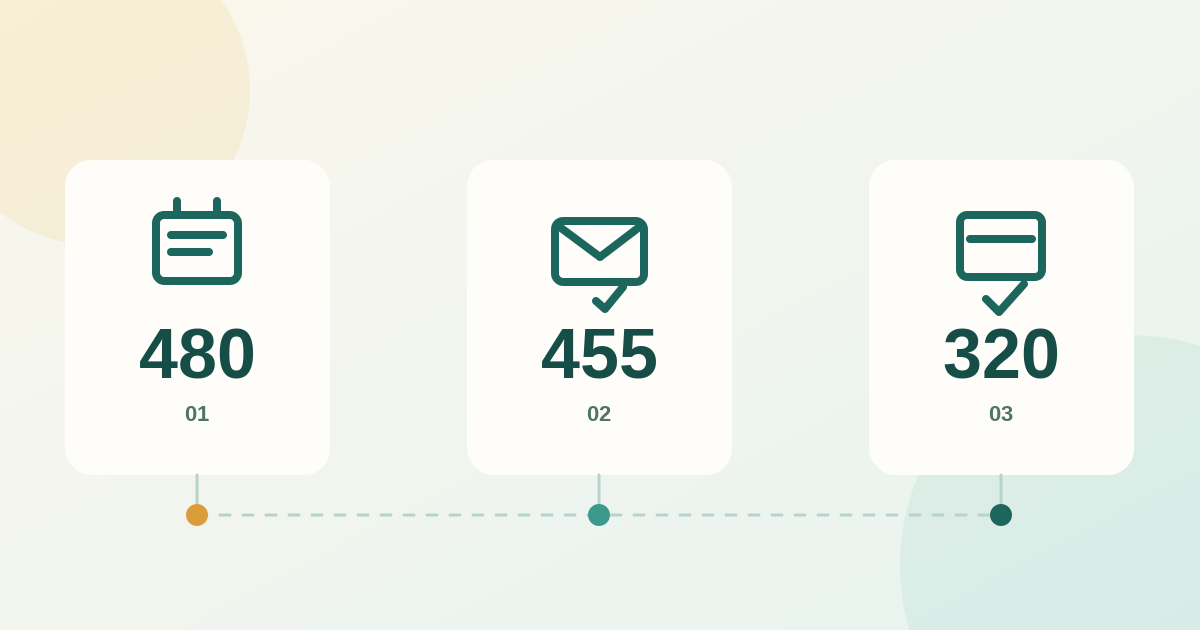
Suppose 500 people registered and 20 cancelled before the cutoff: 480 were eligible. One reminder targeted 470 of them and recorded 455 successful deliveries. Its join link had 90 unique clickers. The post-event export contained 350 join rows, but after matching and deduplicating there were 320 unique eligible attendees and 160 verified no-shows. Live attendance is 320 ÷ 480 = 66.7%. Delivery is 455 ÷ 470 = 96.8%. The observed join-link click rate is 90 ÷ 455 = 19.8%. The 350 joins, 90 clickers and 320 attendees measure different things; none is interchangeable.[2][3]
If the reconciliation finds 305 attendees among the 455 delivered recipients, that descriptive rate is 305 ÷ 455 = 67.0%. The other 15 attendees are among 25 eligible people without a recorded successful delivery (10 were not targeted; 15 were targeted but had no recorded successful delivery). Their 15 ÷ 25 = 60.0% rate does not establish a reminder effect: audience selection, recorded delivery status and other paths to the webinar differ. Preserve the cohort definition with the result.
Turn the gaps into a decision
A person may join from a calendar invitation, registration confirmation, copied link or another device without clicking the measured reminder. Conversely, a click may open a page without a successful join. If attendance is weak while deliveries are high, inspect the join instructions, time zone, destination and support questions. If delivery is weak, investigate bounces and list quality. If matching is weak, improve the registration-to-attendance identifier before drawing conclusions.
For the next webinar, record one planned change and compare like-for-like sessions. If you need a causal estimate of the reminder, predefine an appropriate randomized holdout or controlled test with the team that manages attendee communications; observational delivered-versus-undelivered rates are not that test. Use the worksheet to retain counts, exclusions and the one decision the team will revisit.
Sources and further reading
- Generating webinar reportsZoom Support · Accessed
- About Email ReportsMailchimp · Accessed
- Use Click Tracking in EmailsMailchimp · Accessed
- About Bot Activity and Bot FilteringMailchimp · Accessed