Remote speaker technical rehearsal checklist for hybrid events
A remote speaker can pass a device check yet fail the live handoff into an in-room programme. This worksheet records what the speaker, producer, moderator and both audiences actually see and hear, and who acts if the connection fails. Adapt each check to the chosen platform and session.
Boletolibre editorial team
Published
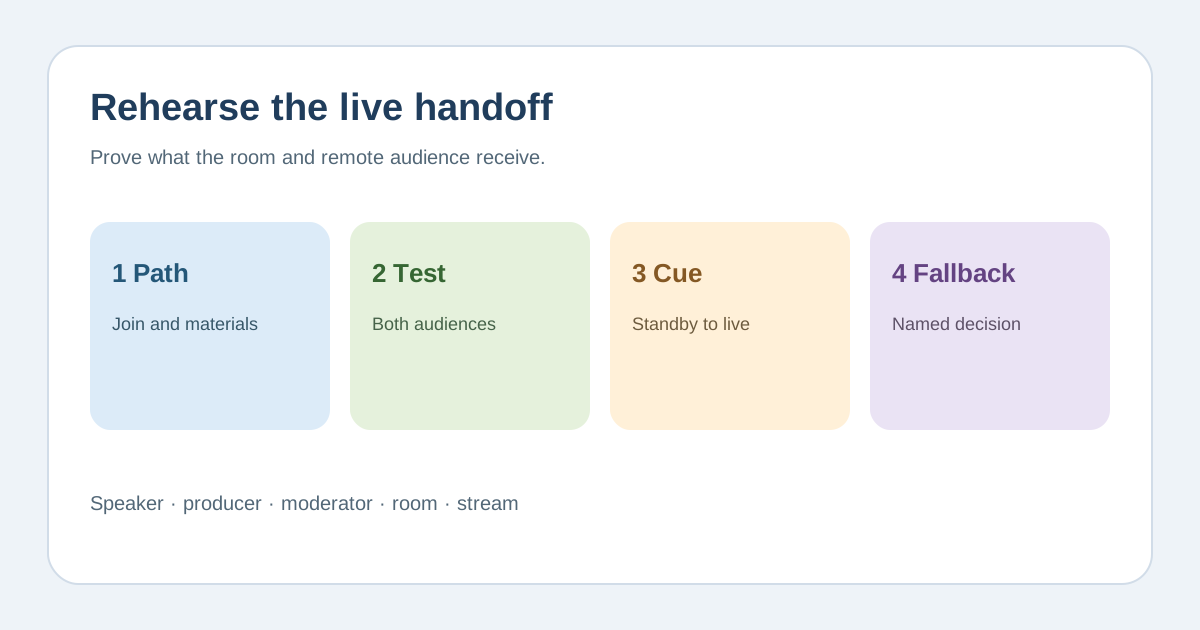
Lock the show path and materials
Download the editable remote speaker rehearsal card (Markdown, English)
Confirm the session time with time zone, joining method, permitted device, producer contact and who advances slides. Get a current slide file, pronunciations and accessibility materials to the production and caption/interpreting teams in advance. Mark which interactions are live, moderated or unavailable; do not let a speaker discover the Q&A route on air.[2][1]
Rehearse from the speaker’s real setup
Use the same location, network, microphone, headphones, camera and platform role planned for show day where possible. Test incoming cue, speaker audio to the room and stream, return audio from moderator and audience, camera framing, lighting, screen share, playback and captions in both audience views. Log the observed result and retest failures; one successful login is not a complete rehearsal.[1][4][3]
Assign one operator to each live handoff
Name who admits the speaker to a virtual green room, gives the standby and live cues, routes questions, watches captions and takes them off air. Have the speaker practise pausing for the moderator and knowing when the in-room audience cannot hear them. Send the final cue card to speaker and crew after changes, not just to the producer.[1][2]
Decide the failure route before doors open
Agree how the speaker privately alerts the producer if audio, video, slides or connection fails; assign a decision owner and a tested alternate route. Depending on rights and programme, that may be audio-only, a local copy of slides, a pre-approved recording or a scheduled change. Tell the moderator what to say to both audiences. Do not promise recovery time or a universal bandwidth number.[1][3]
Sources and further reading
- How to Prepare Remote Speakers for a Hybrid EventAT Productions · Accessed
- Making Events Accessible: checklist for remote, in-person and hybrid eventsW3C Web Accessibility Initiative · Accessed
- Accessibility of Remote MeetingsW3C · Accessed
- Testing your audio settings for Zoom meetingsZoom Support · Accessed