Repeated ticket scans: prevent duplicate admission without guessing
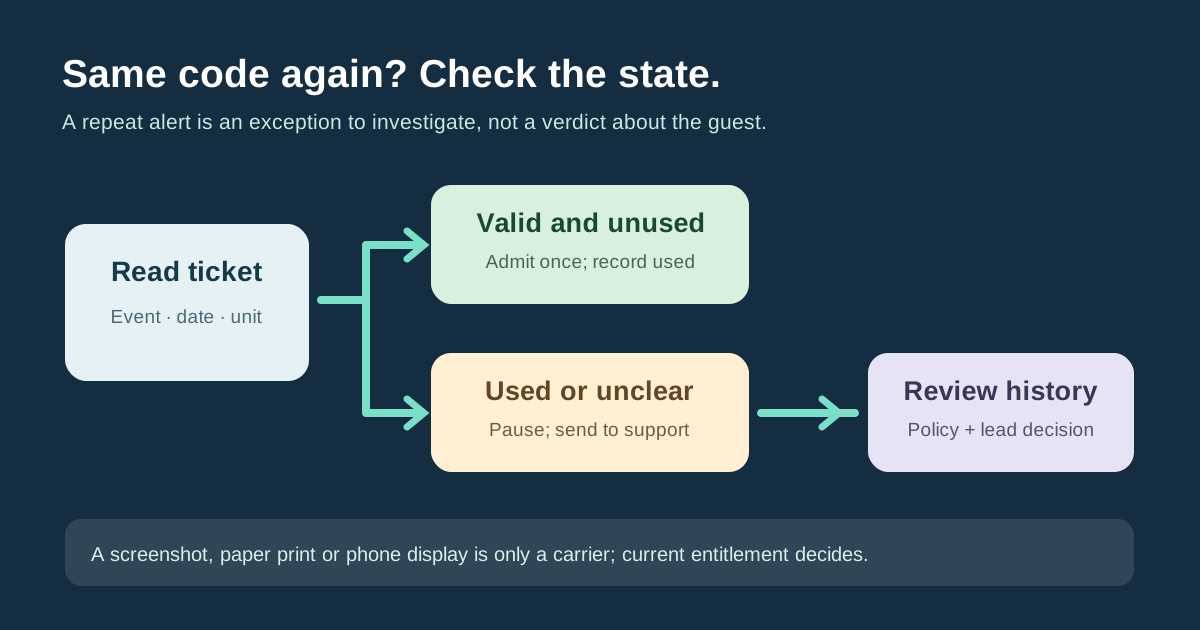
Two people may present the same code, or one guest may simply be scanned twice by mistake. The gate should not infer the story from the image on a screen or a warning color. It should ask whether this admission unit is valid, still unused and allowed at this entrance. When the answer is uncertain, pause entry and hand the case to a named support lead.
Boletolibre editorial team
Published
Define one admission unit and its states
For every ticket type, identify what one code represents: one person, a group quantity, a session entitlement or a multi-day pass. Define the valid event, date, zone and use rules. At a first accepted entry, mark that exact unit used in the authoritative system. A voided or replaced ticket should point to the current entitlement, not become an extra admission. Dreamcast’s leading guide stresses current used status and connected entry points; a static QR image alone does not carry the complete status.[1]
| Ticket state | Gate response |
|---|---|
| Valid and unused | Admit once; mark exact unit used |
| Already used | Pause second admission; inspect first event |
| Voided or replaced | Find current entitlement; do not reuse old code |
| Wrong event, date or zone | Use published change and support policy |
| Unverified or offline | Use approved outage path; do not guess |
Check that connected gates share the result
Before doors open, perform a controlled check with an unused test entitlement at one gate and an immediate second attempt at another. Observe the actual product response and whether both scanners see the same updated state. Also review a voided ticket and a ticket for another date. If the provider cannot establish the expected behavior, use a supervised admission plan. Disconnected devices may not share status in real time; the separate offline guide covers that failure path. Do not claim a guarantee from a vendor feature label alone.
- Define what one ticket code grants and which states are valid.
- Check two connected gates with controlled first and repeat attempts.
- Route repeated or conflicting scans to a support lead and inspect history.
- Record overrides and reconcile accepted entries after the event.
Resolve a repeat alert without accusation
When a repeated scan appears, stop the second admission and calmly move the case out of the main line. Look up order and ticket reference, prior check-in time and gate, any replacement or transfer, and whether a staff double-tap caused the alert. A screenshot or paper ticket can be a legitimate way to show a valid static code on some systems; neither medium proves wrongdoing. The support lead applies the actual event policy, records the decision and tells the gate whether the current entitlement can be used. Never silently reset a used state to make a warning disappear.
Separate re-entry and audit rules
Define re-entry separately: one-time admission, permitted exit and return, or a fresh scan for each session require different state transitions. Publish the attendee rule before the event. If staff approve an exception, record who approved it, why, and which original or replacement unit was admitted. After doors close, compare accepted check-ins, attempted repeats, manual overrides and unresolved cases. A duplicate alert is an investigation record, not automatically a second person inside or evidence of fraud.
Sources and further reading
- Prevent Duplicate Entry & Ticket Fraud at Events: 10 Key StrategiesDreamcast · Accessed