Shared hosting vs VPS: what your event website needs
A VPS can give an event website more control, but it also creates server work unless the plan includes management. Shared hosting can be enough for a straightforward site, even one that links to ticket sales elsewhere. The useful question is not which label sounds more powerful. It is whether your site needs a particular runtime or resource allocation, and who will keep the whole purchase journey working when traffic spikes.
Boletolibre editorial team
Published
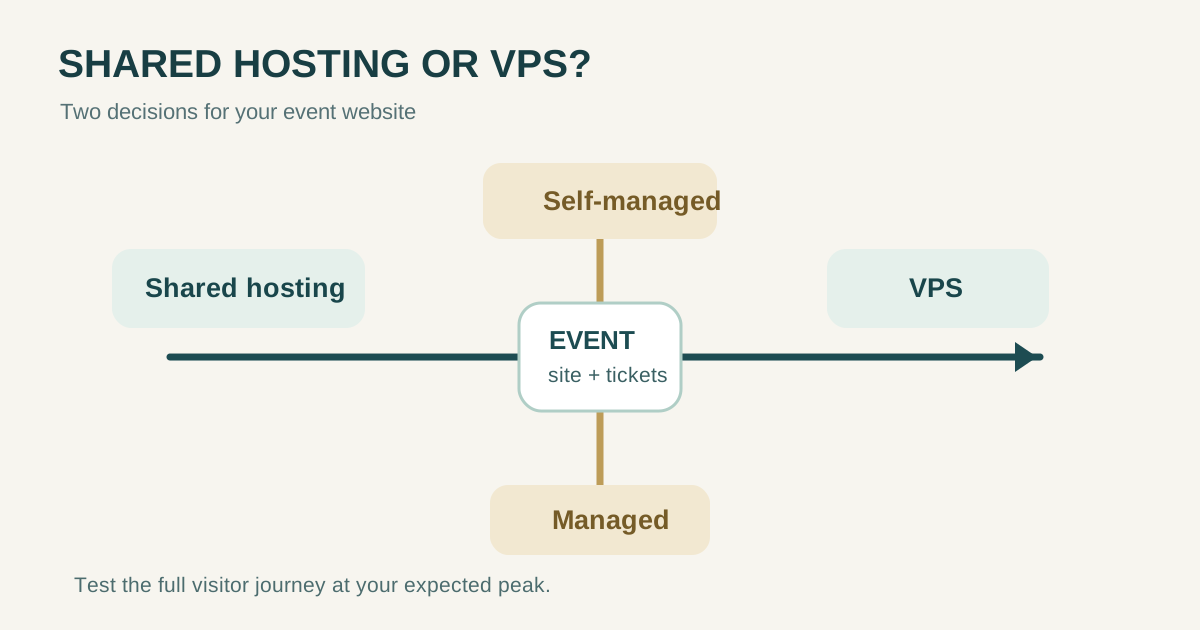
Shared hosting and VPS describe resources and control
With a typical shared-hosting account, several customers use a provider-operated server and each account works within that plan's limits. You generally manage your site, files and application through a control panel, while the provider controls the underlying operating system. A VPS is a virtual server on physical infrastructure: its plan assigns a set of virtual resources and normally permits more operating-system and software configuration. Exact limits, isolation and root access depend on the provider and plan. Neither label guarantees that a page will load faster under your real workload.[1][2][3]
| Decision point | Typical shared-hosting plan | Typical VPS plan |
|---|---|---|
| Resource allocation | Account-level limits on a shared server; check CPU, memory, processes and traffic policy | Specified virtual resources; check whether CPU is shared, burstable or dedicated |
| Software control | Provider-approved runtimes and server settings | More control over OS, runtime, services and deployment |
| Operational burden | Provider usually operates the host; you still own your site and data | Depends on whether the VPS is managed or self-managed |
| Good first question | Does the approved plan support the CMS and expected peak? | What requirement cannot the simpler plan meet? |
Do not equate a quoted storage or bandwidth allowance with proven capacity for concurrent visitors. Ask what happens when your plan hits CPU, memory, database or process limits, and test the actual event-page-to-checkout journey before an on-sale announcement.[3]
Managed versus self-managed is a second decision
A self-managed virtual server gives you more control because your team takes more responsibility for the guest operating system, software updates, firewall settings, monitoring, backups and recovery. Infrastructure providers still operate their own physical facilities and host systems; that does not make them the operator of your application. A managed VPS may include some of these jobs, but support scope varies. Shared hosting can likewise leave CMS updates, content, plugins, transactions and application backups to you. Get the division of work in writing before buying.[5][6][4]
| Ask the provider | Why it matters during an event |
|---|---|
| Who patches the OS, runtime, CMS and plugins? | An unpatched layer can become an outage or security problem |
| Who monitors errors and responds outside business hours? | Ticket launches and events do not wait for an office shift |
| What is backed up, how often, and who tests restoration? | A backup promise is useful only if the right data can be restored |
| Will support investigate a broken registration or payment integration? | Server uptime alone does not prove checkout works |
| What limits apply and how is a peak handled? | A sale announcement can create a short, concentrated load |
Match the plan to the event's actual visitor journey
Map the journey before selecting infrastructure: search result or social post → event page → registration or ticket button → external or on-site checkout → confirmation page and email. Mark which steps your own host serves. If a third-party ticketing service runs the checkout, the event site may mainly need to serve pages and send visitors reliably to that service. Verify the external service separately; upgrading your own web server will not remove its bottleneck.
| Event-site situation | Sensible starting point | Evidence before committing |
|---|---|---|
| Static or ordinary CMS pages; checkout hosted elsewhere | A suitable shared or managed plan may suffice | Confirm runtime support, account limits, backups and peak page response |
| Custom registration app or database-heavy attendee tools | Consider a managed VPS or another managed application platform if the simpler plan cannot meet requirements | Measure concurrency, database load, failure recovery and support coverage |
| Self-managed VPS proposed only because it sounds faster | Pause the purchase until a concrete constraint is known | Name the bottleneck and the engineer who will operate the server |
There is no universal visitor-count threshold at which you must switch. Compare a real peak estimate, provider limits and a representative load test. Test both ordinary reading and registration or purchase redirects, then decide what response time and error rate your event can tolerate.
A five-minute decision checklist
- Write down the CMS or app, required runtime, database, scheduled jobs and integrations.
- Identify exactly where registration and payment occur and which provider owns each step.
- Estimate peak visitors around launch, on-sale and event day; ask the host about account limits and scaling.
- Name the person or contracted team responsible for patches, monitoring, backups, restores and incident response.
- Shortlist plans by their actual limits and support scope. Rehearse an end-to-end visitor flow under representative load.
Choose shared hosting when it meets the measured requirements and the operating responsibilities are clear. Choose a VPS for a specific control or allocation need, with a managed service or capable operator assigned. Revisit the decision when traffic, application complexity or your team's capacity changes.
Sources and further reading
- Difference between shared hosting and VPSNamecheap Support · Accessed
- What is a VPS?Namecheap Support · Accessed
- A handy guide to resource limitsNamecheap Support · Accessed
- Managed WordPress hosting versus shared hostingNamecheap Support · Accessed
- Security in Amazon EC2Amazon Web Services · Accessed
- Shared responsibility model for DropletsDigitalOcean · Accessed