What to do when an event speaker cancels: programme change checklist
A missing speaker changes more than one name in the agenda. It may affect the session promise, room, production cue, attendee route and promotional claims. This editable decision card compares a replacement, remote appearance or reworked session and keeps the public programme and operations aligned. It does not promise a substitute, refund or particular legal outcome.
Boletolibre editorial team
Published
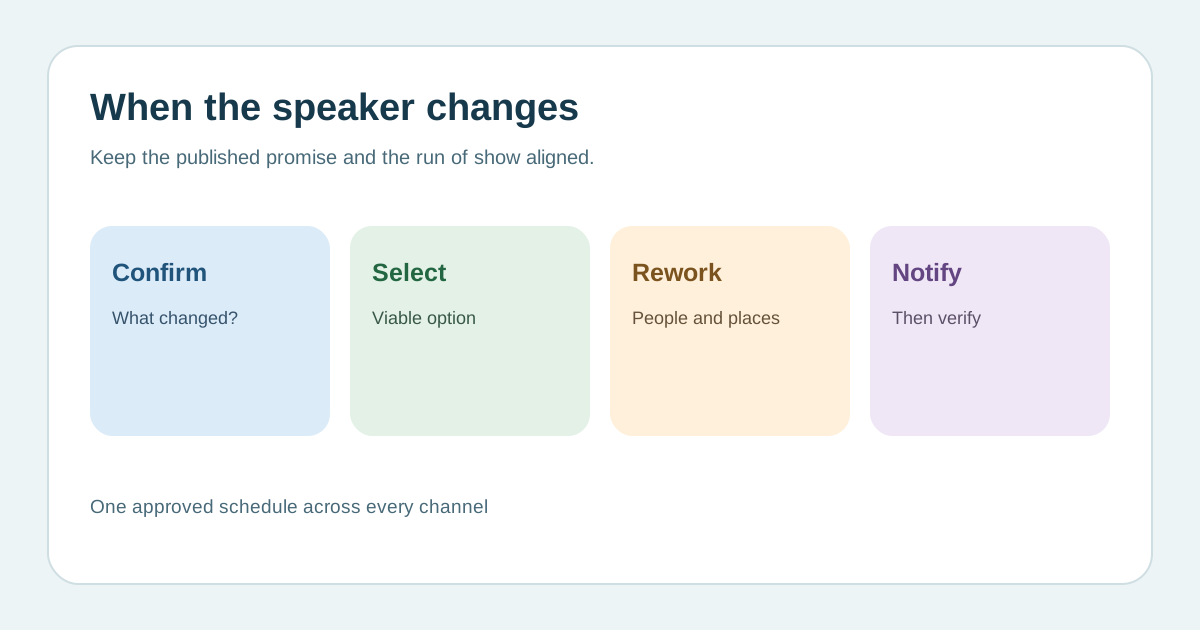
Confirm what is unavailable and who decides
Download the editable speaker-change decision card (Markdown, English)
Contact the speaker or representative and record whether the issue is travel, timing, format or full unavailability. A later slot or remote contribution may be possible, but do not announce one until the speaker, production and organizer agree. Identify the person who can approve the programme change. Review the signed speaker and sponsor commitments with the appropriate team; contract outcomes depend on their terms and local advice, not a generic checklist.[1]
Choose the replacement for the promised audience outcome
Compare a qualified substitute, a prepared existing speaker, a moderated panel, a remote appearance, a rescheduled session or a clearly marked open slot. For each, check topic fit, availability, permission, budget, room, travel and technical rehearsal. A new name alone may not satisfy an advertised keynote promise. If no equivalent content is confirmed, say what has changed rather than quietly swapping titles. Record the choice and the alternatives rejected.[1]
Rebuild the operational programme before publishing
Update the master run of show and tell the MC, stage manager, AV, captions/interpreter providers, room staff, registration desk and support team. Check speaker bio, slides, introductions, recording permission, session links, room capacity and the next session’s transition. Test any new remote feed or presentation; do not assume a video appearance is permitted or technically ready. Give staff one approved answer for attendee questions and a contact for unresolved issues.[1]
Tell affected attendees what is known
Publish the corrected title, speaker, time, room and format on the event page, personal agenda, app and venue signs as applicable. Send a targeted notice to people registered for or likely to attend that session; include the confirmed replacement or say when another update is due. Avoid speculation about the speaker’s private circumstances. Eventbrite’s guidance says to email registered attendees after event schedule changes and provides a test-email workflow; use your actual provider’s capabilities and verify delivery.[2][3]
Close the loop across channels and commitments
Have a person outside the change team follow the attendee journey from an old link or saved agenda to the new session information. Reconcile conflicting banners, emails, print materials, sponsor mentions and search snippets under your control. If the changed promise may affect ticket, sponsor or contractual rights, obtain qualified local review before offering remedies. Record the decision time, approver, messages sent and remaining questions. Keep a live owner for updates until the session has taken place.[3]
Sources and further reading
- What If Your Keynote Speaker Cancels?Speakers.com · Accessed
- Change your event’s date and timeEventbrite Help Center · Accessed
- Email your registered attendeesEventbrite Help Center · Accessed