Synthetic vs real user monitoring for event websites
Synthetic monitoring and real user monitoring (RUM) answer different questions. A controlled test can tell you whether a chosen event-page journey changed. Field data can reveal how actual attendees experience your pages across devices and regions. Neither is a complete measure of ticket sales: you must define the path, the audience and the boundary of any hosted provider. Use the worksheet below to choose evidence for each stage of an event.
Boletolibre editorial team
Published
What each method actually measures
Download the editable measurement decision matrix (Markdown, English)
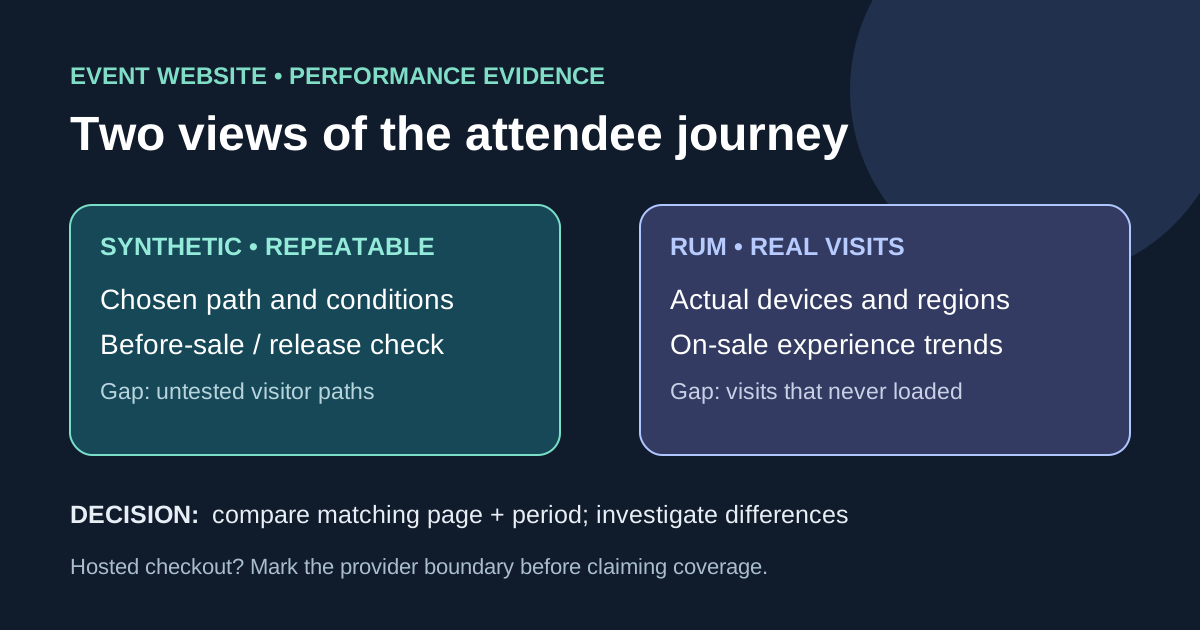
Synthetic checks run a chosen page or scripted journey under specified device, network, location and cache conditions. Keep those conditions stable for release comparisons, then vary them deliberately to investigate a region or slower device. The script sees only the paths it exercises; a passing homepage check does not prove registration. RUM records performance observed on real visits where collection runs. It captures a wider mix of devices, networks and behavior, but low traffic can make slices sparse. It cannot report a visitor who never managed to load the instrumented page.[1][2]
Choose by event stage and question
Before ticket sales open, use controlled runs on the public event page, agenda and registration entry even if field samples are scarce. During an on-sale spike, field distributions can show what real attendees encounter while repeatable synthetic checks help isolate whether a change or region is involved. After a release, compare the same synthetic settings with the prior baseline; use field data to decide which affected audience segments deserve attention. Record the time window, event edition, URL, location, device, network, cache state and deployment when interpreting any number. An uptime probe answers reachability, not page responsiveness or completion.[1][2]
Map the registration and checkout boundary
Draw the boundary at each domain or provider. Your event-site RUM does not automatically observe a hosted checkout or ticketing iframe, and a script that merely opens its URL does not prove payment. Ask the provider what aggregate performance and incident evidence it exposes. Use an approved test mode for any deeper journey; do not create live orders, store attendee details in monitor URLs or place credentials in public scripts. Track the handoff separately: was the official registration link available, and was the provider known to be healthy?[1][2]
Read conflicting results without averaging them
A lab run and field distribution may differ because the lab fixes conditions while attendee devices, caches and interactions vary. If field data is worse in a particular region, reproduce with a controlled run from a relevant location and inspect the page and its third parties. If lab is worse but field looks healthy, check whether the lab device and cache assumptions represent your target audience; the synthetic result can still expose an underserved slow-network path. Compare matching pages and periods, then state the remaining uncertainty. Do not average lab and field scores into one “event speed” number.[1][2]
Record a privacy-conscious measurement plan
Collect only what answers the question: page or route group, coarse region, device class, performance metric, time window and release identifier may suffice. Review your analytics and privacy obligations before adding RUM scripts, and avoid names, ticket identifiers, email addresses, payment details and full URLs containing tokens. Document sampling, retention, who can see the data and whether the hosted provider is outside collection scope. Revisit the matrix when the event changes edition, sales channel or audience region.[1][2]
Sources and further reading
- Performance Monitoring: RUM vs. synthetic monitoringMDN Web Docs · Accessed
- Why lab and field data can be different (and what to do about it)web.dev · Accessed