Write and test an accessible contact-form success message
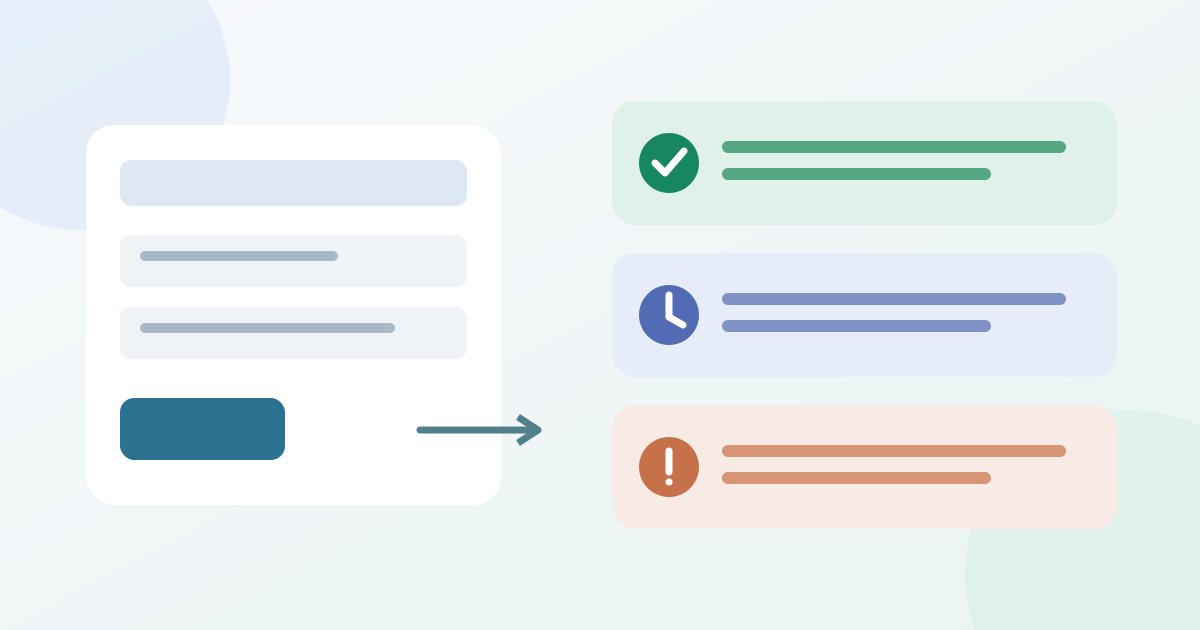
A visitor sends a question about an event and sees a green checkmark. Did the website accept the inquiry, did an email reach the team, or is the message still pending? A useful contact-form confirmation answers the first question accurately, explains the next step, and is perceivable after keyboard or screen-reader submission. It must also stay separate from validation and delivery failures. Use the editable state-and-copy sheet below to align the form owner, content editor, and tester before publication.
Boletolibre editorial team
Published
Define what a successful submission actually proves
Download the contact-form confirmation state sheet (English Markdown)
Map the boundary that the public form controls. A browser click means only that the visitor tried to submit. A client-side validation pass means the fields appear complete. A form endpoint may then accept a request, create a record, queue an email, or do some combination of these. Confirm with the form provider or developer which response establishes acceptance before choosing the words ‘We received your message.’ W3C's success-feedback technique is about explicitly confirming a completed action, not displaying a celebration panel on every button press.[1][6][7]
If the site submits with `fetch()`, a resolved promise is not by itself proof of success: HTTP error responses can still resolve, and code must check the response status and the application's result. MDN defines `response.ok` for HTTP 200–299, but a 2xx response should be interpreted against the endpoint's documented contract. Keep test evidence of that accepted response and, if the system creates one, the resulting record. Staff inbox delivery and a human reply are later boundaries that need separate evidence.[1][6][7]
Make the visible copy specific and bounded
A strong message identifies the form and accepted action: ‘Your accessibility inquiry was received’ or ‘We received your volunteer question.’ Then say what happens next in words the organizer can support: ‘Our event team will review it and reply using the contact details you provided.’ Include a response window only if someone owns and measures that promise. If the request is time-sensitive, give a real alternative route such as the published help page or staffed contact channel; do not invent a phone number or imply constant coverage.[1][4]
Avoid ‘Your ticket is confirmed’ after a general contact form or ‘We sent an email’ when the form has only saved a request. A green icon, confetti, or a word such as ‘Done’ does not tell a visitor what happened. Keep the confirmation visible as text, with a heading where a separate confirmation page needs one. Repeat sensitive submitted details only if they are necessary and safe on a shared screen; an internal ticket or inquiry reference belongs in the message only when it is real and searchable by support.[1][4]
Choose inline feedback or a confirmation page deliberately
For a short inquiry that stays on the same page, an inline result near the form can preserve context and avoid a second navigation. A separate page can hold longer instructions, a real reference, or a clear route back to event information. Either can be accessible. Decide from the visitor's task and from how the form system signals completion, rather than treating a redirect or a toast as inherently compliant. Test the public path, not only a CMS preview.[2][4]
WCAG 2.2 Success Criterion 4.1.3, Level AA, concerns status messages added without moving focus or changing context. If submission loads a new document, that is a change of context and this particular status-message criterion is not applied to it in the same way. The new page still needs a meaningful title, heading, and usable next step. If the result appears inline, the component must expose it so assistive technology can announce the status without requiring the visitor to search for it.[2][4]
Make an inline result noticeable without disrupting focus
A brief inline success message can use a status region that the component updates after confirmed acceptance. W3C's ARIA22 technique uses `role='status'` for such messages; MDN notes that the role carries polite live-region behavior. The implementation owner should check that the region is available when the update occurs and that the final message is announced once. Do not pair several competing live regions or force keyboard focus to a routine short message just because it is new.[2][3][5]
Still inspect what happens to focus. If the form remains, the submit control should not vanish unexpectedly while focus is on it. If the form is replaced by a substantial confirmation view, a deliberate focus plan may be needed so the next keyboard step is coherent. The right behavior depends on the actual transition. Test with a screen reader and keyboard together; a visual success panel is not evidence that its words were announced, and an announcement is not evidence that visible users can find the result.[2][3][5]
Keep pending and failure states separate
When sending takes time, show a plain ‘Sending your inquiry…’ state and prevent accidental repeat submission without trapping the visitor. Do not show success before the accepted response arrives. If validation fails, identify the fields to correct. If the network or endpoint fails, say the inquiry was not confirmed and offer a retry or other contact route. Preserve entered text on failure where the form permits it; asking someone to reconstruct a long accessibility request because a server failed is avoidable harm.[6][7][4]
Check both the visible words and the system state after retry. A delayed response can arrive after someone believes the first attempt failed, so an ordinary duplicate-click test is useful. Do not promise ‘Nothing was sent’ if the system cannot tell whether a timed-out request was accepted; use honest uncertainty and a support route instead. Separate this visitor-facing work from staff alert delivery: a success message may accurately describe acceptance even when a later email alert fails.[6][7][4]
Use event-specific copy without inventing an entitlement
For an ordinary question, a safe sample is: ‘We received your question about the event. The event team will review it and reply through the contact route you provided.’ For an accessibility request, name the request and the responsible support route without repeating a person's private details on a public or shared display. If a response target is published, replace a placeholder such as ‘[approved response window]’ only after the team confirms it can meet that target.[1]
A contact form may also collect exhibitor, speaker, media, or volunteer inquiries. Do not reuse a generic ‘registration complete’ message for these. An inquiry is not a booking, volunteer placement, exhibitor allocation, or ticket. If the form sends people to an external service, test the actual return page and make clear which service accepted the request. These are model sentences and decision rules; no Boletolibre-specific contact-form feature is assumed.[1]
Test the states people will really encounter
Run a controlled accepted submission in the intended environment and verify acceptance at the boundary the copy claims, including any record the system creates. Then test an incomplete form, an endpoint rejection, a lost connection, a slow response, and a repeated click. For each, record the visible message, whether it is announced, where keyboard focus remains, whether entered text survives, and which action is available next. Do not use a real attendee's sensitive message as test data. The worksheet includes these states so a design review cannot pass by checking only the happy path.[3][4]
On a narrow screen and at text zoom, confirm the result is on screen, does not cover the form, and remains readable after it wraps. With a screen reader, listen for one clear result rather than silence or repeated announcements. For a separate confirmation page, check the document title, first heading, and path back to the event. If acceptance and staff notification are separate systems, verify each separately before asserting that both worked.[3][4]
Maintain the promise after form or staffing changes
Assign ownership of both the success text and the queue it describes. If the reply channel, recipient, coverage hours, or response target changes, update the confirmation and any fallback link at the same time. Re-test after a CMS plugin update, provider migration, language release, or route change. Translated versions must say the same actual outcome; a shorter phrase in one language should not imply a ticket or reservation that the source language does not promise.[1]
Keep a dated review row with page URL, form purpose, accepted-response evidence, public copy, screen-reader result, and the person responsible. If support starts receiving duplicate inquiries or visitors report uncertainty, inspect the pending and error wording before telling people to resubmit. A reliable confirmation is a maintained part of the form service, not a decorative ending to the page.[1]
Sources and further reading
- G199: Providing success feedback when data is submitted successfullyW3C WAI · Accessed
- Understanding SC 4.1.3: Status MessagesW3C WAI · Accessed
- ARIA22: Using role=status to present status messagesW3C WAI · Accessed
- User Notification: Forms TutorialW3C WAI · Accessed
- ARIA status roleMDN Web Docs · Accessed
- Using the Fetch APIMDN Web Docs · Accessed
- Response.ok propertyMDN Web Docs · Accessed