Event guest list template for check-in and plus-ones
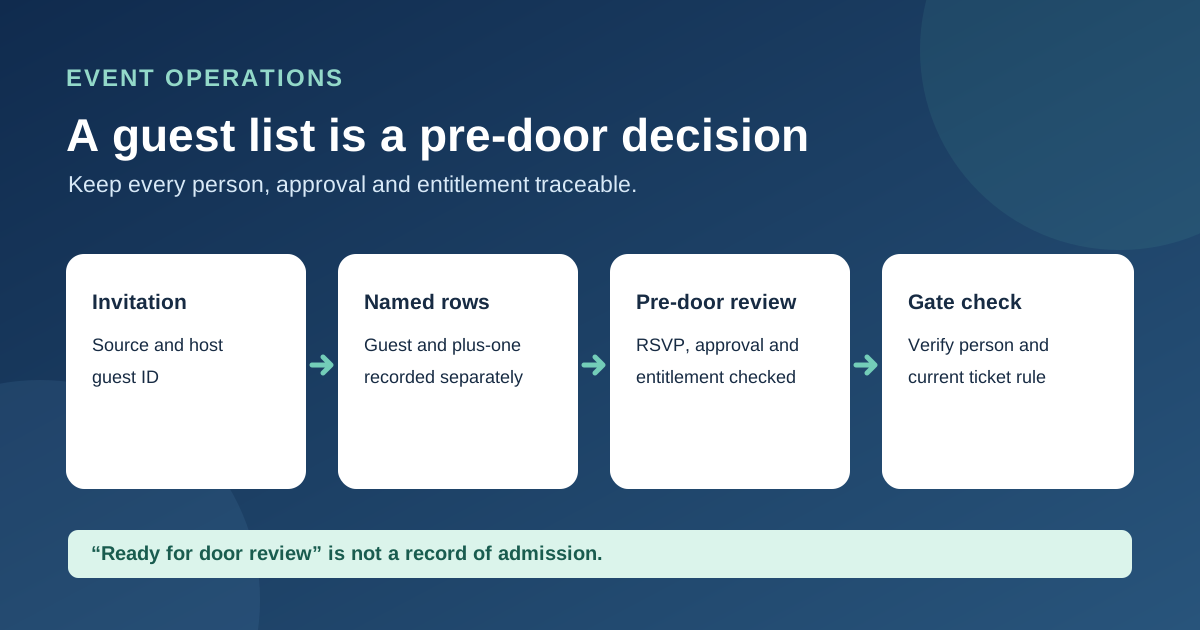
An RSVP total is not a door list. Staff need to know which individual guests have a current invitation, whether a plus-one is actually allowed, and who can resolve a late change. This original workbook provides one row per person, controlled RSVP and approval choices, and a pre-door review status. It is a preparation tool: a green row still needs the event’s normal identity and ticket check at entry.
Boletolibre editorial team
Published
Download the editable guest list
Download the guest-list and plus-one workbook (XLSX, English)
The blank XLSX has columns for guest ID, name, invite group, entry type, host guest ID, RSVP, approval, entitlement reference, change owner and review date. It shows “Ready for door review” only when the key fields are present. That message does not confirm the underlying ticket or invitation is valid. Microsoft documents how spreadsheet drop-downs help constrain repeated choices; the workbook uses them for entry type, RSVP and approval. Extend the 100 prepared rows and their formulas if your event is larger.[2]
Give each person a separate record
Begin with the current approved invitation and ticket exports, not an old email thread. Assign one stable guest ID to each individual. A couple or group can share an invite-group reference, but each person gets a row so one arrival does not mark the whole party present. Keep a named guest separate from a proposed plus-one.[1]
Reconcile plus-ones with the invitation
For an allowed plus-one, create a second row, link it to the host guest ID and record the source entitlement. Confirm that the invitation or ticketing system permits the extra person, that the proposed guest is approved, and that the relevant ticket or guest-list reference exists. The workbook flags a missing host link or reference, but it cannot verify the allowance or detect duplicate use by itself. If the name is not yet known, keep the entry pending rather than counting an unnamed person as ready.
Freeze the approved list and route exceptions
Before doors, compare the sheet with issued tickets and approved complimentary admissions. Resolve pending RSVPs, unapproved additions, duplicate IDs and missing references with a named change owner. Record who reviewed the list and when. If the host swaps a plus-one after the list is frozen, update the source system, cancel or change any old entitlement as appropriate, then issue a new version to every gate. Do not let an ad hoc door note silently override capacity or admission rules.
Keep the gate copy narrow
Share only the fields gate staff need. Avoid dietary, accessibility, medical or payment details in a broadly shared door workbook; the ICO’s event privacy example is a reminder to explain and limit the information collected for an event. Keep the file under controlled access, and use the ticketing system or separate check-in log to record actual admission. This workbook does not replace barcode validation, re-entry rules or final attendance reconciliation.[3]
Sources and further reading
- Free Guest List Template Excel for Event PlanningPlanSeats · Accessed
- Create a drop-down listMicrosoft Support · Accessed
- Event privacy notice exampleUK Information Commissioner’s Office · Accessed