Companion ticket registration workflow for accessible events
A companion or support person needs a booking path that works with the attendee’s own ticket and access arrangements. The leading Google result recommends a linked companion ticket, but prices, eligibility and venue rules vary. Use this original workflow and worksheet to make the event’s approved policy visible from booking through entry.
Boletolibre editorial team
Published
Decide the policy with the venue before publishing
Download the editable companion-booking worksheet (Markdown, English)
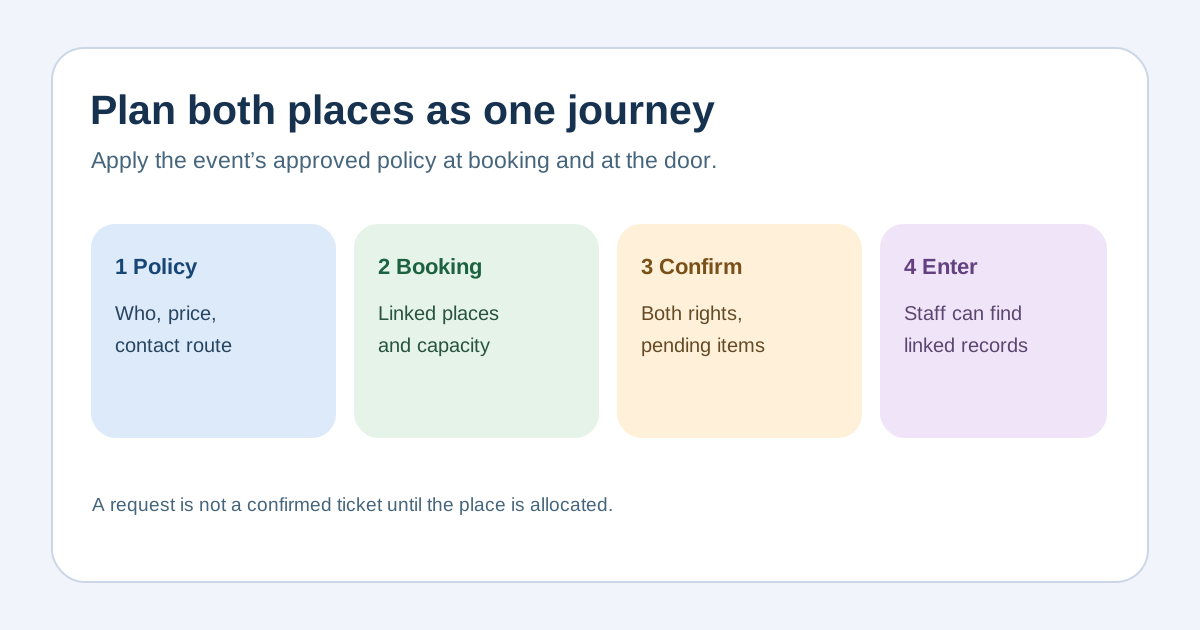
Name who qualifies under the event’s locally reviewed policy, whether a companion place is free, discounted or separately priced, whether a limit applies, and what to do when the standard online route cannot meet the request. Do not copy another venue’s proof rule or advertise a free ticket unless this event actually offers one. State the contact path and response owner clearly. Keep eligibility questions private and limited to what the approved process needs.[1][2][3][4]
Make the attendee and companion one understandable journey
Show the attendee ticket, companion option and any reserved seat or space together where the platform allows it. Explain which choices depend on another ticket and which can be booked independently. Test that a support person does not accidentally consume an unrelated public ticket or appear as the attendee in the roster. If the platform cannot pair places, offer a staffed route with a case reference and a clearly stated time for follow-up. Do not call a request confirmed before the places are allocated.[1][2][3][4]
Reserve capacity and confirm both entitlements
Check the venue plan with the accessibility and ticketing owners: number and location of relevant places, companion seating or standing arrangement, route and any service restrictions. Treat the attendee and companion as separate entry entitlements if the ticketing system requires separate credentials. Confirmation should show both names or references as appropriate, location or meeting point, what is still pending, and the support contact. Avoid putting medical explanations on a ticket or visible badge.[1][2][3][4]
Rehearse exceptions at the door
Walk through a successful paired booking, changed companion name, late request, sold-out accessible area, lost ticket and one member arriving separately. Define who can change the booking and where a staff member checks the linked records. A companion’s admission rule follows the actual event policy; gate staff should not invent one. Share only the minimum details needed for access, and provide a private route for a sensitive question. Capture any failed path for correction before on-sale or event day.[1][2][3][4]
Sources and further reading
- How to Set Up Accessible Ticketing and Wheelchair SeatingEventCloud · Accessed
- How to set up companion ticketsTicket Tailor Help Centre · Accessed
- Ticket Types, Concessions & AccessibilityTicketSource Help Centre · Accessed
- Accessible Tickets: Everything you need to knowTicketmaster Help · Accessed