Event cash flow forecast template: see the funding gap before bills arrive
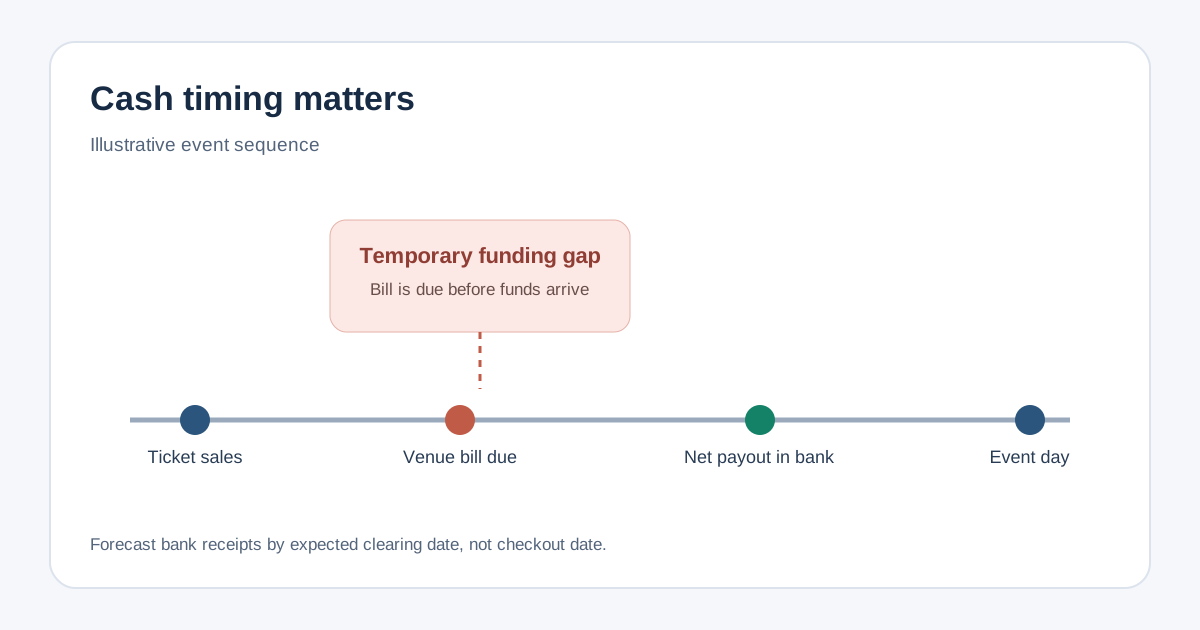
An event can look profitable on its budget and still lack cash on the day a venue deposit is due. A cash flow forecast answers a different question: what will be in the bank after each week's receipts and payments? This editable event template places ticket payouts, sponsor payments and production bills on one six-week timeline so their timing can be checked together.
Boletolibre editorial team
Published
Download the weekly event cash flow workbook
The workbook contains clearly marked illustrative figures, including a week when bills arrive before the ticket payout. Replace the amber example amounts, currency code and week-start dates. Enter your opening bank cash in B8 and the minimum cash reserve in B27. The closing balance rolls into the next week; the final row shows how much is missing to meet your chosen reserve floor. A zero funding gap means the forecast meets that floor, not that every financial risk has disappeared.
Start with dates, not just event totals
Use the operating budget for expected total income and costs. For this forecast, assign each expected bank receipt and outgoing payment to the week it is likely to clear. The same contract may have a deposit due now and a balance due after the event; place those portions in different weeks. Reconcile the summed cash lines back to the budget, explaining any timing differences, noncash items, taxes or fees. Do not add ticket revenue once as a sale and again as a payout: the cash row represents what actually reaches the bank.[1]
- Collect the opening bank balance and already committed payments before editing projections.
- Ask each vendor for deposit, milestone and final-payment dates; use the agreed contract or invoice rather than a guessed due date.
- Record sponsorship when the sponsor is expected to pay, not merely when the agreement is signed.
Forecast ticket cash when it can actually be used
Ticket sales are not automatically spendable cash. Processor settlement, payout settings, possible holds and bank posting can move the receipt into a later week. Eventbrite says payout method and schedule affect when it sends funds, followed by bank processing; Stripe likewise separates settlement speed from payout cadence. Check the settings and payout report for your own account, then enter the expected net bank amount in the corresponding week. Use a later date when the timing is uncertain, and update the forecast as the provider confirms a payout. Neither provider's general guidance guarantees a date for this event.[2][3]
Use net cash expected after the provider's deductions, rather than gross checkout sales. Keep any refund, chargeback or other outgoing cash in its own payment week. If a refund is already netted out of the projected payout, do not subtract it again; write down which treatment the forecast uses. This sheet is a timing view, not a settlement reconciliation ledger.
Read the lowest closing balance and decide what changes
For each week, opening cash plus receipts minus payments equals closing cash. The workbook compares that result with your editable reserve floor. In its illustrative second week, closing cash is negative 2,000 and the reserve is 1,500, so the gap is 3,500. The later ticket payout restores the balance, but it does not pay a bill that was due earlier. Consider a contractually agreed payment date, confirmed earlier funding, a smaller commitment or a higher opening balance. Record the owner and evidence for any change outside the workbook; do not quietly move dates to make the gap disappear.
Review the forecast when sales pace, a payout estimate, sponsor collection or vendor terms change. Keep one currency throughout, or convert using a documented rate before entering another-currency payment. Extend the same opening-to-closing pattern if the event has more than six relevant weeks. For daily payroll or large deposits, a weekly bucket may be too coarse; use finer dates around those deadlines.
Sources and further reading
- Cash flow forecast templatesMicrosoft Excel · Accessed
- Get started with event payoutsEventbrite Help Center · Accessed
- Payouts explained: how Stripe payouts workStripe · Accessed