Event registration by phone: a practical organizer workflow
A phone option can help someone who cannot complete an online form, has a question before choosing a session, or needs a human to record details. It only works if the caller receives the same accurate event information and the organizer knows whether a place was actually confirmed. Use this workflow alongside an accessible online route, not as a reason to leave the web form broken.
Boletolibre editorial team
Published
Download the phone registration run card
Download the editable call script and record (Markdown, English)
The template separates an enquiry from a confirmed registration. Give the phone team current event facts, approved ticket or session options, availability source, required fields, confirmation route and exception owner. A call log or spreadsheet is not automatically a ticket, seat hold or payment record. Set opening hours and a missed-call response that the team can actually sustain.
Make the route discoverable and usable
Publish the phone number or callback route near the online registration instructions, with service hours, language availability and what callers can accomplish. If you share an event page on Boletolibre.com, keep any phone instructions there consistent with your own site and ticket emails. GOV.UK describes telephone assistance as one way to help people use a digital service; the W3C still recommends accessible, clearly labelled online forms. Neither source makes a phone line a blanket substitute for improving the form.[2]
- Decide whether staff will complete registration during the call or only collect a request for follow-up.
- Offer an alternative to voice contact when possible, such as email or an accessible form, for people who cannot use a telephone.
- Keep the published number, hours and escalation contact current whenever the event details change.
Prepare facts and authority before the first call
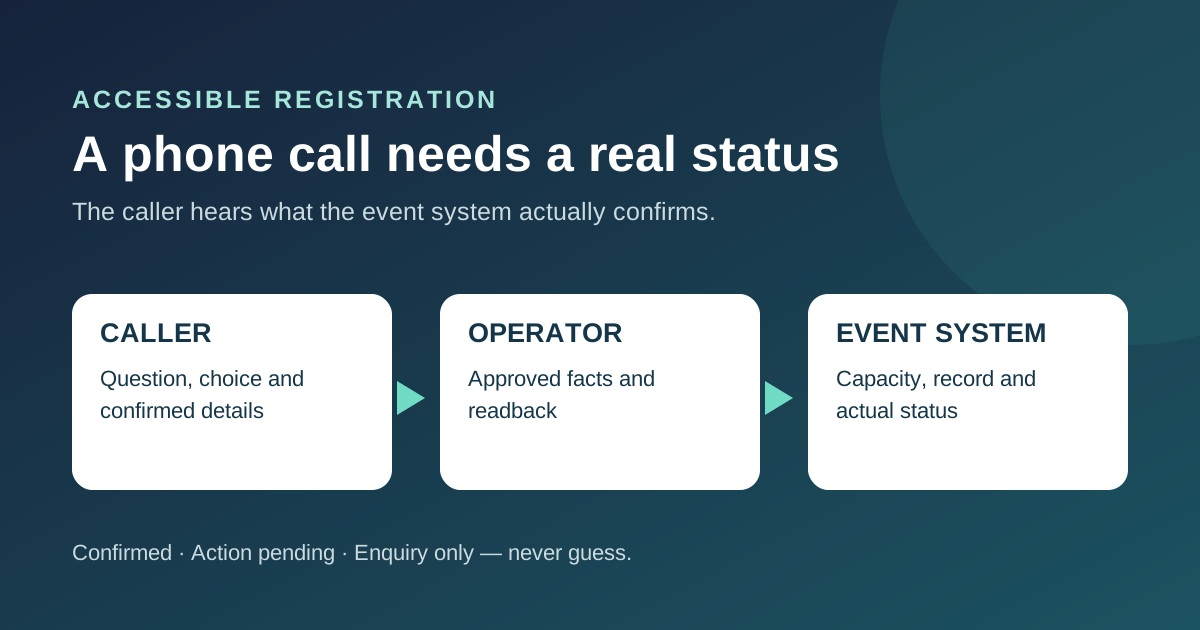
The operator needs one approved source for event name, date, venue, accessible arrival details, ticket types, prices, capacity and policies. Write what they may explain, what they may enter into the registration system and which questions require a person with decision authority. Make the limits explicit for sold-out sessions, concessions, group bookings, accessibility requests and changed event details. Do not let a script, staff member or automated phone agent invent availability or promise an exception.
For a paid event, map the approved payment path separately. A phone conversation that collects interest is not a completed paid order. Do not put card numbers in a call note or a shared worksheet. If staff cannot complete the approved payment flow, tell the caller the next step and the status of any temporary hold, including when it expires if the actual system supports one.
Guide the caller and read back the essentials
Start by identifying the event and what the person needs: explanation, a new registration, a change to an existing one or an accessibility request. Ask only for fields required by that path. Repeat names, email or phone contact, event edition, session and any other value whose error could block attendance. If registering another person, use the event’s approved authority and contact rules rather than assuming the caller can consent for everyone. W3C guidance for forms emphasizes clear instructions, relevant data and confirmation or correction; the same principle helps a phone-assisted entry.[1]
- Read choices and prices from the current source rather than memory.
- State how the caller will receive a confirmation or how they can ask for a correction.
- Route policy disputes or individualized support to the named team instead of making an ad hoc promise.
Write once to the source of truth
Enter the result into the authoritative registration or ticketing system while checking current availability. Use a stable call reference to prevent duplicate records when a caller retries or another operator follows up. Record one of three states: confirmed, awaiting a specific action, or enquiry only. Only say “registered” after the system accepts the record and any required payment or approval step is complete. If the integration fails, explain that the place is not yet confirmed and assign an owner to follow up.
Keep call notes limited to what the team needs to finish the request, with access controls and a retention rule. If a caller raises dietary or accessibility information, use the restricted handoff route designated for that information; do not copy it into a broad ticket-sales sheet. Staff should know how to correct an entry without silently erasing the original decision.
Rehearse normal calls and failures
Before publishing the number, rehearse an ordinary free registration, a paid enquiry, a full session, a duplicate name, a spelling correction and a system outage. Confirm what the caller hears, what the operator records, and whether the follow-up message matches the authoritative status. If you use phone automation, test the human transfer and unavailable-information path as carefully as the happy path. Keep the online form accessible and fix barriers discovered during calls rather than moving all affected people to a separate channel.[3]
Review unresolved call references during the on-sale period. A high count of calls about the same question is evidence that the public page or form may need clearer wording, but it is not by itself proof that the phone route should be removed.
Sources and further reading
- Forms TutorialW3C Web Accessibility Initiative · Accessed
- Assisted digital support: an introductionGOV.UK Service Manual · Accessed
- Designing assisted digital supportGOV.UK Service Manual · Accessed