Multi-day event passes: define valid days, zones and check-in rules
A “weekend pass” sounds simple until a guest asks whether Friday preview entry, Saturday workshops, Sunday re-entry or camping is included. The first Google result is Ticket Generator’s long multi-day ticketing guide, which presents a midnight reset as its product behavior. Other platforms work differently. Set the actual day-and-zone rights first, then choose or configure a system that can validate them.
Boletolibre editorial team
Published
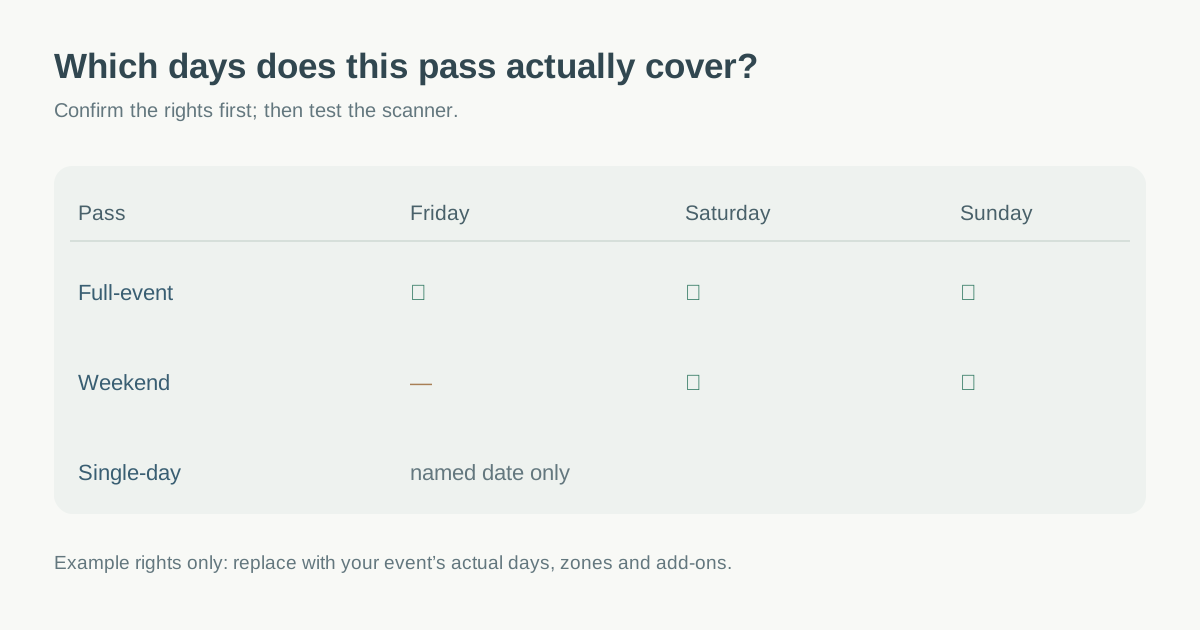
Write the pass as a day-by-day access matrix
List each event date and local time zone, opening period, entrance, area and session. For every product, mark exactly which days and zones it permits. Separate an all-event pass from a weekend-only pass, a single-day ticket and paid extras. Define whether a pass permits one person throughout, whether it can be transferred, and whether re-entry is allowed each day. Do not assume “all access” includes sold-out workshops, parking or camping unless those entitlements are explicitly attached.
| Product | Friday | Saturday | Sunday | Extra entitlement |
|---|---|---|---|---|
| Full-event pass | Yes, if specified | Yes | Yes | List separately |
| Weekend pass | No unless stated | Yes | Yes | List separately |
| Single-day pass | Only named date | Only named date | Only named date | None unless purchased |
| Workshop add-on | Only named session | Only named session | Only named session | Needs base admission if policy says so |
Ticket Generator’s guide describes day passes, full-event passes and add-ons, but its recommendation to offer at least three ticket types is a product-oriented suggestion, not a rule. Publish only the options your program and gate team can honor.[1]
Check whether the platform can validate each day
Do not assume every QR code resets at midnight. Ticket Generator says its own multi-day validation does. Evvnt documents the opposite constraint for one multi-day event format: a weekend pass is one ticket that can be checked in only once, while separate daily tickets or a package permit per-day check-ins. TryBooking documents day-specific scanning rules and a checkout step before the same pass can scan on a later day. Those differences change the setup, staff instructions and offline fallback.[1][2][3]
Choose the event structure by the needed gate behavior. Eventbrite distinguishes a single event with multiple dates from recurring instances, and warns that ticket types and quantities apply differently to each. Confirm how your actual provider handles per-day inventory, shared passes, add-ons, refunds, transfers and attendance exports before sales start.[4]
Rehearse every valid and invalid scan
Create safe test tickets for a day pass, full pass and relevant add-on. At each day’s gate, scan one valid pass, a pass for the wrong day, a second scan after entry, a permitted re-entry, an expired or canceled pass and a valid pass after a device sync interruption. Record the message the scanner gives staff and the action for an exception. Check how the pass changes overnight; a manual check-out or rule switch must have a named owner if the product requires it.[3][2]
A daily check-in is not the same as proof that a guest remained onsite all day, and a unique QR alone does not settle sharing or transfer policy. Keep first-admission, same-day re-entry and next-day admission states distinct in the gate instructions. Do not invent universal midnight reset, one-scan or no-refund rules.
Show the same rules to buyer and gate staff
Put exact date coverage, time zone, entrances, zones, add-on requirements, late entry, re-entry and support route on the product page, checkout, ticket and pre-event reminder. A buyer should be able to tell whether a Friday arrival is valid before paying. Give gate staff a one-page rights matrix and an exception owner rather than asking them to infer the rules from a product name. Update both public copy and scanner configuration if a program day changes.
Download the multi-day pass access and scan matrix (Markdown, English)
Sources and further reading
- Multi-Day Event Ticketing: The Complete GuideTicket Generator · Accessed
- Event Types and FormatsEvvnt Support · Accessed
- Scanning for events with multi-day accessTryBooking Learning Centre · Accessed
- Create multiple date or recurring eventsEventbrite Help Center · Accessed