How to set up a season pass for multiple events
A season pass for several separate events is more than a longer ticket date. Each event needs an explicit entitlement, available inventory and a check-in result. Build the pass from an event-by-event list, then verify what a buyer receives and what each gate will accept. Keep renewal as a separate decision.
Boletolibre editorial team
Published
Define the included events and the pass unit
Download the per-event pass inclusion, capacity and admission-test matrix (Markdown, English)
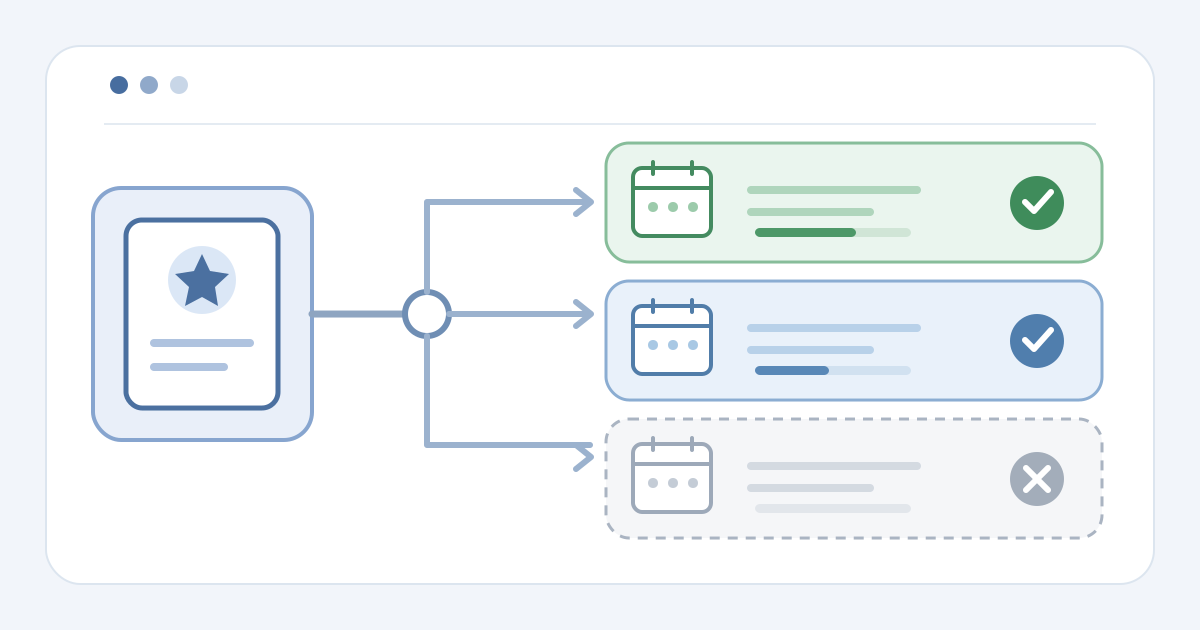
Start with the series boundaries. Give every event its own reference, date, venue and admission record. Mark included, excluded and undecided events; do not promise 'all shows' while the schedule is unsettled. Record which ticket types or areas the pass covers at each event, and who may approve an addition or removal. A multi-day pass for one event has a different scope: its valid days and zones belong to one event record, while a season pass may span several.
Choose the buyer-facing name and description from that matrix. State the included events or a precise rule for later additions, plus how the attendee will receive the admission credential for each event. Confirm the platform can express that rule before selling. If some events require a separate reservation, seat assignment or eligibility step, document it event by event; do not imply that buying the series product completes it automatically.
Choose the provider-supported entitlement model
Identify the product model your provider actually offers. TicketCo documents one season-pass QR or reference code that can be scanned once at each associated event. In TicketCo, organizers associate events explicitly, and its pass types all cover the same associated-event set; different event selections require separate season-pass setups. Those behaviors are TicketCo-specific, not a default for other systems.[2]
Showpass describes a membership-based season pass. Its benefits can include scan access or event tickets issued in batches; it also supports renewable seasons. That is a different handoff from one pass code at every door. Map the purchase, the pass or tickets delivered, the event-level record seen by scanners and the owner of renewal communications. Do not promise a single credential or automatic renewal until the selected setup proves it.[1]
Reconcile capacity for every event
Build an inventory row for each included event before making the pass public. Record approved capacity, single-event tickets already committed, planned pass allocation and remaining sellable count. In TicketCo, a season-pass purchase reduces capacity by one on every associated event; verify that behavior in its own records. Another platform may represent a pass through issued tickets or another stock mechanism, so inspect the actual counter and ticket state.[2]
If an event uses reserved seating, separate its seat assignment from the pass product and verify any supported mapping. Do not assume the same seat or a held seat across the series. Check what happens when an event is added, removed, postponed or reaches its limit: which pass holders gain an entitlement, which counters change and who updates buyer information. Hold publication when an event cannot be reconciled without double-counting.
Test the buyer and gate paths
Use an authorized test setup or reversible samples to follow the buyer path. Compare the pass page, confirmation and delivered credential with the inclusion matrix. A buyer should be able to tell which event is covered and what remains to be done for admission. Test a first included event, another included event, an excluded event and a ticket for a different date or category. Capture the actual scanner response and event attendance record for each, not just the screen message.
Repeat a scan at the same event, then try the legitimate scan at a second included event. The expected result depends on the configured model; TicketCo's once-per-associated-event rule is not universal. Compare each event's before-and-after capacity and entitlement counts with the sample purchase and scans. If a wrong-event credential passes, a legitimate second event is rejected or a count drifts, stop the launch and assign one owner to correct the mapping.[2]
Hand off changes and optional renewal
Give sales, support and gate teams the same current event list and exception route. Assign an owner to approve changes to the pass definition, one to verify inventory in every affected event, and a gate contact who can inspect the authoritative record. When the calendar changes, update the product description, event associations, issued credentials and capacity ledger in a controlled sequence. Recheck the buyer view and scan test after each change.
Treat a later season and renewal as a new handoff, not proof of continued admission. Showpass documents renewal and seat-retention behavior for its membership product; another provider may require a new pass or separate event tickets. Before announcing a new season, decide which events are included and verify the supported renewal, issuance and admission path.[1]
Sources and further reading
- Organizer guide: Overview of memberships and season passesShowpass Support · Accessed
- Setting up season ticketsTicketCo Support · Accessed